You get a call. The number is unknown. You pick up or you do not. Either way, the question stays with you — who was that?
This happens to people in Pakistan every single day. Unknown numbers, missed calls from numbers you do not recognize, suspicious messages from strangers — it adds up. Sometimes it is harmless. A delivery rider. A clinic confirming an appointment. But sometimes it is not. Scammers, fraudsters, and people with bad intentions use phone numbers all the time to reach targets they have carefully chosen.
The problem is not just annoying. It can be dangerous. And for a long time, ordinary people had no easy way to check who a number belongs to.
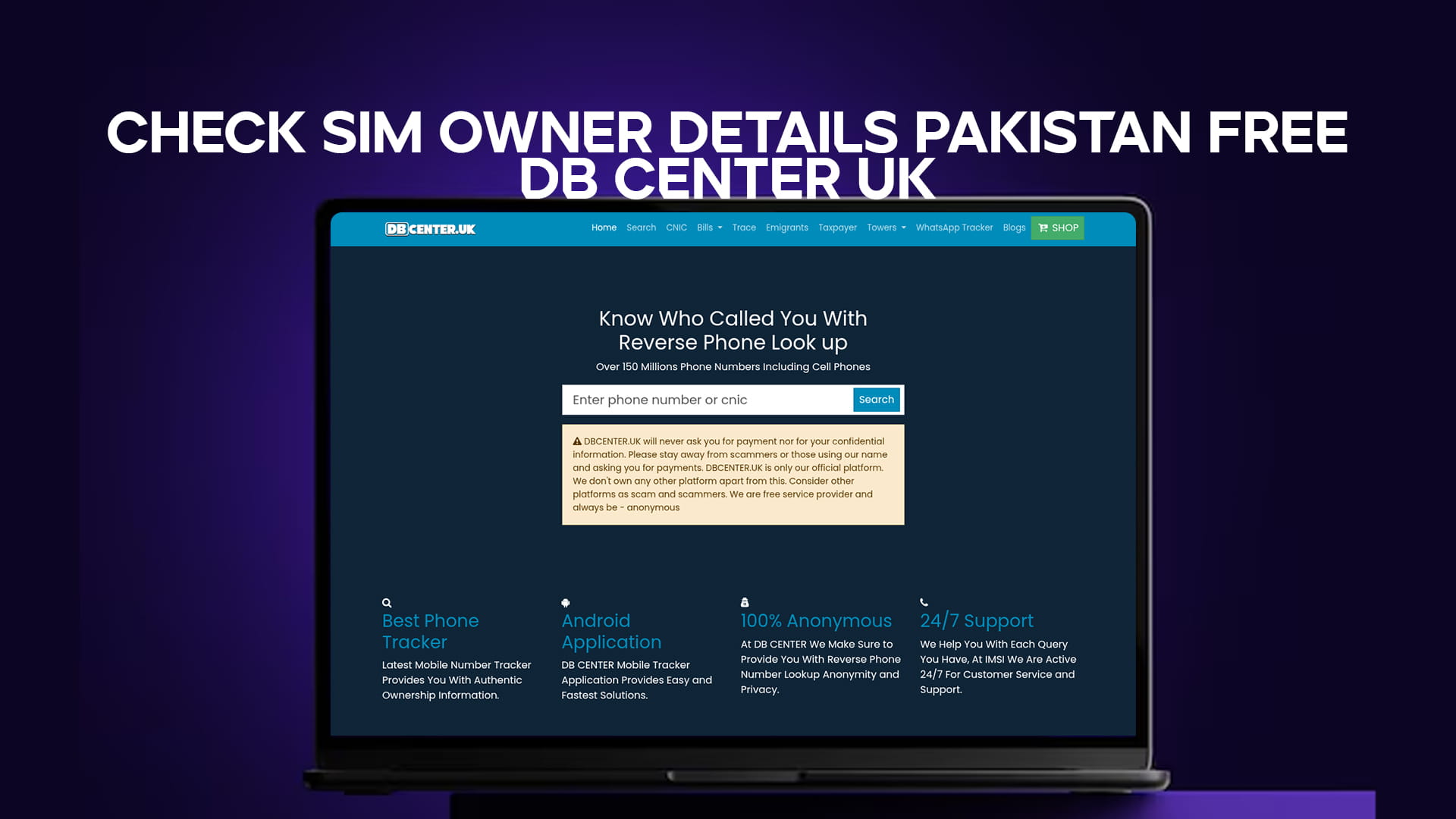
That is changing. DB Center now give you access to a massive phone number database — over 150 million numbers — so you can do a reverse phone lookup and find out who called you. Whether you are in the UK looking up a Pakistan number or sitting in Lahore wondering about a call you just received, the process is straightforward and free to use.
This article breaks down how SIM owner details work in Pakistan, why checking them matters, and how DB Center handles the lookup in a simple, no-fuss way.
Why Checking SIM Owner Details in Pakistan Matters
Pakistan has over 190 million active mobile subscriptions. That is a lot of phones, and a lot of numbers. With that kind of volume, it is no surprise that phone-based scams, spam calls, and fraud have become a real problem.
The Pakistan Telecommunication Authority — the PTA — has spent years trying to clean up the ecosystem. SIM registration rules now require every SIM card to be registered against a valid CNIC (Computerised National Identity Card). In theory, every active number in Pakistan is tied to a real person. In practice, not everyone uses the system honestly. Numbers get registered under fake identities, old cards get reused, and unregistered SIMs still circulate in some areas.
So even with government regulation in place, the average person still gets calls they cannot explain. And they still want answers.
Here is when checking SIM owner details actually becomes useful:
Missed calls from unknown numbers. You missed three calls from the same number. You do not want to call back blind. Before you do, you look it up.
Suspicious messages. Someone texts you claiming to be from your bank, your phone company, or a prize scheme. The number looks off. You check it.
Online transactions. You are buying something through an online classifieds site. The seller gives you a number. You want to verify it before you send money.
Harassment or threats. Someone has been calling repeatedly, sometimes saying nothing, sometimes saying things they should not. You want to know who it is.
Business verification. A person claims to represent a company. They give you a contact number. You want to confirm it matches what they said.
In all these cases, having a quick and free way to check the number saves time and can prevent real harm.
How SIM Registration Works in Pakistan
Before getting into the lookup tools, it helps to understand how SIM cards are registered in Pakistan.
Every telecom operator — Jazz, Telenor, Zong, Ufone, SCOM — is required by the PTA to register SIM cards biometrically. When someone buys a SIM, their thumbprint is scanned and matched against the National Database and Registration Authority (NADRA) records. The SIM is then linked to that person's CNIC number.
A single CNIC can have a limited number of active SIMs across all networks. The PTA set this cap to stop bulk SIM purchasing, which was being used for scams and crime.
This system means that in most cases, a phone number in Pakistan does trace back to a real, registered identity. That is useful context when you are trying to figure out who called you. It does not mean every number is easy to look up through public tools, but it does mean the data exists and databases like DB Center can surface relevant information.
You can also use the PTA's own SMS-based service to check how many SIMs are registered to a CNIC. Send your ID number to 668 and you get a reply showing active registrations. But that only works for your own CNIC. It does not help you identify an unknown caller's details. For that, you need a reverse phone lookup service.
What Is DB Center and How Does It Work
DB Center is a reverse phone lookup platform. The address is simple to remember — it is a UK-based service at dbcenter.uk. The idea behind it is straightforward: you have a phone number, you want to know who it belongs to, and you can search for it in a database of over 150 million phone numbers.
That database includes landlines and mobile numbers from multiple countries, including Pakistan. When you type a number into the search bar, DB Center checks it against its records and returns whatever information is available — this can include the name linked to the number, the carrier, the region, and sometimes additional details depending on the number.
There is no registration required for basic searches. You do not need to create an account or hand over your email address just to search a number. The process is clean and fast.
DB Center is particularly useful for Pakistan numbers because Pakistani mobile numbers follow a recognizable format. Numbers starting with 03 are mobile numbers. The four digits that follow the initial zero identify the network:
- 0300–0303 — Ufone
- 0310–0315 — Zong
- 0320–0323 — Jazz (formerly Warid)
- 0330–0337 — Jazz
- 0340–0347 — Ufone
- 0345–0349 — Telenor
- 0350–0352 — SCOM
When searching internationally — say, from the UK — you would enter the number with the Pakistan country code, which is +92. So a number like 0301-1234567 becomes +923011234567.
DB Center handles both formats, so you are not going to get an error because you forgot a digit or used the wrong format.
Step-by-Step: How to Check SIM Owner Details Using DB Center
This does not take long. Here is the full process:
Step 1 — Go to DB Center. Open your browser and go to the website. The homepage has a search bar front and centre. No distractions.
Step 2 — Enter the number. Type in the number you want to look up. If it is a Pakistan number, add +92 before the remaining digits, dropping the leading zero. If you are unsure about the format, try both — the system will handle it.
Step 3 — Start the search. Hit search and give it a moment. The database is large, so results usually come back quickly.
Step 4 — Read the results. The results page shows you what DB Center has on that number. This can include the registered name, the carrier, the general location, and whether the number has been flagged or reported by other users. Not every number returns full details — some numbers are newer or less documented — but many will return useful information.
Step 5 — Check user reports. One of the useful features is community-based reporting. Other users who have received calls from that number may have left comments or ratings. A number that shows up as flagged by multiple people as a scam call is a strong signal to block and ignore it.
That is the whole process. Free, fast, and no account required.
What Information Can You Actually Find
This is where people sometimes have the wrong expectation. Let's be clear about what DB Center can and cannot do.
What you can typically find:
- The name of the person or business the number is registered to, if that information is in the database
- The telecom carrier (Jazz, Telenor, Zong, Ufone, etc.)
- The country and general region the number originates from
- Whether the number has been reported by other users as spam, fraud, or harassment
- The type of number (mobile, landline, VoIP)
What the tool does not do:
- It does not give you someone's home address
- It does not provide real-time location tracking
- It does not access live government records or NADRA data
- It will not return results for numbers that are completely absent from the database
For many searches, the community data alone is enough. If a number has been called out by other users as a scam, that tells you what you need to know without any registered name attached.
Common Scenarios Where DB Center Helps
Scenario 1: Repeated missed calls You have five missed calls from a number you do not know. You search it on DB Center. Three other users have flagged it as a telemarketing number. You add it to your block list and move on.
Scenario 2: Online selling You posted an item for sale on an online marketplace. Someone contacts you via WhatsApp from an unfamiliar number. Before agreeing to meet or transferring anything, you run the number. No flags, the name matches what they told you. You proceed with more confidence.
Scenario 3: Suspicious loan offer You receive a message offering you a "special loan at low interest." The number is new and unrecognized. You search it. Multiple reports from other users saying it is a phishing scam. You delete the message.
Scenario 4: Verifying a business contact A supplier gives you a mobile number and says to contact them for orders. You search it to confirm it is associated with the business they claim to represent. The name in the database lines up. That is a good sign.
Scenario 5: Family safety Your child has been receiving calls from an unknown number. You check it. The database shows it has been flagged before for inappropriate contact. You know to take it seriously and block it immediately.
Staying Safe from Phone Scams in Pakistan
Checking numbers is one part of protecting yourself. There are a few other habits worth building:
Never share OTP codes over the phone. Your bank will never call you and ask for a one-time password. Nobody legitimate will. If someone asks for your OTP, hang up.
Do not call back unknown international numbers. Some scams work by getting you to call back a premium number. If you do not recognize an international number, look it up before calling.
Block and report spam numbers. On both Android and iOS, you can block numbers directly. You can also report them. When enough reports pile up, the number gets flagged across platforms.
Use your carrier's spam filter. Most Pakistani carriers have some level of spam detection now. Check your settings and enable it if you have not already.
Do not give out your CNIC number over the phone. No legitimate service will call you out of the blue asking for your national ID. This is a phishing attempt every time.
Check before you transact. Any time money is involved — buying, selling, transfers — run the number through DB Center first. It takes 30 seconds and it can save you real money.
Using DB Center from Outside Pakistan
DB Center is a UK-based service, which means it is designed to work for people across different countries. If you are in the UK, the US, or anywhere else and you have received a call from a Pakistan number, the process is the same.
Pakistani diaspora communities are often targeted by scammers who use Pakistan numbers to call people abroad. The calls might claim to be from a relative in trouble, a government agency, or a financial institution. With DB Center, you can check the number before deciding how to respond.
The reverse lookup covers Pakistan numbers in the +92 format, so international users can search without any issues. The 150 million plus number database includes international entries, making DB Center useful regardless of where you are located.
How to Report a Suspicious Number in Pakistan
If DB Center's results confirm your suspicion — or even if you are just not comfortable with the calls — you have options beyond blocking.
The Pakistan Telecommunication Authority has a complaint system where you can report numbers used for fraud, harassment, or spam. You can reach them through the PTA website or by calling their helpline. When you file a complaint with basic details — the number, the nature of the contact, and any supporting screenshots — the PTA can investigate and take action. If a pattern of fraud is confirmed, they have the authority to deactivate the SIM.
The Federal Investigation Agency (FIA) in Pakistan also has a Cybercrime Wing that handles phone-based fraud cases, especially when money has been lost or threats have been made. Their online complaint portal accepts submissions with phone numbers and relevant evidence.
Beyond official channels, leaving a report on DB Center itself is useful. When you mark a number as spam or fraud, that information goes into the community record. Future users searching that number will see your flag. One person's report might not seem like much, but it adds to a growing picture that helps protect others.
If you have received threatening calls, screenshot the messages, note the time and date of calls, and keep that record before you report. It makes the complaint more credible and easier to process.
Why Free Tools Like DB Center Matter
Paid phone lookup services exist. Some are reasonably good. But the pricing model creates a problem: the people who most need these tools are often the same people who cannot afford to pay per search.
Think about a pensioner in Rawalpindi who gets repeated calls from an unknown number asking for their bank details. Or a small shopkeeper in Karachi who gets scammed through a fake buyer's mobile number. These are not people who are going to subscribe to a premium lookup service. But they can open a browser and type a number into a free search bar.
That accessibility is the real value of DB Center. It does not ask you to create an account. It does not put results behind a paywall. You search, you see what is there, and you use the information however you need to.
For the Pakistani diaspora abroad — large communities in the UK, the Gulf states, North America, and Australia — this matters too. Scammers know that overseas Pakistanis sometimes send money to family back home. They exploit that by posing as relatives, lawyers, or government officials calling from Pakistan numbers. With DB Center, an overseas Pakistani can check a number in seconds before deciding whether to believe a caller's story.
What Makes DB Center Different
There are several phone lookup tools online. What separates DB Center is the size of its database and its usability.
Over 150 million numbers is not a small collection. It means a much higher chance of finding information about the number you are looking for, including Pakistani numbers that might not show up on more limited services.
The community-reporting feature adds a layer that pure database lookups miss. A number might not have registered owner details in the system, but if 40 people have flagged it as fraud over the past year, you know enough. That real-world usage data is valuable in a way that static records are not.
It is also free. Many reverse lookup services charge per search or require a subscription for any useful results. DB Center lets you search without paying, which matters when you are just trying to figure out who called you.
The interface is simple. No popups, no confusing menus, no dark patterns trying to get you to sign up for something. You type a number, you get results. That is the point.
It also works just as well on mobile as it does on a desktop browser. Most people in Pakistan browse on their phones, and a service that works cleanly on a small screen is far more practical than one built primarily for desktop users.
Final Thoughts
Unknown phone calls are not going away. In Pakistan, where mobile penetration is high and telecom regulation is still catching up with actual fraud patterns, people need practical tools to protect themselves.
DB Center gives you one of those tools. It is a free, easy-to-use reverse phone lookup service with over 150 million numbers in its database, including Pakistani numbers. You do not need an account. You do not need to pay. You just need the number and about 30 seconds.
If you get a call you do not recognize, look it up. If you are about to send money to a stranger based on a phone number, look it up first. If someone is harassing you from an unknown number, look it up and then report it to the Pakistan Telecommunication Authority at their complaint portal.
The information is out there. DB Center makes it accessible. That is really all there is to it.