The days of waiting for the paper bill to arrive — and panicking when it does not show up before the due date — are over. Every electricity distribution company in Pakistan now publishes bills online, and you can view, download, and print a full duplicate within seconds using nothing more than your reference number.
This matters for more than convenience. A bill that never reaches your letterbox still carries a due date, and a missed payment leads to a late surcharge and, eventually, disconnection. Checking online means you are never caught out by a lost or delayed paper copy. It is also the fastest way to keep a record for tenants, to verify a landlord's charges, or to track your monthly usage and spot a sudden spike before it becomes a habit.
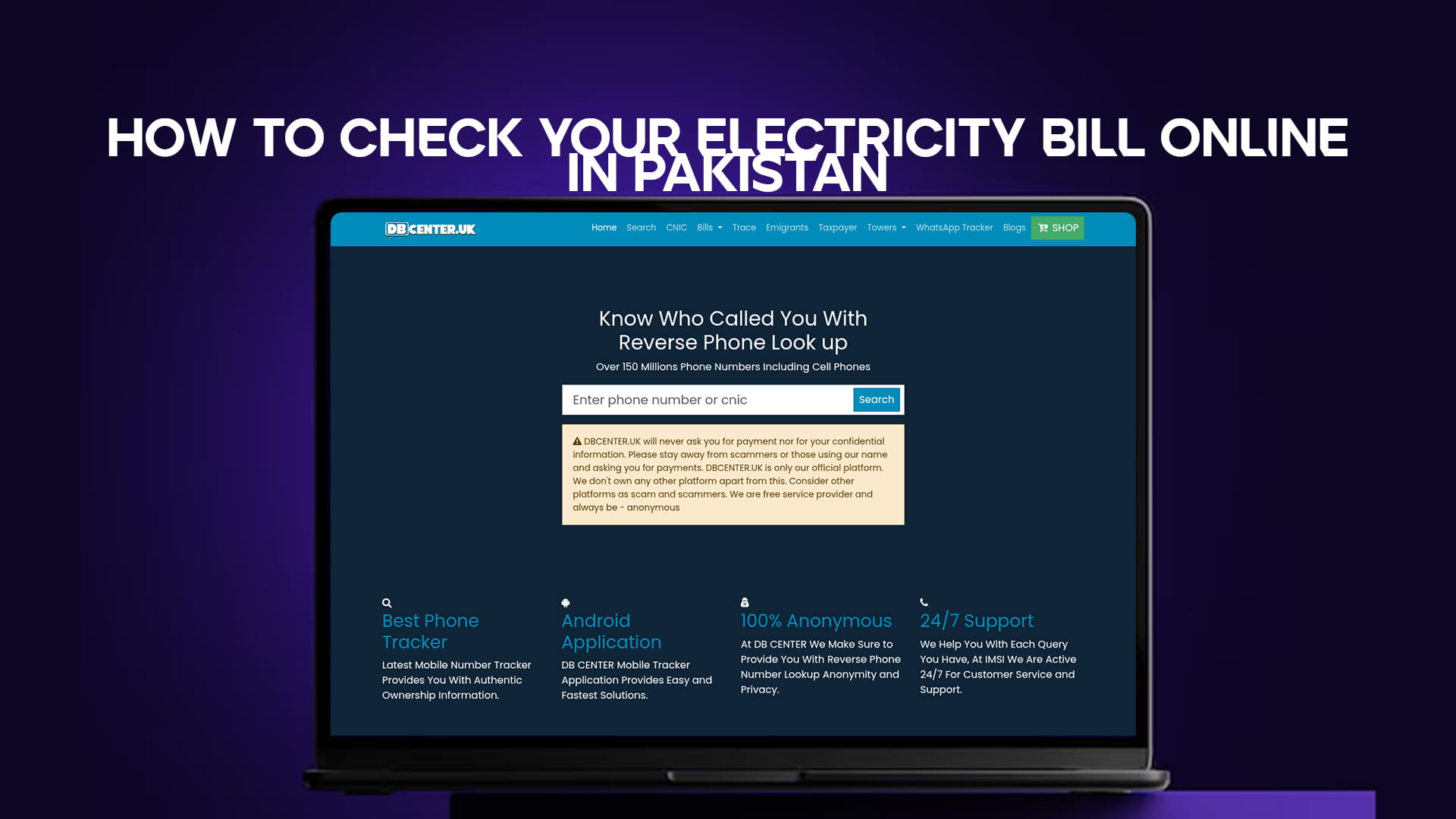
The quickest route is DB Center's free electricity bill checker, which works for every DISCO without a login or any payment. Enter your reference number and the current bill appears, ready to view or download.
If the site does not open: some networks in Pakistan filter it. Switch on any free VPN, such as Proton VPN or Windscribe, and it loads instantly.
Understanding DISCOs: Who Supplies Your Electricity
Pakistan does not have a single national electricity biller. Instead the country is divided among regional distribution companies, known as DISCOs, each responsible for a defined area. The company that bills you depends entirely on where you live, and using the right one is the first step to finding your bill.
The main DISCOs are LESCO for Lahore and surrounding districts, MEPCO for Multan and a large part of southern Punjab, FESCO for Faisalabad, GEPCO for Gujranwala, IESCO for Islamabad and Rawalpindi, PESCO for Peshawar and Khyber Pakhtunkhwa, HESCO and SEPCO for Hyderabad and the rest of Sindh outside Karachi, QESCO for the whole of Balochistan, and TESCO for the tribal districts. Karachi is the exception — it is served by K-Electric rather than a WAPDA-affiliated DISCO, and it runs its own billing system.
Your bill always prints the name of your DISCO at the top, so if you are unsure which company supplies you, an old paper copy settles it immediately.
What You Need: The Reference Number
Every electricity bill check in Pakistan revolves around one piece of information: the reference number. This is a long number, usually 14 digits, printed prominently on your bill, and it identifies your specific connection within the DISCO's system.
It is worth understanding the difference between two numbers that appear on the bill. The reference number is the long string used for online lookups and stays the same across most bills. The customer ID or account number is shorter and is sometimes requested separately. For checking your bill online, the reference number is almost always the one you need, so locate it on any past bill and keep it saved somewhere — in your phone notes, for instance — so you never have to hunt for a paper copy again.
If you have lost every paper bill and cannot find the reference number anywhere, you will usually need to retrieve it from your DISCO's customer service or a neighbour on the same meter batch, since the online systems are built around having that number in hand.
Method 1: Check Any Bill Through DB Center
The simplest way to check a bill for any DISCO in one place is the DB Center electricity tool. There is no account to create and nothing to pay.
Open the electricity bill checker, enter your 14-digit reference number, and submit. The current month's bill loads on screen with the full breakdown — units consumed, the amount due, the issue date, and the due date — and you can download or print it as a PDF duplicate. Because the tool covers all DISCOs, it is the most convenient option if you manage more than one property or are simply not sure which company to use.
If the page does not load on your connection, a VPN resolves it, as noted above.
Method 2: Check Directly on Your DISCO's Page
If you prefer to go straight to your specific distribution company, DB Center maintains a dedicated page for each one, so you can bookmark the exact tool for your area and skip straight to it each month.
LESCO — Lahore and Central Punjab
LESCO covers Lahore, Kasur, Sheikhupura, Nankana Sahib, Okara, and surrounding districts. Check and download your bill through the LESCO bill page using your reference number.
MEPCO — Multan and South Punjab
MEPCO has one of the largest service areas in the country, spanning Multan, Bahawalpur, Dera Ghazi Khan, Rahim Yar Khan, Vehari, and more. Retrieve your bill on the MEPCO bill page.
FESCO — Faisalabad
FESCO serves Faisalabad, Jhang, Toba Tek Singh, Sargodha, Mianwali, and Khushab. Your bill is available on the FESCO bill page.
GEPCO — Gujranwala
GEPCO covers Gujranwala, Sialkot, Gujrat, Narowal, Hafizabad, and Mandi Bahauddin. Check your bill on the GEPCO bill page.
IESCO — Islamabad and Rawalpindi
IESCO supplies the capital region, including Islamabad, Rawalpindi, Attock, Jhelum, Chakwal, and parts of Azad Kashmir's border districts. View your bill on the IESCO bill page.
PESCO — Peshawar and Khyber Pakhtunkhwa
PESCO serves Peshawar and most of Khyber Pakhtunkhwa. Retrieve your bill from the PESCO bill page.
HESCO and SEPCO — Sindh
HESCO covers Hyderabad and the surrounding districts of Sindh, while SEPCO handles the Sukkur region. Check the HESCO bill page or the SEPCO bill page depending on your area.
QESCO — Balochistan
QESCO is the single distribution company for the whole of Balochistan, from Quetta outward. Your bill is on the QESCO bill page.
TESCO — Tribal Districts
TESCO serves the merged tribal districts of Khyber Pakhtunkhwa. Check your bill on the TESCO bill page.
How to Read Your Electricity Bill
Pulling up the bill is only half the job. Understanding what it shows you helps you catch errors and manage your usage.
The units consumed figure, measured in kilowatt-hours, is the heart of the bill — it is the difference between this month's meter reading and last month's. The cost of electricity is then calculated in slabs, where higher consumption pushes you into a more expensive per-unit rate, which is why a small increase in units can produce a disproportionately large jump in the amount due.
Beyond the energy charge, the bill carries several fixed and variable additions. These typically include the fuel price adjustment, which reflects changes in the cost of generating power and varies month to month, along with taxes, a TV licence fee, and various government surcharges. The bill also shows two amounts to pay: the figure due by the due date, and a higher figure that applies if you pay late. Paying within the due date is the single easiest way to avoid throwing money away on the late surcharge.
If the units consumed look far higher than your normal pattern with no change in your household, it is worth checking the meter reading on the bill against your actual meter, since billing errors and faulty meters do happen and are worth disputing with the DISCO promptly.
How to Pay Your Electricity Bill
Once you have viewed the bill, paying it is straightforward, and you no longer need to stand in a bank queue. Most people now pay through mobile wallets such as JazzCash and Easypaisa, or through their bank's app, by entering the same reference number and confirming the amount. Internet banking, ATM bill payment, and over-the-counter payment at designated banks all remain available for those who prefer them.
After paying digitally, keep the confirmation message or screenshot until the payment reflects in the next bill, since clearing can take a day or two. A digital payment record is also useful evidence if any dispute over a "missed" payment ever arises.
Checking Old or Duplicate Bills
A common need is to retrieve a previous month's bill — for a tax record, a tenancy file, or to compare usage over time. The online tools generally let you view the current bill directly, and many DISCOs also expose recent billing history once you have entered your reference number, so you can step back through earlier months and download those as duplicates too.
For tenants and landlords in particular, keeping a downloaded copy of each month's bill creates a clean paper trail that prevents disputes about who paid what. It takes seconds to save the PDF, and it removes any later argument entirely.
A Note on Other Utility Bills
Electricity is rarely the only bill to track. The same approach — find the reference number, enter it on a free online tool, view and pay — applies to gas as well. If you also need to check your gas bill, DB Center covers the gas bill check for both SNGPL and SSGC networks, so you can manage both utilities from one place rather than juggling separate portals.
The Short Version
Find your reference number on any past bill, open DB Center's free electricity bill checker or your DISCO's dedicated page, and your current bill appears in seconds — ready to view, download, or pay. There is no login and no fee. If the site does not open on your connection, a VPN fixes it immediately.
Checking takes less time than finding the paper bill ever did, and doing it a few days before the due date is the simplest habit for never paying a late surcharge again.