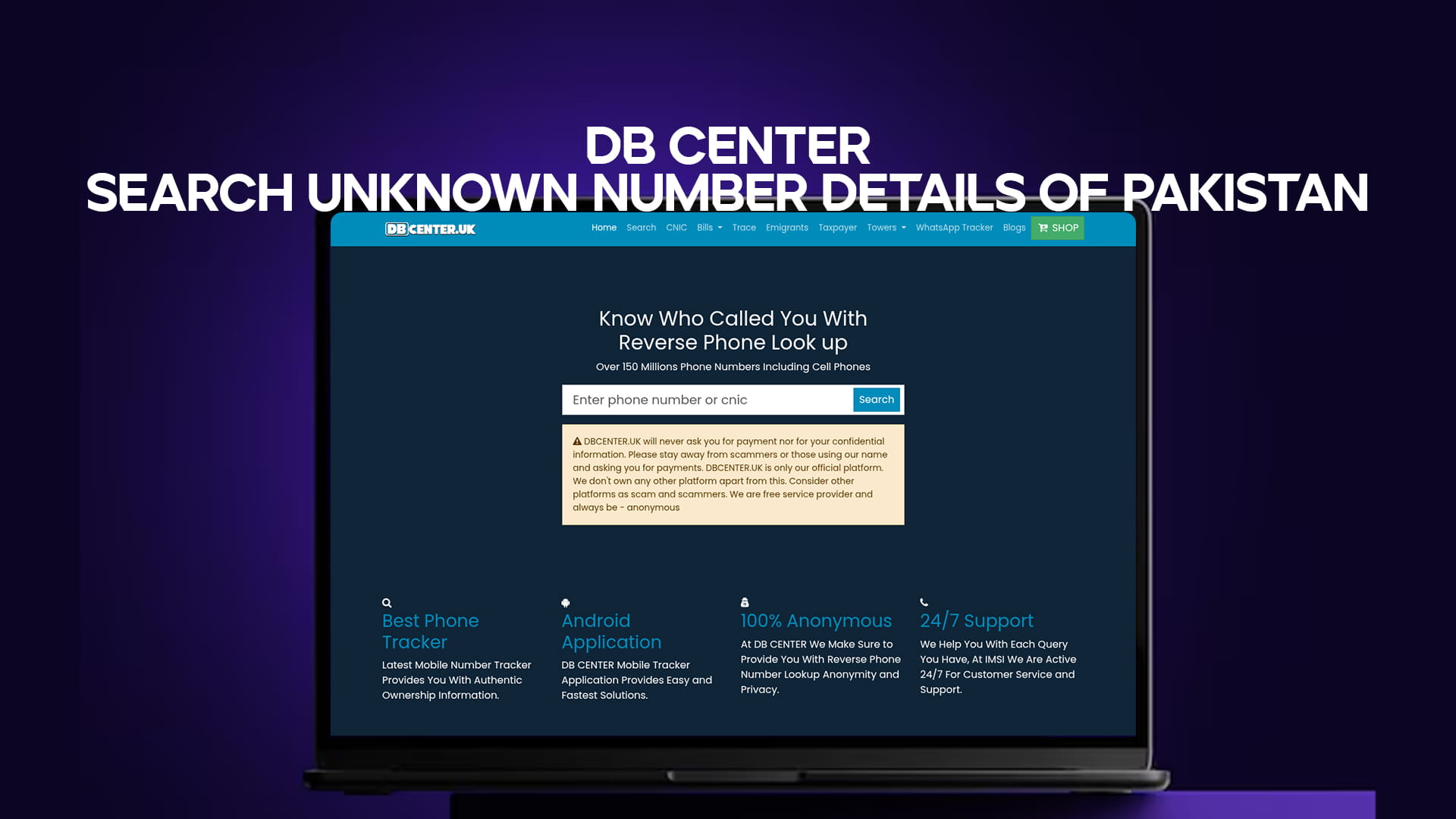
Have you ever received a call from an unknown number and wondered who it was? You are not alone. Millions of people in Pakistan receive calls every day from numbers they do not recognize. Some of these calls are harmless — a delivery rider, a new contact, or an old friend. But some of them are not. Spam callers, fraudsters, and scammers have made it very difficult for everyday people to trust an unfamiliar number.
This is exactly where DB Center comes in. DB Center is a powerful reverse phone lookup service that helps you find out who is behind any unknown number in Pakistan. With a database of over 150 million phone numbers — including mobile numbers — DB Center gives you the information you need quickly and easily, all in one place.
In this article, we will explain everything you need to know about DB Center, how reverse phone lookup works, why it matters, and how you can use it to protect yourself and stay informed.
What Is DB Center?
DB Center is an online platform designed for reverse phone lookup. The idea is simple. Instead of searching for a person and then finding their number, you start with the number and find the person. You type in the phone number you want to search, and DB Center shows you the available details linked to that number.
This service is especially useful in Pakistan, where phone fraud, telemarketing scams, and unknown callers have become a major concern. Whether you receive a missed call, a suspicious message, or a repeated unknown call at odd hours, DB Center helps you figure out who is on the other end.
DB Center covers numbers from across Pakistan — landline numbers, mobile numbers from all major networks including Jazz, Telenor, Zong, Ufone, and SCOM — and provides accessible, easy-to-read results.
How Does Reverse Phone Lookup Work?
Reverse phone lookup is a method of searching for information about a person or business using their phone number as the starting point. It is the opposite of a regular phone directory search, where you look up a name to find a number.
Here is how it works on DB Center:
- You enter the phone number — You type in the full phone number you want to search, including the area code or country prefix.
- The system searches its database — DB Center scans its database of over 150 million phone numbers to find any available details linked to that number.
- You receive the results — Within seconds, the platform shows you whatever information is publicly available about that number, such as the name, city, network provider, and sometimes even comments or reports from other users.
This process is fast, simple, and does not require any technical knowledge. Anyone can use it.
Why Do People in Pakistan Need This Service?
Pakistan has one of the fastest-growing mobile phone markets in the world. According to the Pakistan Telecommunication Authority (PTA), there are hundreds of millions of mobile connections active in the country. With so many phones in use, the number of unknown and suspicious calls has also grown significantly.
Here are some common reasons people in Pakistan search for unknown numbers:
1. Phone Scams and Fraud
Scam calls are a serious problem in Pakistan. People receive calls from individuals pretending to be bank officials, government employees, or prize lottery representatives. These callers try to steal personal information or trick people into sending money. Being able to identify an unknown number before answering or responding can protect you from falling victim to these scams.
2. Harassment Calls
Many people, especially women, receive unwanted and harassing calls from unknown numbers. DB Center allows victims to identify the caller and take action accordingly, whether by blocking the number or reporting it to the relevant authorities.
3. Missed Calls From Unknown Numbers
It is very common in Pakistan to receive a missed call from a number you do not recognize. Rather than calling back blindly and potentially getting charged or trapped in a scam, you can first search the number on DB Center to know who it belongs to.
4. Business Verification
If you are a business owner and receive calls from unknown clients, suppliers, or partners, DB Center helps you verify if the number is legitimate before you share sensitive business information.
5. Peace of Mind
Sometimes you just want to know who called. That peace of mind has real value. DB Center gives you that without any hassle.
Key Features of DB Center
DB Center is not just a simple phone directory. It comes with a set of features that make it one of the most useful tools for phone number search in Pakistan.
Massive Database Coverage
With over 150 million phone numbers in its database, DB Center offers one of the most comprehensive reverse phone lookup databases available for Pakistan. This means a higher chance of finding information about the number you are searching.
Mobile and Landline Support
DB Center covers both mobile numbers and landline numbers across Pakistan. Whether you receive a call from a mobile user in Karachi or a landline in Lahore, DB Center can help you find information about it.
User Reports and Comments
One of the most powerful features of DB Center is user-generated content. Real people who have received calls from a specific number can leave comments or reports about their experience. If a number is being used for scam calls, chances are that other users have already reported it. This community-driven layer of information adds tremendous value to the search results.
Fast and Easy to Use
You do not need to be tech-savvy to use DB Center. The search process is clean and straightforward. Type the number, hit search, and get results. The website is designed to be simple and accessible for everyone.
Free to Use
DB Center provides its core reverse phone lookup service free of charge. You do not need to create an account or pay any fee to search a phone number. This makes it accessible to all users across Pakistan, regardless of their financial situation.
How to Search an Unknown Number on DB Center
Using DB Center to search for an unknown number in Pakistan is incredibly easy. Here is a step-by-step guide:
Step 1: Open your web browser and go to DB Center.
Step 2: On the homepage, you will see a search bar. Type in the phone number you want to look up. Include the full number with the correct format — for example, a Pakistani mobile number starting with 03, or with the country code +92.
Step 3: Click the search button or press Enter.
Step 4: Within a few seconds, the results page will load. You will see any available information about the number, which may include the name of the registered owner, their location, the mobile network, and any user-submitted reports.
Step 5: Read the results carefully. If other users have flagged the number as spam or a scam, you will see those warnings displayed on the page.
That is all it takes. The entire process usually takes less than a minute.
What Information Can You Find?
When you search a phone number on DB Center, the results may include a variety of information depending on what is available in the database. Commonly found details include:
- Name of the caller — The registered name linked to the phone number, if available
- City or region — The location from which the number is registered or commonly used
- Mobile network provider — Which telecom operator the number belongs to (Jazz, Telenor, Zong, Ufone, etc.)
- User comments and spam reports — Feedback left by other users who have received calls from the same number
- Call type — Whether the number is known to be used for telemarketing, fraud, personal use, or business
Keep in mind that the depth of information available may vary from number to number. Numbers that have been widely reported or searched will typically have more information available.
Is It Legal and Safe to Use?
Yes. Using a reverse phone lookup service like DB Center is completely legal. The service relies on publicly available information and user-submitted data. It does not hack into any private networks or illegally access personal data. It works in a way similar to a public phone directory, but in reverse.
Using DB Center is also safe for your own privacy. You do not need to share personal information to search a number. The platform does not require registration for basic searches, so your searches remain private.
DB Center and Telecom Fraud in Pakistan
Telecom fraud is a growing issue in Pakistan. Fraudsters use technology to mask their real numbers and call victims while pretending to be someone else. Common types of telecom fraud in Pakistan include:
- OTP scams — Callers pretend to be from a bank or financial service and ask for your one-time password (OTP)
- Prize scams — Calls claiming you have won a prize and asking for personal information or advance payment
- Loan scams — Fake loan agents offering too-good-to-be-true loan deals in exchange for upfront fees
- SIM swap fraud — Fraudsters trying to get your SIM ported to a new number so they can access your accounts
DB Center helps fight back against these types of fraud. When users search suspicious numbers and leave reports, they are creating a shared knowledge base that helps warn others. If a number has been flagged by multiple users as a fraud or spam number, the next person who searches it will immediately see those warnings.
How DB Center Compares to Other Methods
Before services like DB Center existed, people had limited options when it came to identifying unknown callers. Let us compare:
Calling back the number: Risky. You may be charged, connected to a scam line, or alert the fraudster that your number is active.
Searching on Google: Sometimes works for business numbers, but rarely gives useful results for personal mobile numbers in Pakistan.
Asking around: Inefficient and not always possible, especially when you receive a call late at night or early in the morning.
Contacting your telecom operator: Operators generally cannot share customer details due to privacy policies.
Using DB Center: Fast, free, safe, and gives you real results based on a massive database and real user reports.
Tips for Using DB Center Effectively
Here are a few tips to get the most out of your DB Center searches:
- Always enter the number in full. Include the area code or country code for better accuracy.
- Read user comments carefully. They often contain useful context that the database alone cannot provide.
- Report suspicious numbers yourself. If you receive a scam or spam call, report it on DB Center so others are protected too.
- Search before you call back. Whenever you receive a missed call from an unknown number, search it first before returning the call.
- Check the number format. Pakistani numbers sometimes appear differently depending on how they are saved. Try searching with both +92 and 0 formats if your first search gives no results.
The Community Behind DB Center
What truly sets DB Center apart is its community of users. Every report submitted, every comment left, and every search performed contributes to a richer and more reliable database. This collective approach means that DB Center gets better and more accurate over time.
In Pakistan, where scam calls and fraud are on the rise, having a community-based tool that fights back is incredibly valuable. People helping people — that is the spirit behind DB Center.
Final Thoughts
In a world where your phone is your most important communication tool, knowing who is calling you is not a luxury — it is a necessity. DB Center gives people in Pakistan the power to search unknown number details quickly, freely, and reliably.
Whether you are trying to identify a suspicious missed call, verify a business contact, or protect yourself from a potential scam, DB Center is the most practical and easy-to-use solution available today. With over 150 million phone numbers in its database and a growing community of users sharing their experiences, DB Center is your trusted partner in phone number search across Pakistan.
The next time an unknown number calls you, do not guess — search it on DB Center and know exactly who is trying to reach you.