Most people in Pakistan have no idea how many SIM cards are registered in their name. They buy a SIM, use it for a few years, maybe lose it, get a new one, and never think twice about what happened to the old registration. Others discover — sometimes after a financial fraud — that someone else used their CNIC to register SIMs they never touched.
This is a real problem. And in 2026, checking how many SIMs are registered on your CNIC takes less than two minutes using completely free, official tools. There is no excuse not to do it.
This guide walks you through every method available — the fastest official SMS service, the PTA web portal, operator-level checks, what the legal SIM limits are, and what to do if you find something unexpected. It also covers how DB Center fits into protecting your mobile identity when unknown numbers start calling.
Why You Need to Check Your CNIC SIM Registrations
Let us be direct about why this matters.
When a SIM is registered in your name, you are legally responsible for activity on that number. If someone uses that SIM to commit fraud, send threatening messages, or run a scam operation, the trail leads back to your CNIC. In Pakistan's telecom system, the registered owner of the SIM is the person on record — regardless of who is physically using it.
Here are the most common reasons people discover unauthorized SIMs on their CNIC:
Lost or stolen CNIC copies. When you share a photocopy of your CNIC with a landlord, employer, or shop, that copy can be misused at a mobile franchise to register a new SIM.
Unauthorized franchise activity. Some mobile franchise staff have been caught registering extra SIMs using customer CNICs without consent. The biometric verification requirement was introduced to stop this, but it does not cover older registrations that slipped through.
SIM card reselling. Some people buy and resell active SIMs. If the previous owner registered the SIM under someone else's CNIC through illegal means, the victim may not know for months or years.
Online data leaks. CNIC numbers exposed in data breaches have been used to register SIMs in some documented cases in Pakistan.
The consequences of having unauthorized SIMs on your CNIC can range from annoying (spam calls traced back to your identity) to serious (criminal investigation linked to a number you never used). Checking regularly costs nothing and takes barely any time.
How Many SIMs Can Be Registered on One CNIC in Pakistan?
PTA has set official limits on how many SIM cards a single CNIC can hold. These limits are in place to prevent mass registration fraud and control misuse of mobile numbers.
As of 2026, the limits are:
- Pakistani residents: Up to 5 SIM cards across all networks combined
- Foreign nationals with NICOP: Up to 3 SIM cards
These limits apply across all networks collectively — not per network. So if you already have 3 Jazz SIMs and 2 Telenor SIMs registered on your CNIC, you have hit the maximum. No new SIM can be issued to you unless an existing one is deactivated first.
If you check your CNIC and find 5 SIMs registered but you only use 2, someone has used 3 slots of your allowance without your knowledge. That is a serious issue and needs to be reported immediately.
Method 1: PTA SMS Service – The Fastest Free Check (Code 668)
This is the simplest and most widely used method. PTA runs a free SMS-based service that returns a list of all SIM cards registered on your CNIC within seconds.
Step-by-Step Instructions
Step 1: Pick up any mobile phone — it does not have to be your own registered number. Any active SIM will work.
Step 2: Open the messaging app and start a new SMS.
Step 3: Type your 13-digit CNIC number in the message body. Do not add dashes, spaces, or any other characters — just the 13 digits.
For example, if your CNIC is 42101-1234567-1, you type: 4210112345671
Step 4: Send this message to 668.
Step 5: Wait for the automated reply. It usually arrives within 30 seconds to 2 minutes depending on network traffic.
Step 6: Read the reply carefully. It will list each SIM registered on your CNIC, along with the network name (Jazz, Telenor, Zong, Ufone, or SCOM).
Step 7: Compare this list with the SIMs you actually own and use. Any entry you do not recognize needs to be addressed.
Important Notes About This Service
- This service is available on all major Pakistani networks.
- Standard SMS rates apply. Most basic packages include free SMS, so there is usually no charge.
- The reply shows currently active registrations. Deactivated or expired SIMs may not appear.
- You can run this check as often as you want. There is no restriction on how frequently you can request it.
Method 2: PTA Web Portal – Online SIM Registration Check
If you are on a computer or prefer a web-based interface, PTA's online portal provides the same SIM registration information. Some users find this more convenient for keeping a record of what they see.
Step-by-Step Instructions
Step 1: Open a browser on your computer or phone and navigate to the official PTA website: https://www.pta.gov.pk
Step 2: Look for the citizen services section. Inside this section, there is usually a dedicated page for SIM information or mobile number verification. PTA updates its website periodically, so the exact navigation path may vary slightly from what you see here — but the tool is present on the portal.
Step 3: Enter your 13-digit CNIC number in the provided field. Make sure you enter it exactly as it appears on your identity card, without dashes.
Step 4: Complete the CAPTCHA verification that appears on screen. This prevents automated bots from querying the system.
Step 5: Click the submit or check button.
Step 6: The portal will display the registered SIM details linked to your CNIC, similar to the SMS response.
Step 7: Review the results. If anything looks unfamiliar, note the network name and number details before proceeding to report it.
Method 3: Check Through Your Telecom Operator Directly
Each network in Pakistan has its own customer service channels. While they cannot show you information from other networks, they can confirm exactly which of their own numbers are registered to your CNIC and help you take action on any that you want removed.
Jazz
- Helpline: Dial 111 from a Jazz SIM
- From other networks: Call 0300-0111111
- You can also visit any Jazz Experience Center with your original CNIC
Telenor
- Helpline: Dial 345 from a Telenor SIM
- From other networks: Call 0345-3456789
- Visit any Telenor Service Center for in-person verification
Zong
- Helpline: Dial 310 from a Zong SIM
- From other networks: Call 0311-3100310
- Zong franchise visits require original CNIC and biometric verification for changes
Ufone
- Helpline: Dial 333 from a Ufone SIM
- From other networks: Call 0333-3330333
When you contact any of these helplines, ask the agent specifically: "How many SIMs are currently registered on my CNIC with your network?" They will ask you to verify your identity before sharing this information.
For blocking an unauthorized SIM, a franchise visit with your original CNIC and biometrics is usually required. Phone-based requests for deactivation are sometimes possible but may have additional verification steps.
Method 4: PTA Complaint Portal for Unauthorized SIM Registration
If you find a SIM on your CNIC that you did not register, you need to report it formally. PTA has a dedicated complaints system for exactly this situation.
Step-by-Step Complaint Process
Step 1: Go to complaints.pta.gov.pk — this is PTA's official complaint management portal.
Step 2: Register or log in to the portal. You will need to provide your CNIC and contact details.
Step 3: Select the complaint category. Look for options related to SIM registration fraud or unauthorized SIM issuance.
Step 4: Fill in the details. Include your CNIC number, the network involved, and any information you have about the unauthorized SIM (such as the number itself, if the SMS reply showed it).
Step 5: Submit your complaint. You will receive a complaint reference number via SMS or email.
Step 6: Keep the reference number. PTA typically responds within a few business days for SIM fraud cases.
Step 7: Follow up if needed using the same portal or by calling PTA's toll-free helpline at 0800-55055.
PTA takes SIM registration fraud seriously because it affects the integrity of Pakistan's telecom identification system. Complaints are usually acted upon relatively quickly, especially when the complainant can provide clear evidence.
What to Do If You Find Unauthorized SIMs on Your CNIC
Finding an unexpected SIM on your CNIC is alarming, but the steps to fix it are clear. Here is what to do in order:
1. Do not panic, but do act quickly. The sooner you report it, the less time that SIM has to be used for harmful activity in your name.
2. Note down all details from the SMS or portal reply. Write down which network the unauthorized SIM belongs to, and the number itself if shown.
3. Call PTA at 0800-55055 and report the unauthorized SIM. This is the fastest way to start the official process.
4. Visit the concerned network's franchise in person. Bring your original CNIC. Request that the unauthorized SIM be blocked and deregistered from your identity. Biometric verification confirms you are the real CNIC holder.
5. File a written complaint at PTA's complaint portal. This creates a formal record that may be needed if the SIM was used for fraud and authorities come asking later.
6. File an FIA Cybercrime report if needed. If the unauthorized SIM was used for financial fraud, scam calls, or threatening messages, report it to the FIA at nr3c.gov.pk or call 9911. This escalates the case to a criminal investigation level.
7. Apply for a duplicate CNIC if necessary. In some cases — especially if your CNIC was physically stolen or heavily misused — applying for a fresh CNIC through NADRA with the old one cancelled can prevent future misuse.
How DB Center Connects to Your SIM Identity Safety
You might be wondering what a reverse phone lookup platform like DB Center has to do with checking SIM registrations. The connection is more practical than it first appears.
Here is the situation many people face: they check their CNIC via 668, find an unknown number registered in their name, and then want to know more about how that number has been used. Is it connected to scam calls? Has it been reported by other people as a fraud number? Is it associated with a telemarketing operation?
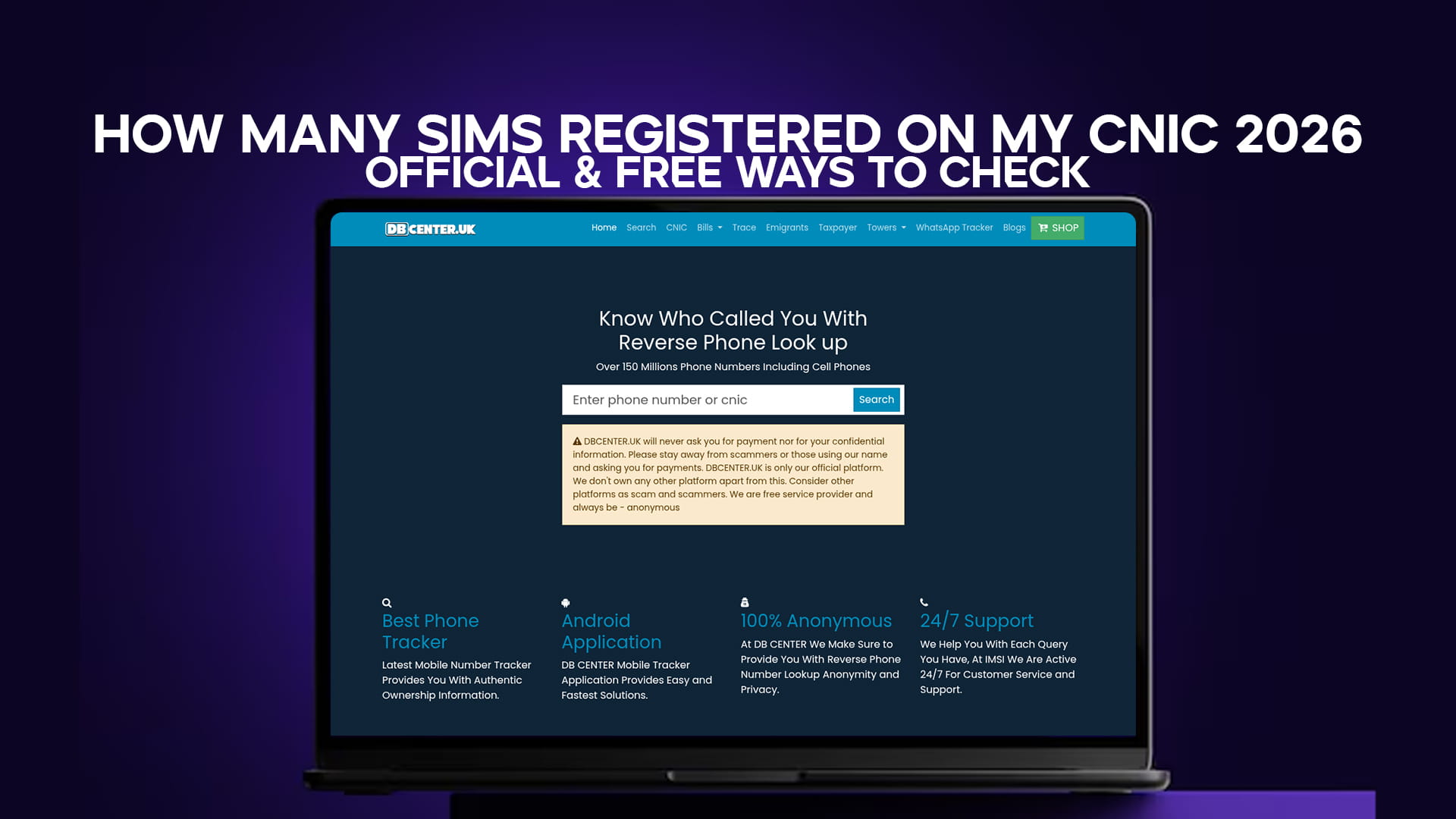
This is where DB Center becomes useful. With a database of over 150 million phone numbers, DB Center allows you to search any Pakistani mobile number and see if it has been flagged by other users. If an unauthorized SIM on your CNIC has been actively used for scam calls or harassment, there is a real chance it has already been reported by its victims.
Searching the suspicious number on DB Center before reporting it to PTA gives you a clearer picture of the situation. If others have already tagged it as a fraud number, that information strengthens your own complaint.
DB Center also works the other way — if you start receiving unusual calls or suddenly notice increased spam activity on your phone, it can sometimes be an early signal that a SIM connected to your identity has been compromised and is being used in ways that generate complaints. Checking the number on DB Center can confirm whether others are experiencing the same problem.
How to Use DB Center to Investigate a Suspicious Number
If you found an unauthorized number on your CNIC and want to check its history before reporting, here is the process for DB Center:
Step 1: Open your phone or computer browser and go to DBCenter.uk.
Step 2: Enter the phone number in the search bar on the homepage. Use the local Pakistani format (03xx xxxxxxx) or include the country code (+92).
Step 3: Click search and wait for the results to load.
Step 4: Review any reports, comments, or spam flags associated with that number. If other users have reported it as a scam or telemarketing number, those details will appear here.
Step 5: If you have information to add — for example, that this number was found registered to your CNIC without your consent — you can leave a report in the comment section. This informs others who may receive calls from the same number.
No registration is needed for basic searches. The service is free and accessible on any device.
How Often Should You Check Your CNIC SIM Registrations?
There is no hard rule, but a practical habit is to check every three to four months. This is frequent enough to catch unauthorized registrations early, without being so often that it becomes a chore.
You should also check immediately in these specific situations:
- Right after losing your wallet or CNIC
- After sharing a CNIC photocopy with a new landlord, employer, or service provider
- When you start receiving unusual calls or messages claiming to be from banks or financial services you never contacted
- When a bank or mobile wallet flags suspicious activity on your account
- After hearing news about a data breach involving Pakistani identity data
Building the habit of a quarterly CNIC SIM check takes less than 60 seconds via the 668 SMS service. It is one of the easiest protective measures available to Pakistani mobile users.
Common Mistakes Pakistani SIM Users Make
Understanding what other people get wrong helps you avoid the same problems.
Not checking until something goes wrong. Most people only discover unauthorized SIMs after fraud has already occurred. By then, the damage is done. Checking in advance is always better.
Sharing CNIC photocopies too freely. Every time you hand over a CNIC copy, you create a potential risk. Some shops scan and store copies indefinitely. Limit CNIC sharing to situations where it is genuinely required.
Ignoring old or unused SIMs. Many people have SIMs sitting in drawers that they stopped using years ago. These are still registered to your CNIC and taking up your allowance. Get them deactivated officially to free up your slots and remove the risk.
Not following up on complaints. Filing a complaint with PTA is the first step, not the last. Follow up using your reference number if you do not hear back within the promised timeframe.
Assuming biometric verification eliminates all risk. Biometric checks significantly reduced fraud, but they do not cover SIMs registered before the biometric system was introduced, and some older fraudulent registrations may still exist. The 668 check reveals these too.
Frequently Asked Questions
Q: Is the PTA 668 SMS service free for all networks? Yes, the 668 SIM check service is available on all major Pakistani networks including Jazz, Telenor, Zong, Ufone, and SCOM. Standard SMS rates apply, but for most users this means no extra cost since SMS is included in their package.
Q: Can someone else check how many SIMs are on my CNIC? No. The 668 service only works when you send your own CNIC number. The reply goes to the phone that sent the SMS. Someone cannot check your CNIC registrations without physically having your CNIC number, which is why you should keep your CNIC number private.
Q: What if I have more than 5 SIMs but I registered all of them myself? This should not be possible from 2024 onwards. PTA's system blocks new SIM issuance once the limit is reached. If you see more than 5 SIMs on your CNIC, it is worth investigating whether any were registered without proper authorization, even if you thought you had requested them. Contact PTA for clarification.
Q: How long does it take PTA to deactivate an unauthorized SIM? After a formal complaint with the concerned network franchise and PTA, unauthorized SIMs are typically blocked within 3 to 7 working days for straightforward cases. Complex fraud cases may take longer if investigation is needed.
Q: Can I use DB Center to check if a number on my CNIC has been reported as spam? Yes. Search the number directly on DB Center after you find it in your CNIC SIM list. If it has been used for spam calls or fraud, there is a good chance other users have already reported it, and those reports will appear in the search results.
Q: What happens if someone commits fraud using a SIM registered to my CNIC? You could potentially face legal complications until you can prove the SIM was registered without your consent. This is why acting quickly is important — file the complaint with PTA and FIA as soon as you discover the unauthorized registration. Your complaint record becomes your documentation.
Final Thoughts
Checking how many SIMs are registered on your CNIC is one of the most basic and important things a Pakistani mobile user can do in 2026. The threat of SIM fraud is real, the methods to check are genuinely free, and the process takes under two minutes.
Use the PTA 668 SMS service for your routine checks. Use the PTA web portal when you want a more detailed record. Contact your network operators directly if you need action taken on a specific SIM. File formal complaints with PTA and FIA if fraud has occurred.
And if you want to understand how an unauthorized number on your CNIC has been used — whether it has been flagged for spam, scam calls, or harassment by other Pakistanis — DB Center is a fast, free way to look it up. With over 150 million phone numbers in its database, including active Pakistani mobile numbers reported by users across the country, it gives you context that official channels alone cannot provide.
Check your CNIC today. It costs nothing and could save you from a serious problem down the road.