Every Pakistani citizen relies on their Computerised National Identity Card (CNIC) for everything from opening a bank account to registering a SIM card or receiving government benefits. But what happens when you need to verify a CNIC number — your own or someone else's — without physically visiting a NADRA office?
In 2026, checking CNIC details online in Pakistan has become faster and more accessible than ever. Whether you want to confirm a person's registered name, verify that a CNIC number is genuine, or simply retrieve your own ID information in seconds, multiple official and trusted third-party methods now exist.
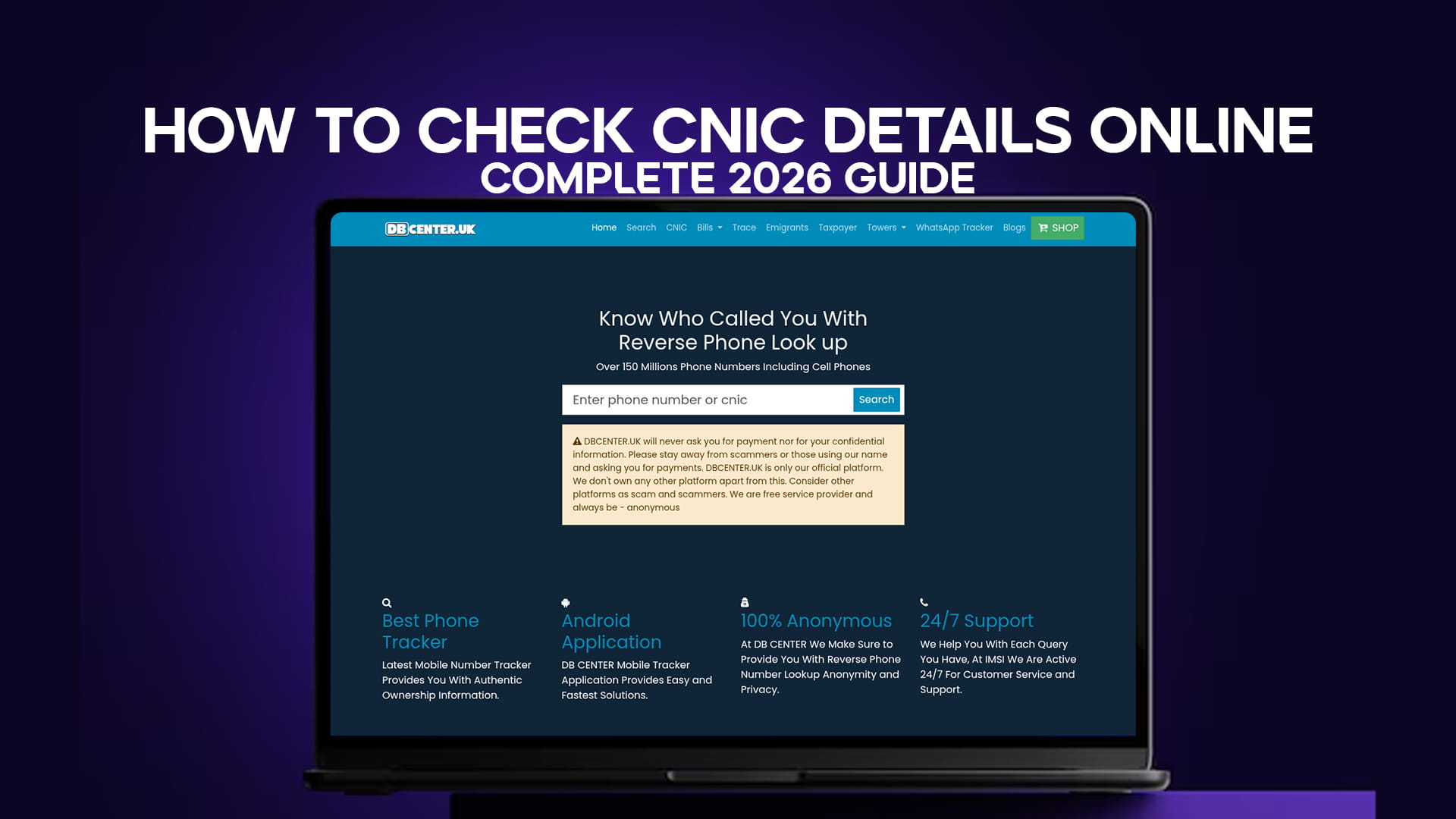
This complete guide walks you through every available method: NADRA's official Verisys portal, SMS-based verification, and Pakistan's No. 1 free CNIC Details Checker — DB Center — which requires no login, no registration, and no payment whatsoever.
Note: If DB Center is inaccessible from your region, simply connect through a VPN and the tool will load instantly.
What Is CNIC and Why Verification Matters
A CNIC (Computerised National Identity Card) is the primary national identity document issued by NADRA (National Database and Registration Authority) to Pakistani citizens aged 18 and above. The card carries a unique 13-digit number formatted as XXXXX-XXXXXXX-X, which encodes the holder's province, district, and family serial.
CNIC verification is important for a wide range of situations:
For individuals: Confirming your own registered information is correct, recovering lost ID details, and checking CNIC expiry dates.
For businesses: Verifying the identity of employees, tenants, or clients before entering into agreements.
For landlords and property owners: Confirming tenant identity before signing lease agreements.
For employers: Running background checks before hiring to confirm candidates are who they say they are.
For overseas Pakistanis: Verifying family members' ID status remotely before handling property or legal matters on their behalf. You can also use the dedicated overseas Pakistani / emigrants verification tool at DB Center for related records.
Method 1: DB Center — Pakistan's No. 1 Free CNIC Details Checker
DB Center is the most popular and trusted free CNIC verification tool available to Pakistanis in 2026. It requires absolutely no account creation, no payment, and no personal data submission. You simply enter the 13-digit CNIC number and get results.
Why DB Center Stands Out
Unlike many tools that require registration or charge fees, DB Center is entirely free and works anonymously. It is the go-to platform for millions of Pakistanis who need quick identity data without bureaucratic hurdles.
Step-by-Step: How to Use DB Center's CNIC Tool
Step 1 — Open the tool Visit https://dbcenter.uk/cnic directly on your browser — desktop or mobile. If the site doesn't load, enable a VPN and try again; it will open without issue.
Step 2 — Enter the CNIC number Type the full 13-digit CNIC number in the search field. Make sure to enter it without dashes (e.g., 4220112345671) or with dashes as prompted (e.g., 42201-1234567-1), depending on the field format shown.
Step 3 — Click Search / Verify Hit the search or verify button. The system processes the query within seconds.
Step 4 — Review the results The results typically display the registered name linked to the CNIC, registration status, and other available public record details.
Step 5 — VPN tip If you receive a connection error or the page fails to load, connect via any free or paid VPN (such as Proton VPN or Windscribe) and reload the page. This resolves the issue in virtually all cases.
DB Center also offers several related lookup tools that may be useful alongside your CNIC search. For instance, you can use the general search tool to explore broader identity or record lookups, or use the mobile number trace feature to find information associated with a phone number.
Method 2: NADRA Verisys — Official Online Verification Portal
NADRA operates the official Verisys platform for identity verification in Pakistan. It is primarily designed for businesses, government departments, and organisations rather than individual consumers — but individuals can access it too.
How to Use NADRA Verisys
Website: https://www.nadra.gov.pk (navigate to the Verisys section)
Step 1: Register on the Verisys portal with a valid email and phone number.
Step 2: Top up your Verisys account with verification credits. Each query costs a small fee (typically a few rupees per check, though pricing is subject to NADRA's current rates).
Step 3: Log in, enter the CNIC number you want to verify, and submit.
Step 4: The system returns a real-time confirmation of whether the CNIC is valid, expired, or blocked, along with the registered name.
Limitations of Verisys
While Verisys is the official method and carries full NADRA authority, it involves account registration, requires advance payment for credits, and is better suited to bulk or business verification rather than occasional individual use. For a quick one-off check, most Pakistanis prefer DB Center's free tool.
Method 3: NADRA CNIC Verification via SMS
NADRA offers a simple SMS-based service that allows any mobile user in Pakistan to verify a CNIC number without internet access.
SMS Verification Steps
Step 1: Open your phone's messaging app.
Step 2: Type the 13-digit CNIC number (without dashes).
Step 3: Send the message to 8400.
Step 4: You will receive an automated reply from NADRA confirming whether the CNIC is valid or not, along with the registered name associated with it.
This service works on all Pakistani networks — Jazz, Telenor, Ufone, and Zong. Standard SMS charges may apply depending on your network package.
When to Use SMS Verification
The SMS method is ideal when you are in a low-connectivity area, don't have a browser handy, or simply want the fastest possible confirmation. It is particularly useful for shopkeepers, landlords, and field agents who regularly need to verify identities on the spot.
Method 4: NADRA's Official Mobile App
NADRA has released an official app for identity-related services. While features vary and have been updated over the years, the app typically allows:
- CNIC status checks
- Passport status tracking
- Registration centre locators
- Family registration certificate (FRC) requests
Search for "NADRA" in the Google Play Store or Apple App Store and install the official app. Ensure it is published by NADRA Pakistan to avoid third-party impostors.
Method 5: Through Your Bank or Telecom Provider
Many Pakistani banks (HBL, UBL, Meezan, etc.) and telecom operators (Jazz, Telenor, Zong, Ufone) perform CNIC verification as part of their KYC (Know Your Customer) process when you open an account or register a SIM. While this is not a direct tool for personal use, you can visit a bank branch or telecom retailer and request verification for legitimate purposes.
What Information Does a CNIC Number Reveal?
A Pakistani CNIC number is not random — it is a structured 13-digit code that encodes specific geographic and demographic data:
Digits 1–5 represent the district and tehsil of the CNIC holder's registered address at the time of issue.
Digits 6–12 form the family and individual serial number assigned by NADRA.
Digit 13 is a gender indicator: an odd number (1, 3, 5, 7, 9) indicates male, and an even number (0, 2, 4, 6, 8) indicates female.
So by looking at the last digit of any CNIC number, you can immediately tell the registered gender of the card holder. The first few digits also tell you which province and district the card was originally issued in, which can be useful for cross-referencing address claims.
Checking Taxpayer Status via CNIC
Beyond identity verification, you can also use a CNIC number to check whether someone is a registered taxpayer in Pakistan. The FBR (Federal Board of Revenue) maintains an Active Taxpayer List (ATL), and DB Center provides a dedicated taxpayer verification tool that lets you check tax filer status directly.
This is especially relevant for property transactions, business agreements, and vendor onboarding, where knowing whether a counterparty is a filer or non-filer significantly affects applicable tax rates.
How to Check CNIC Expiry Date
CNIC cards in Pakistan are not permanent — they come with expiry dates (typically 10 years from issuance for standard CNICs, and different terms for Smart National Identity Cards, SNICs). A CNIC that has expired cannot be used for official transactions.
To check your CNIC expiry date:
Online: Use DB Center's CNIC tool at dbcenter.uk/cnic and enter your ID number. The result will indicate whether the card is active or expired.
Via SMS: Send your CNIC number to 8400 — the response will include expiry status.
At NADRA offices: Visit any NADRA registration centre with your original card.
Via NADRA's Family Registration System: Log in to NADRA's portal if you have credentials.
If your CNIC is expired or near expiry, visit the nearest NADRA centre or apply online for renewal through the official NADRA website.
How to Verify a CNIC Before a Property or Business Deal
Property fraud and identity theft are serious concerns in Pakistan. Verifying a CNIC before any major transaction is now standard practice among prudent buyers, sellers, and investors.
Here is a recommended verification checklist before finalising any deal:
1. CNIC Authenticity Check — Use DB Center or NADRA Verisys to confirm the CNIC number is genuine and the name matches the person in front of you.
2. Taxpayer Status — Verify whether the other party is an active tax filer through the FBR taxpayer checker. Non-filers face higher withholding tax on property transactions.
3. Photo Comparison — Ensure the card's photo matches the individual presenting it.
4. Address Cross-Check — The CNIC registered address should be consistent with what the person has declared.
5. Phone Number Trace — For additional due diligence, use the mobile number trace tool to cross-reference any phone numbers provided.
Common Issues and Troubleshooting
"CNIC not found" on DB Center Double-check the number you entered. A single wrong digit returns no result. Also ensure you are entering exactly 13 digits without extra spaces.
DB Center not loading This is almost always a regional internet filtering issue, not a problem with the site itself. Connect via VPN (free options include Proton VPN, Windscribe, or TunnelBear) and the site will load immediately.
NADRA SMS not getting a reply Ensure you are sending to 8400 and that your SIM is active. Some prepaid SIMs with zero balance may not be able to send SMS. Try from another phone if needed.
Result shows "Expired" CNIC The CNIC holder needs to renew at a NADRA centre or through the online renewal portal. An expired CNIC is not valid for official use.
Name mismatch in results This can occur if the person legally changed their name and updated NADRA records, but an old number is being queried. Cross-check with the person and ask for their latest card.
Privacy and Legal Considerations
CNIC verification tools are intended for identity confirmation of consenting individuals and legitimate due diligence. Using these tools to stalk, harass, or gather information on individuals without lawful purpose violates Pakistan's Prevention of Electronic Crimes Act (PECA) 2016 and relevant privacy laws.
Always use CNIC lookup tools responsibly. DB Center's service is provided as a public information utility and should be used in good faith for genuine verification needs.
Frequently Asked Questions (FAQs)
Q1: Can I check CNIC details online for free in Pakistan? Yes. DB Center at dbcenter.uk/cnic is completely free, requires no login or registration, and works instantly. It is Pakistan's most used free CNIC lookup tool.
Q2: What information can I get from a CNIC number online? Using tools like DB Center or NADRA Verisys, you can typically retrieve the registered name linked to a CNIC, the validity/expiry status, gender (from the last digit), and the registration district (from the first five digits).
Q3: Is NADRA's SMS service (8400) still active in 2026? Yes, NADRA's SMS verification service to 8400 remains active for all Pakistani mobile networks. Standard SMS charges may apply.
Q4: Do I need to create an account to use DB Center? No. DB Center requires absolutely no account creation, registration, or payment. Simply visit the site, enter the CNIC number, and get results.
Q5: What if DB Center doesn't open in my browser? The site may be filtered by local ISPs in certain regions. Connecting via a free VPN (such as Proton VPN or Windscribe) will resolve this immediately.
Q6: Can I check if a CNIC is fake or genuine? Yes. Both DB Center and NADRA Verisys can confirm whether a CNIC number is registered in the NADRA database. If no record is found for a number that someone presents as genuine, it is likely fraudulent.
Q7: How do I check my CNIC expiry date online? Enter your CNIC number on DB Center's CNIC tool or send it via SMS to 8400. Both methods will indicate whether your card is active, expired, or near expiry.
Q8: Can overseas Pakistanis check CNIC details from abroad? Yes. DB Center works globally via any internet connection. If access is blocked, a VPN resolves it. Additionally, DB Center has a dedicated emigrants/overseas Pakistanis verification tool for related identity checks.
Q9: Is CNIC verification legal in Pakistan? Yes, for legitimate purposes such as due diligence before business or property transactions, employer verification, and personal identity confirmation. Using it for stalking, harassment, or fraud is illegal under PECA 2016.
Q10: Can I check how many SIMs are registered on my CNIC? Yes. You can send an SMS with your CNIC number to 668 (PTA's service) to receive a list of SIM cards registered against your identity. DB Center's search tool also supports related lookups.
Conclusion
Checking CNIC details online in Pakistan in 2026 has never been simpler. For the vast majority of Pakistanis, DB Center remains the fastest, easiest, and most cost-effective route — a completely free CNIC checker that works without login, without fees, and within seconds. For those who need official government-backed verification with a formal audit trail, NADRA's Verisys portal and the SMS service to 8400 remain reliable alternatives.
Whether you are a business owner running employee background checks, a landlord verifying a new tenant, an overseas Pakistani confirming family records, or simply someone who wants to double-check their own CNIC information, this guide has covered every method available to you in 2026.
Ready to check right now? Visit DB Center's free CNIC Details Checker. If it doesn't open, connect via VPN — it takes under 30 seconds and the tool will work perfectly.