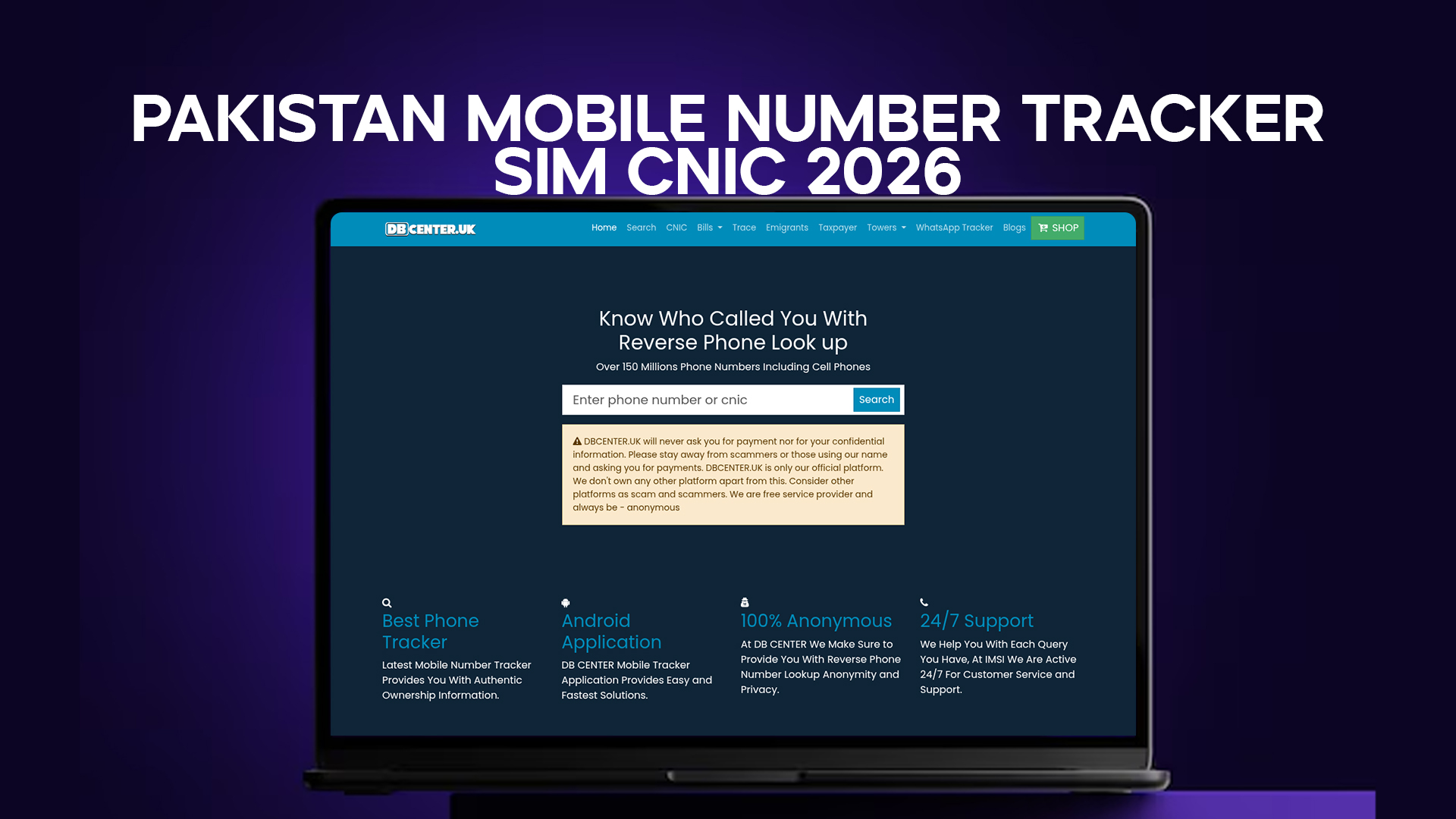
This is one of the most searched phrases related to mobile phones in Pakistan, and it means different things to different people. Some want to know the physical location of a phone. Others want to find out which CNIC a SIM is registered under. Most, when you look at what they actually need, simply want to know who owns a number that called or messaged them.
That last need — identifying the owner of an unknown number — is what a mobile number tracker genuinely handles in a legal and practical way. It is a reverse lookup. You start with a phone number and work backward to find the name and registration details behind it.
DB Center is built for exactly this. With a database of over 150 million phone numbers including Pakistani mobile numbers, it lets you search any number and get the details associated with it — name, network, and region — within seconds.
What it does not do, and what no publicly available tool can legally do, is track a phone's physical location in real time. That type of tracking requires a court order and cooperation from the telecom operator. It is not available to the general public, and any website claiming to offer it is misleading you.
This article covers what is actually available, how it works, and how to use it effectively.
SIM and CNIC — Why They Are Always Talked About Together
In Pakistan, a SIM card and a CNIC are officially inseparable. Every mobile number issued by any of Pakistan's five major networks — Jazz, Telenor, Zong, Ufone, and SCOM — must be registered under a valid CNIC before it can be activated.
The process works through biometric verification. When someone buys a SIM, the retailer scans the buyer's fingerprint and matches it to their CNIC number via a live connection to NADRA's database. If the fingerprint does not match, the SIM cannot be registered. This system was designed to ensure that every active SIM in Pakistan is traceable to a verified Pakistani identity.
Each CNIC is limited to five active SIMs across all networks combined. This cap was introduced to prevent bulk SIM registration under a single identity — a common method used in earlier years to run large-scale phone scams.
The SIM-CNIC connection is what makes both the PTA's verification system and reverse lookup tools like DB Center useful. If a number is registered to a CNIC, there is a name attached to it. That name is what shows up when you run a reverse lookup — it is the identity the SIM was registered under at the time it was issued.
What a Mobile Number Tracker Can Tell You in 2026
Let's be specific about what you get when you search a Pakistani mobile number.
Registered name. The name most commonly associated with the number in available public records. For most numbers that have been in active use, this reflects the actual CNIC holder — the person the SIM was issued to.
Mobile network. Which operator the SIM belongs to — Jazz, Telenor, Zong, Ufone, or SCOM. This is useful context. Some scam operations favor specific networks in certain areas, and knowing the network can sometimes help you assess a call.
Region. The city or area linked to the SIM's registration. This is the region where the SIM was issued, not necessarily where the phone is being used right now. Someone in Lahore can use a SIM registered in Peshawar. But it is still helpful context.
Scam or spam reports. If other users have previously reported the number as a scam, spam, or harassment line, that information may appear. This is crowd-sourced data and should be read as a signal, not a verdict.
What a tracker cannot tell you: the full CNIC number behind the SIM, the real-time location of the phone, call history, or message content. None of that is accessible through any public-facing tool, and none of it should be — that data is private.
How to Track a Pakistani Mobile Number Using DB Center
The process is simple and takes under a minute.
Step 1 — Get the full number. When an unknown number calls or messages you, note the complete number including the network prefix. Pakistani mobile numbers start with 03 followed by two digits that identify the network. 030x is Zong, 031x is Jazz, 032x is some sub-brands, 033x is Ufone, 034x is Telenor, and 034x-035x can vary. The prefix gives you a quick read on the network before you even search.
Step 2 — Open DB Center. Go to the DB Center website from any browser on your phone or laptop. No sign-up needed.
Step 3 — Enter the number. Type the number in local format (0300XXXXXXX) or international format (+92300XXXXXXX). Either works. If one does not return results, try the other format.
Step 4 — Read the result. The database returns the registered name, operator, and region for numbers it has data on. For some numbers — especially recent registrations or numbers that have never appeared in any public record — the result may be partial or empty.
Step 5 — Decide what to do. If the name matches the context of the call, you can reply with reasonable confidence. If nothing comes back, or if the name does not match what the caller claimed, be more careful before engaging.
That is the complete process. No technical knowledge needed. No app to install. Works on any device with internet access.
Understanding Pakistani Mobile Number Prefixes
Before you even run a search, the first two or three digits after the leading zero tell you which network a number belongs to. This matters because it helps you assess an unknown call quickly.
Jazz numbers start with 030 and 042 in some regions. Telenor numbers start with 034. Zong uses 031. Ufone uses 033. SCOM, which mainly operates in parts of Gilgit-Baltistan and AJK, uses a different range.
Scam operations sometimes favor less common prefixes because people are less familiar with them. A call from an unfamiliar prefix is worth an extra moment of scrutiny before you engage.
When you enter any of these numbers into DB Center, the network is confirmed in the result — so even if you are not sure about the prefix, the search will tell you.
Tracking International Numbers That Call Pakistani Users
A large portion of mobile fraud targeting Pakistanis does not come from Pakistani numbers at all. It comes from international SIMs — primarily from the UK (+44), UAE (+971), Malaysia (+60), Kenya (+254), and Ethiopia (+251).
Fraudsters use international numbers because they are outside the PTA's direct authority. Complaints filed through Pakistani channels have limited effect on numbers registered in other countries. And these numbers are cheap — prepaid international SIMs can be bought for very little, and some scam operations use VoIP services to generate numbers at almost no cost.
The callers typically claim to be from Pakistani banks, government agencies, or well-known local businesses. They use local language, local references, and sometimes even local-sounding names to build credibility.
DB Center covers over 150 million numbers internationally, not just Pakistani ones. If a +44 or +971 number contacts you with something that does not feel right, you can run the same reverse lookup search on it. The database includes UK, UAE, and several other international number registries, so you may get a name and operator even for foreign numbers.
If the result for a foreign number shows nothing, or shows a name that contradicts what the caller claimed, that is useful information even if it is not conclusive proof.
Common Mobile Fraud Patterns in Pakistan — and How a Tracker Helps
Knowing the types of fraud that target Pakistani users helps you understand when a number lookup is most useful.
Bank impersonation calls. The caller says they are from your bank's fraud department and that your account has been flagged. They ask for your PIN, OTP, or account number to "secure" the account. Real bank staff will never ask for these. If you receive this type of call, look up the number. Real bank calls come from registered, verifiable corporate numbers. A random mobile SIM calling about your bank account is almost always fraud.
Fake job offers. A call comes in about a "confirmed" job with a good salary. All you need to do is register by sending a small fee. The number is usually a personal mobile, not a company line. Searching it on DB Center will rarely match any business name — it will return an individual's name or nothing at all.
Prize and lottery scams. You "won" something and need to pay a processing fee to claim it. The number is unknown. Tracking it usually reveals either a personal SIM registered in a different province from where the supposed prize organizer operates, or no result at all.
Relative in trouble. A message or call from an unknown number claims your relative lost their phone and needs money urgently. Before you send anything, search the number. If it does not belong to anyone connected to your relative, it is a scam.
Investment scheme calls. You get a WhatsApp message or call about a daily profit investment opportunity. Searching the number often reveals it belongs to an individual with no business registration, or it is an international number from an unusual country.
OTP fishing. Someone texts or calls saying they accidentally sent an OTP to your number and asks you to forward it. They are actually trying to take over someone else's account. The number they call from is usually a burner SIM. Tracking it will typically show either a very recently registered number or no data.
In each of these cases, running the number takes thirty seconds. That thirty seconds can be the difference between losing money and staying safe.
Checking Your Own Mobile Number's CNIC Registration
Tracking numbers that contact you is one use case. The other is monitoring your own registration — making sure your CNIC has not been used to register SIMs you never bought.
The official method is the PTA's SMS check. Send your 13-digit CNIC number with no dashes to 668 from any active Pakistani mobile. The PTA replies with a count of SIMs registered to your CNIC and the networks they are on.
This check is free and takes less than a minute.
Run it now if you have not done so recently. The results you get tell you the current state of your mobile identity. If the number of SIMs listed is higher than what you actually own, you have a problem that needs immediate attention.
You should do this check at minimum every three months. More often if:
- You recently lost your CNIC or had it stolen
- You gave a photocopy of your CNIC to any shop or service recently
- You suspect your personal data may have been part of a data breach
- Someone new is asking you for your CNIC number
Each of these situations increases the risk of unauthorized SIM registration under your identity.
What Happens When a SIM Is Registered on Your CNIC Without Permission
The consequences depend on how the SIM is used.
In the mild cases, the unauthorized SIM is used for spam calls or bulk messaging. Annoying for the recipients, but the real damage to you is limited to having your name associated with those activities.
In the more serious cases, the SIM is used to run financial fraud, harassment campaigns, or is used to receive OTPs for account takeovers. If victims report the number to police or FIA, the trail leads back to your CNIC. You become the named suspect in a fraud investigation that has nothing to do with you.
This has happened to real people in Pakistan. Cases where innocent CNIC holders spent months dealing with police inquiries, account freezes, and credit issues because someone else used their identity to register a fraud SIM are not rare.
Finding the unauthorized SIM through the 668 check and getting it deactivated before it causes damage is far easier than dealing with the consequences after the fact.
Steps to Remove an Unauthorized SIM from Your CNIC
Once you confirm an unauthorized SIM on your CNIC, the removal process requires action on two fronts — the telecom operator and the PTA.
Contact the telecom operator. Call their helpline — Jazz at 111, Telenor at 345, Zong at 310, Ufone at 333 — and explain that you found an unauthorized SIM on your CNIC. They will ask for your CNIC number and may ask you to visit a franchise with your original documents.
File a PTA complaint. The PTA's online complaint portal accepts formal reports about unauthorized SIM registrations. Filing a complaint here creates an official record and applies direct pressure on the operator to act.
Visit the operator franchise with your CNIC. Bring your original CNIC. The franchise will run a biometric verification. Any SIM on your CNIC that does not match your fingerprint cannot legitimately belong to you. They can flag it for investigation or initiate deactivation.
File a police report if needed. If you believe the SIM was used in fraud, file an FIR at your local station and report to the FIA Cybercrime wing at 1991. Having an FIR on record protects you legally if the fraud is investigated and the trail leads to your CNIC.
Deactivation typically takes a few days after a formal complaint is filed. If the operator drags its feet, escalating through the PTA complaint process usually accelerates things.
Mobile Number Tracking for Business Verification in Pakistan
Individual users are not the only ones who use mobile number lookup tools. Small and medium-sized businesses in Pakistan rely on informal number verification routinely.
An online retailer receives an order for 50 units of merchandise from a new buyer. The contact number is unfamiliar. Before preparing the order, someone runs the number on DB Center. If the name matches what the buyer provided and the registration looks real, they proceed. If the number comes back blank or attached to a different name, they call back on the number to double-check before committing inventory.
A property dealer gets a serious inquiry on a premium listing from someone they have not met. They have a name and a number. They verify the number before scheduling a showing. If the name in the registry does not match who the person claims to be, they ask a follow-up question before proceeding.
A freelancer receives a large project offer from a Pakistani client they found on a job board. Before signing anything or delivering any work, they check whether the number the client used is real and registered to the name they gave.
None of these verifications take more than a minute. They are not formal background checks — they are quick common-sense confirmations that the contact is at least who they claim to be at the most basic level.
How DB Center Compares to Other Options for Number Tracking
When Pakistanis want to track or look up a number, they often try a few things in sequence. Here is how those options compare.
Google search. Sometimes works, mostly for numbers that have been posted publicly in scam reports, business listings, or classifieds. Does not work for private mobile numbers that have never appeared in indexed pages. Slow and unreliable as a general lookup method.
Truecaller. A phone-based app with a crowdsourced database of names. Popular in Pakistan. Works well for numbers where the contact has added their name in the app or been tagged by others. Does not cover all Pakistani numbers. Requires installing the app and giving it access to your contacts.
PTA 668 check. Only works for your own CNIC. Cannot look up who owns a specific number. No good for identifying an unknown caller.
DB Center. Web-based, no app needed, covers over 150 million numbers including Pakistani and international ones. Does not require access to your contacts. Works for both Pakistani and foreign numbers. Returns name, network, and region for covered numbers.
Each has its place. For quick, device-independent lookups on both local and international numbers without installing anything or sharing your contact list, DB Center is the practical choice.
Final Thoughts
Mobile number tracking in Pakistan, when done through the right tools, is about identity verification — not surveillance. The tools that actually exist and work legally give you the ability to find out who owns a number, whether your own CNIC has unauthorized SIMs, and whether an unknown contact is real.
DB Center covers over 150 million numbers and handles both Pakistani and international lookups from a single web-based search. The PTA's 668 service monitors your own CNIC for unauthorized registrations. Used together, they give you the information you need to protect yourself from the kinds of mobile fraud that are increasingly common in Pakistan in 2026.
Neither tool is complicated. Neither requires expertise. Both require less than sixty seconds per check.
In a country where mobile-based fraud costs people money, time, and sometimes their legal standing, sixty seconds spent verifying before trusting is always worth it.