It happens to almost everyone. A message comes in on WhatsApp from a number you do not have saved. Sometimes it is a sales offer. Sometimes it is someone who claims to know you. And sometimes it is something that does not feel right at all — a request for money, a job offer that sounds too good, or a message pretending to be from your bank.
WhatsApp has over 50 million active users in Pakistan. That is a lot of traffic, and fraud follows traffic. In 2026, WhatsApp-based scams are one of the most reported forms of mobile crime in Pakistan. People lose money to fake investment schemes, impersonation calls, and phishing links sent over WhatsApp every single day.
The natural response is to want to know who is behind the number. Is it a real person you should reply to? Is it a scammer running the same message across thousands of contacts? Is it someone you actually know from a changed number?
You cannot always tell just by looking. But you can check.
What "WhatsApp Tracker" Actually Means
This phrase gets searched a lot, and it means different things to different people.
Some people want to know if someone is online on WhatsApp. That is an in-app feature. Others want to know the last seen status of a contact. Also in-app.
But a large portion of people searching "Pakistan WhatsApp tracker" want something more basic: they want to find out who owns a WhatsApp number. They received a message or a call from an unknown number, and they want to know who it belongs to before deciding how to respond.
That second type of search — looking up a number to find its owner — is exactly what a reverse phone lookup service handles. And that is the kind of search this article addresses.
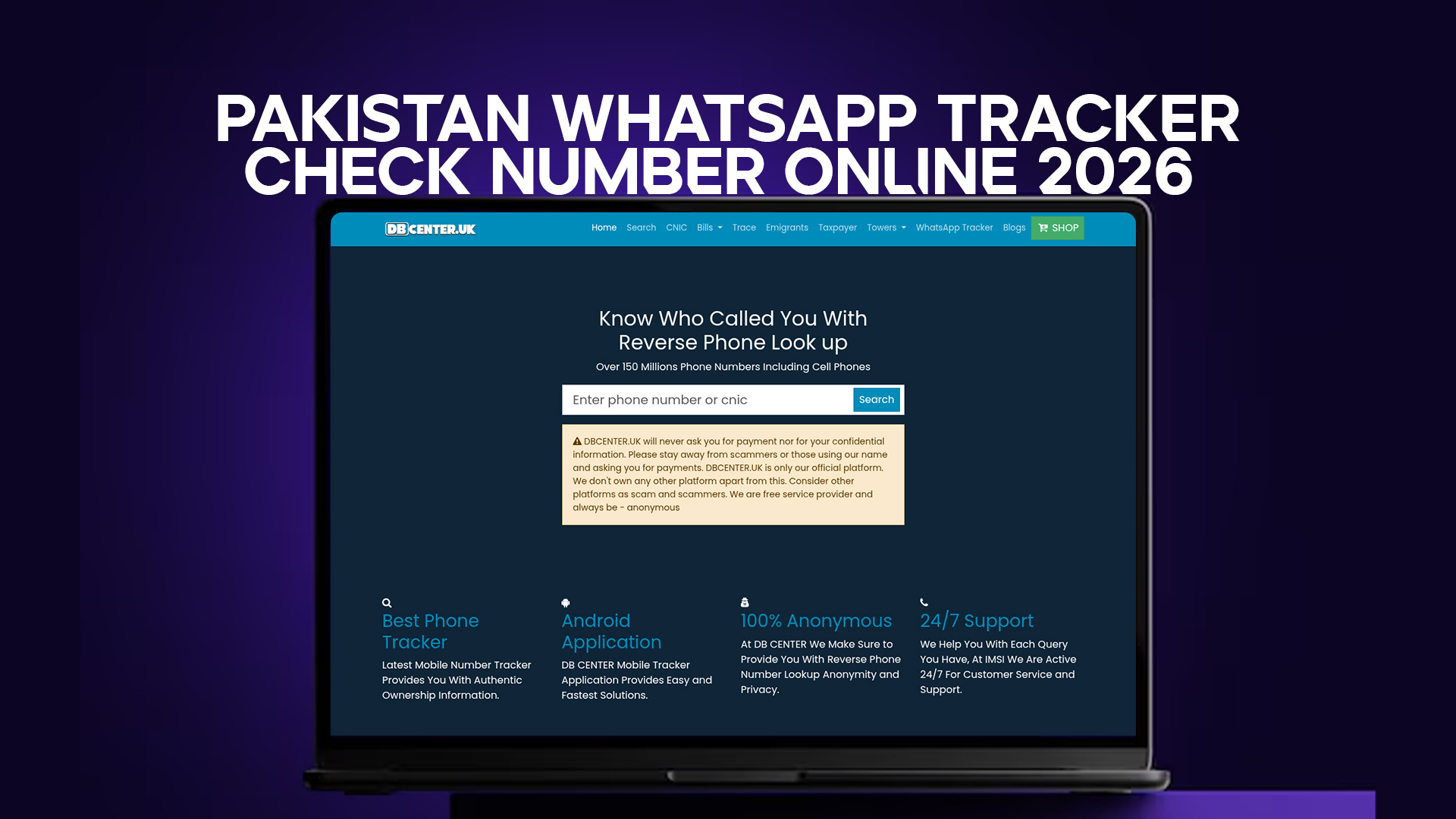
DB Center is a reverse phone lookup platform with data on over 150 million phone numbers, including Pakistani mobile numbers. If someone messages you from an unknown number on WhatsApp, you can take that number to DB Center and search for its registered owner.
This is not spyware. It is not hacking. It is checking publicly available phone registration data to identify an unknown contact — the same way you might search a number on Google, except more organized and more reliable.
How WhatsApp Numbers Work in Pakistan
Every WhatsApp account is tied to a mobile number. In Pakistan, mobile numbers are registered to a CNIC under rules set by the Pakistan Telecommunication Authority (PTA). That means there is, at least in theory, a name attached to every active Pakistani mobile number.
The challenge is that this registration data is held by the telecom operators and the PTA. Regular people do not have direct access to it. You cannot call Jazz or Telenor and ask them who owns a specific number — they will not tell you.
But phone registration data ends up in various databases through legal means. Numbers get used in business listings, social media accounts, classified ads, community directories, and other public sources. Over time, that data gets indexed. A platform like DB Center pulls from these sources to give you a reliable picture of who a number might belong to.
It is not perfect. Not every number will return a result. But for many Pakistani numbers — especially those that have been active for a while and used in public-facing contexts — you will get useful information.
Who Sends Unknown WhatsApp Messages in Pakistan?
Before running a number check, it helps to understand the landscape. In Pakistan, unknown WhatsApp messages generally fall into a few categories.
Legitimate unknown contacts. Someone got your number from a mutual friend, a business card, or a classified ad. They do not know you well enough to be in your contacts. These messages are usually easy to identify — the tone is clear and there is a reasonable context for the contact.
Sales and marketing messages. Businesses in Pakistan buy contact lists and send bulk WhatsApp messages. These are annoying but usually harmless. They often contain promotional offers for real estate, clothing, financial services, or food delivery.
Wrong number messages. Someone dialed or typed the wrong number. This is common and usually resolves quickly when you tell them they have the wrong person.
Scam messages. These are the ones that matter most. Common patterns include:
- Messages claiming you won a prize or lottery
- Fake job offers asking for a registration fee
- Someone pretending to be a bank, NADRA, or FBR official
- WhatsApp calls from international numbers asking you to call back (designed to run up your call charges)
- Investment scheme invitations promising high daily returns
- Messages from someone pretending to be a friend or family member in trouble
The scam messages often come from numbers with foreign country codes — UK (+44), UAE (+971), Kenya (+254), Ethiopia (+251) — because scammers buy cheap international SIMs or use VoIP numbers to avoid Pakistani regulations. DB Center covers numbers from multiple countries, not just Pakistan, which makes it useful for these cross-border scam checks as well.
How to Check a WhatsApp Number Using DB Center
The process is straightforward. Here is what to do when you receive a WhatsApp message from an unknown number and want to identify the sender.
Step 1: Note the full phone number When you receive a message or call on WhatsApp from an unknown contact, the number is displayed in international format. For Pakistani numbers it starts with +92. For international numbers it starts with the country code of that country.
Step 2: Open DB Center Go to the DB Center website from any browser on your phone or computer.
Step 3: Enter the number Type or paste the phone number into the search field. You can enter it with or without the + sign and country code — try both formats if the first does not return results.
Step 4: Read the result If the number is in the database, you will see the name it is registered under, the mobile network, and sometimes the region. This gives you a clear picture of whether the contact is likely real and who they might be.
Step 5: Make your decision If the result matches the context of the message — for example, the name matches what the person claimed — you can decide whether to reply. If the name does not match, if the number comes back with a suspicious history, or if it does not return any result at all despite being an active Pakistani number, that is a signal to be cautious.
Real Situations Where This Search Saves You
The "relative in trouble" scam. A message comes from an unknown number saying they are your cousin, lost their phone, and need you to send money urgently. The real cousin's number was changed, they say. You run the number on DB Center. The registered name has nothing in common with your cousin's family. You know it is a scam.
The suspicious job offer. Someone messages you with an exciting job opportunity. They want your CNIC and bank details to "process your application." Before you share anything, you check the number on DB Center. It is a foreign number with no registered business connection. You decline.
The unknown caller who left a WhatsApp voice note. You missed a call on WhatsApp and there is a voice note from a number you do not have. You check the number and find it belongs to someone in your city with a common name. Probably not a scammer — you call back.
The merchant who sent payment details over WhatsApp. You ordered something from an online seller and they sent their bank account details over WhatsApp from a number different from the one on their ad. You check both numbers. If they match the same registered owner, the payment is likely safe. If not, you message the seller through the original number to confirm before transferring money.
These are not edge cases. These situations happen every week for millions of Pakistanis who use WhatsApp for both personal and business communication.
What Information Does DB Center Return for Pakistani Numbers?
The specific details vary depending on what is available in the database. For Pakistani mobile numbers, DB Center typically returns some or all of the following:
Name of the registered owner. This comes from the most commonly associated name in available public data. For SIMs that are used under someone's real identity in business or social contexts, this is usually accurate.
Mobile network operator. Jazz, Telenor, Zong, Ufone, or SCOM. Knowing the network can sometimes help — certain networks are more commonly used in specific regions, and some scam operations favor particular carriers.
Geographic location or region. This is the region associated with the SIM registration, not necessarily where the person is right now. A SIM registered in Lahore might be used in Karachi. But it is still useful context.
User comments or reports. On some reverse lookup platforms, users can leave reports marking a number as a scam. If a number has been reported multiple times by different people, that is a red flag worth noting.
Not every Pakistani number will return a full result. Numbers that were recently registered, numbers that have never been used in public-facing contexts, or numbers registered under false data may return partial or no results. But for established numbers — especially those belonging to real people or businesses — the search usually returns enough to make an informed judgment.
Checking International WhatsApp Numbers That Contact Pakistanis
This is an area that does not get enough attention.
A large number of WhatsApp scams targeting Pakistanis come from international numbers — particularly from the UK, UAE, Malaysia, and several African countries. The scammers use these numbers because they are outside the PTA's jurisdiction and harder to report through normal channels.
DB Center covers over 150 million phone numbers across multiple countries. That includes numbers from the UK, UAE, and other countries where Pakistani diaspora scammers often operate. If you receive a WhatsApp call or message from a +44, +971, or similar international number and something feels off, you can run that number through DB Center the same way you would a Pakistani number.
This is one of the areas where DB Center has an advantage over local tools like the PTA's SMS-based checks, which only cover Pakistani network SIMs.
WhatsApp Calls from Unknown Numbers – Are They Dangerous?
WhatsApp calls from unknown numbers are not automatically dangerous, but they do come with specific risks that regular calls do not have.
First, WhatsApp calls are free (they use internet data, not call credit). This makes them cheap for scammers to run at scale. A scam operation can call thousands of Pakistani numbers in a day at almost no cost.
Second, some scams use WhatsApp calls specifically to record a short clip of your voice saying "yes" or "hello." That recording can be used to fake your consent in voice-activated banking systems. This sounds extreme, but it has been documented in multiple countries.
Third, international WhatsApp calls can sometimes be used to test whether your number is active before targeting you with more elaborate scams.
If you receive a WhatsApp call from an unknown number — especially an international one — and you are not sure whether to call back, checking the number on DB Center first takes less than a minute and might save you a lot of trouble.
WhatsApp Business Numbers in Pakistan – How to Verify Them
Pakistan has seen rapid growth in WhatsApp Business usage. Small businesses, retailers, service providers, and even government service accounts now use WhatsApp Business to communicate with customers.
This is mostly a good thing. But it also creates a new vector for impersonation. A fake "WhatsApp Business" account can be set up with anyone's number, using the logo of a real company, to trick customers into making payments or sharing personal information.
If you receive a message from what claims to be a business WhatsApp account — a bank, delivery service, telecom provider, or online shop — and you are not sure it is legitimate, run the number through DB Center. A real business number will usually have public-facing registrations that link back to the actual company. A fake one will either return no results or return results that do not match the claimed identity.
This is especially important before you make any payment or share any personal data over WhatsApp.
What to Do After Identifying a Scam WhatsApp Number
If your DB Center search confirms — or strongly suggests — that a WhatsApp number is connected to fraud, here is what you can do.
Block the number on WhatsApp. Open the chat, tap the contact name or number, scroll to the bottom, and tap "Block." This stops them from messaging or calling you again.
Report the number to WhatsApp. WhatsApp has a built-in report feature. When you block a contact, you are given the option to also report them. Do it. WhatsApp reviews reports and bans accounts that are flagged repeatedly.
Report to PTA. If the number is a Pakistani mobile number, you can report it to the PTA through their complaint portal or by calling their helpline. The PTA has been more active in recent years in acting on fraud complaints.
Report to FIA Cybercrime. The Federal Investigation Agency (FIA) has a cybercrime wing that handles WhatsApp fraud cases. You can report online via the FIA's complaint portal or call the helpline at 1991.
Warn your contacts. If the scam message was a common one — a fake lottery, a fake job, a fake relative-in-trouble message — let your contacts know. The same message often goes to hundreds of people. Spreading the word prevents others from falling for it.
How DB Center Differs from Just Googling a Number
A lot of people try to Google an unknown Pakistani number first. Sometimes it works — if the number has been posted in a scam warning forum, it might show up. But Google is unreliable for this.
Google returns what has been publicly indexed. Many Pakistani mobile numbers have never been posted anywhere searchable. A Google search for +923001234567 might return nothing, even if the person is well-known in their neighborhood or business circle.
DB Center is built specifically for this kind of search. It pulls from a structured database of over 150 million numbers that has been compiled and organized for reverse lookup purposes. It does not depend on whether the number happened to appear in a Google-indexed page.
That difference matters when you are trying to identify a number quickly and get a reliable answer rather than a pile of irrelevant search results.
Protecting Your Own WhatsApp Number from Being Misused
Knowing how to check a number is one side of the picture. The other side is making sure your own number does not end up being impersonated or misused on WhatsApp.
A few basic steps help with this. First, enable two-step verification on WhatsApp. Go to Settings, then Account, then Two-Step Verification. This adds a six-digit PIN that must be entered when registering your WhatsApp number on a new device. Without it, someone who gets access to your SIM for even a few minutes can take over your WhatsApp account.
Second, do not share your WhatsApp OTP with anyone. The one-time password WhatsApp sends to verify your number is the key to your account. No legitimate person or service will ever ask for it.
Third, be careful about who you share your number with in public spaces — classified ad sites, Facebook groups, and online marketplaces are common sources from which numbers get harvested for spam and scam campaigns.
Fourth, regularly check which devices your WhatsApp account is linked to. Go to Settings, then Linked Devices. If you see a device you do not recognize, remove it immediately.
Final Thoughts
WhatsApp is not going anywhere. In Pakistan, it is how millions of people do business, stay in touch with family, receive payment notifications, and coordinate daily life. That is not a problem — that is just how it is now.
The problem is that the same tool that connects you to people you trust also connects you to people you have never met and have no reason to trust. And in Pakistan in 2026, a meaningful number of those unknown contacts are not reaching out in good faith.
DB Center does not solve that problem entirely. No single tool does. But having access to a reverse phone lookup that covers over 150 million numbers — including Pakistani mobile numbers and international numbers commonly used in cross-border scams — gives you something useful. It gives you a way to check before you reply, pay, or share anything personal.
That is a reasonable precaution. And in the current environment, it is a sensible habit.
If an unknown number messaged you on WhatsApp and you are not sure who it is, take a minute to check. The search is free, it takes seconds, and the information it returns could save you from making a costly mistake.