You got a call. The number is unknown. You do not recognize it, the caller left no voicemail, and now you are sitting there wondering who it was and whether to call back.
This happens to almost every mobile user in Pakistan every single day. With telemarketing calls, phone scams, and fraud attempts on the rise, knowing who is behind a number before you engage is just common sense now. The question is — how do you actually do it, and which free tools and methods work in 2026?
This guide covers the most reliable ways to find SIM owner details by number in Pakistan. Some methods are official government services. Others are community-driven platforms. Each one is explained step by step so you can use whichever fits your situation best.
What "SIM Owner Details" Actually Means in Pakistan
Before anything else, it is worth being honest about what you can and cannot find when looking up a Pakistani mobile number.
Pakistani telecom law protects subscriber privacy. This means the name and address of the person registered to a SIM cannot be publicly accessed through any legal free tool. That information stays with the telecom operator and is only shared with law enforcement when there is a legal order.
What you can find for free, legally:
- Which network (Jazz, Telenor, Zong, Ufone, SCOM) the number belongs to
- Whether the number has been reported as spam or fraud by other users
- How many SIMs are registered to your own CNIC
- Whether a number is active and in use
- Community reports and caller identification submitted by other people who received the same call
For most situations — unknown calls, missed calls from strangers, potential scammers — this information is more than enough to make a smart decision.
Method 1: DB Center – Reverse Phone Lookup for Pakistani Numbers
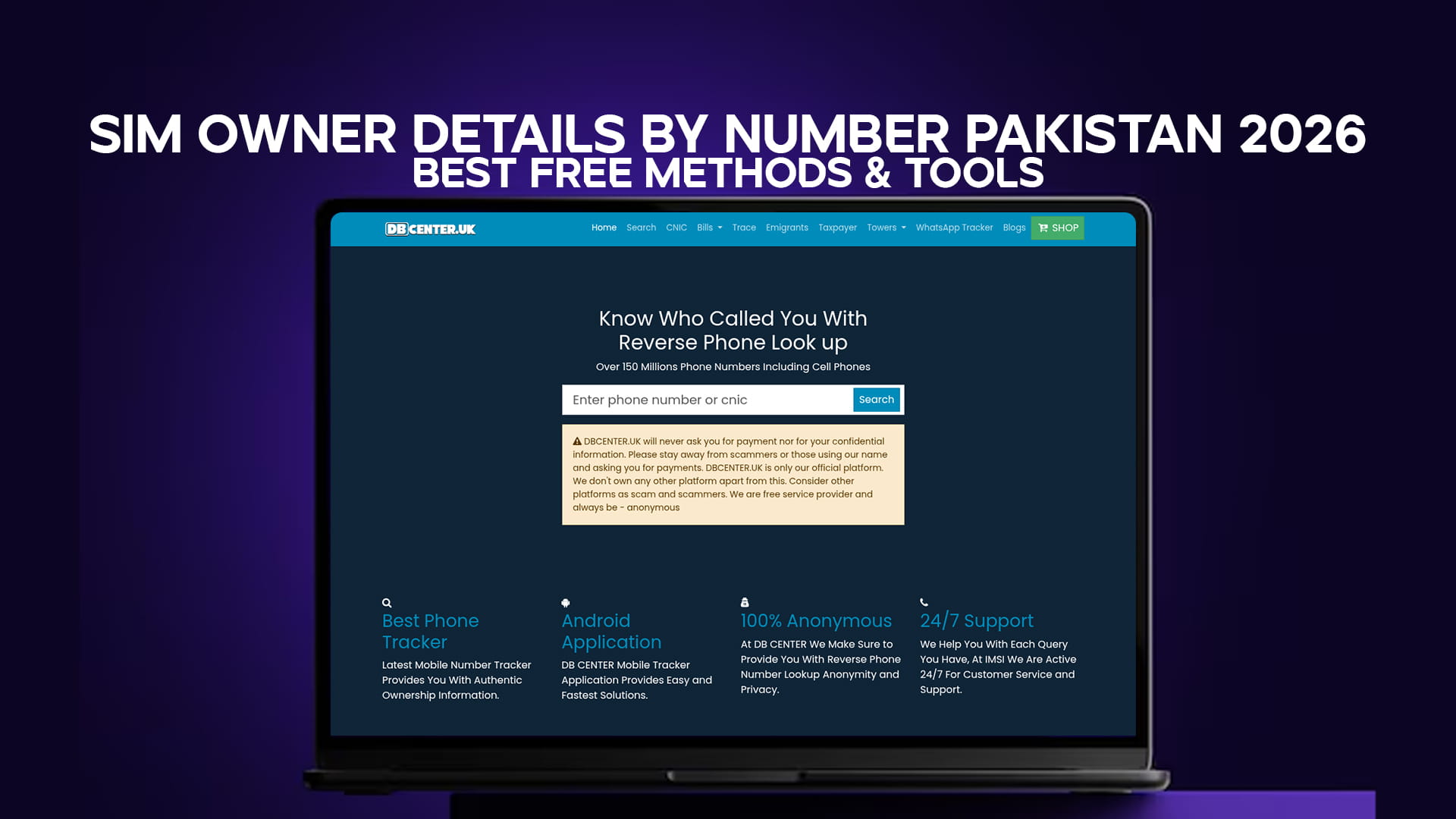
When it comes to identifying unknown callers in Pakistan, DB Center is one of the most practical free tools available online right now. It runs a reverse phone lookup service backed by a database of over 150 million phone numbers worldwide, including a large volume of Pakistani mobile numbers.
What Makes DB Center Useful for Pakistan?
The platform does not just pull from a static directory. It works partly through community input — real users who received calls from unknown numbers, searched them, and left reports about their experience. Over time, this creates a living record of which numbers are associated with scams, telemarketers, banks, courier services, or legitimate businesses.
For Pakistani users, this is especially useful because:
- Scam call patterns in Pakistan tend to repeat — the same numbers call multiple victims
- Telemarketing agencies in Pakistan use bulk number pools that get reported quickly
- People in Pakistan actively report nuisance callers, making the database more accurate over time
How to Use DB Center Step by Step
Step 1: Open your phone browser or computer browser and go to DBCenter.uk.
Step 2: On the main page, you will find a search box. Type in the Pakistani number you want to look up. You can enter it in local format (03xx xxxxxxx) or with the country code (+9203xx xxxxxxx). Either format usually works.
Step 3: Hit the search button and wait a moment for results to load.
Step 4: The results page will show you any reports, comments, or identification details that other users have submitted for that number. If the number has been flagged as a scammer, telemarketer, or fraud caller, you will see those reports here.
Step 5: If you have your own experience with that number, scroll down to the comment or report section and share what happened. This helps others who search the same number in the future.
DB Center requires no account registration for basic searches. It is free, fast, and accessible on any device with a browser.
Method 2: PTA's Official SIM Check via SMS (668)
The Pakistan Telecommunication Authority provides a free SMS service that lets you check how many SIM cards are registered to your CNIC. This is an official government service, completely free on all networks.
Who Should Use This?
This method is specifically for checking your own SIM registration status. If you suspect someone has used your CNIC to register a SIM without your knowledge — which does happen in Pakistan — this is the first place to check.
Step-by-Step Process
Step 1: Open the SMS app on your phone.
Step 2: Create a new message and type your 13-digit CNIC number. Do not add any dashes or spaces — just the 13 digits straight.
Step 3: Send this message to 668.
Step 4: Within a few seconds to a couple of minutes, PTA will send you an automated reply. This reply lists every active SIM registered under your CNIC, along with which network each one belongs to.
Step 5: Go through the list carefully. If you see a number or network you do not recognize, a SIM has been registered under your identity without your consent.
Step 6: Report unauthorized SIMs immediately by calling PTA's toll-free number: 0800-55055. You can also visit the nearest franchise of the concerned network in person with your original CNIC.
This service is available on Jazz, Telenor, Zong, Ufone, and SCOM. Standard SMS charges may apply depending on your package.
Method 3: PTA Web Portal for SIM Verification
If you prefer using a computer or want a more detailed overview of your SIM registrations, PTA's web portal is another official option.
Step 1: Open any browser and go to https://www.pta.gov.pk
Step 2: Navigate to the citizen services section. Look for options related to SIM information or mobile number verification. The portal layout is updated periodically, so the exact menu position may change.
Step 3: Enter your 13-digit CNIC number in the input field provided.
Step 4: Complete the CAPTCHA or verification step shown on screen.
Step 5: Submit the form. The portal will display the SIM registrations linked to your CNIC.
Like the SMS method, this only shows your own data. It does not let you look up another person's subscriber information. But it is a useful tool for routine self-checks.
Method 4: Identify the Network by Number Prefix
Before searching any number, knowing which network it belongs to helps. It speeds up any formal complaint and gives context when using lookup tools. Pakistani mobile numbers follow a consistent prefix system.
| Number Starts With | Network |
|---|---|
| 0300, 0301, 0302, 0303 | Jazz |
| 0306, 0307, 0308 | Warid (now Jazz) |
| 0304, 0305, 0311, 0312, 0313, 0314, 0315 | Zong |
| 0320, 0321, 0322, 0323, 0324 | Ufone |
| 0330, 0331, 0332, 0333, 0340, 0341, 0342, 0343, 0344, 0345 | Telenor |
| 0346, 0347, 0348 | Telenor |
Once you know the network, you can contact that specific operator directly if needed, or use it as a filter when searching on DB Center.
Method 5: Contact Telecom Operators Directly
Each major network in Pakistan has a customer care helpline. You cannot use these to get another subscriber's personal information — they will not share it — but you can use them to:
- Block a harassing number from your own line
- Report a fraudulent caller to the network
- Verify if a number is active or disconnected
- File an official complaint that creates a record with the operator
Jazz: Dial 111 from your Jazz SIM, or 0300-0111111 from any network
Telenor: Dial 345 from your Telenor SIM, or 0345-3456789 from any network
Zong: Dial 310 from your Zong SIM, or 0311-3100310 from any network
Ufone: Dial 333 from your Ufone SIM, or 0333-3330333 from any network
When calling, note down the reference number the representative gives you. This is your documentation if you need to escalate the complaint later.
Method 6: Truecaller for Caller ID in Pakistan
Truecaller is a popular caller ID app used widely across Pakistan. It works by building a database from users who voluntarily upload their contact books, combined with spam reports. When someone calls you, Truecaller attempts to match the number against its database and display a name.
How to Use Truecaller
Step 1: Download Truecaller from the Google Play Store (Android) or App Store (iPhone).
Step 2: Open the app and register with your own Pakistani mobile number.
Step 3: Once set up, the app will automatically identify incoming calls if the number is in its database.
Step 4: You can also manually search any number inside the app using the search bar at the top.
Step 5: If a name appears, it was either submitted by someone who had that contact saved, or reported by another user.
Keep in mind that Truecaller's accuracy depends on how many Pakistani users have contributed data. Numbers that are not in anyone's contact book will not show a name. For community-based spam reports, DB Center and Truecaller work well together — one may have information the other does not.
Method 7: Report Fraud Calls to FIA Cybercrime Wing
If you received a call that was clearly a scam — someone claiming to be from your bank, offering fake prizes, asking for OTPs, or threatening legal action — this is not just a nuisance. It is a crime under Pakistani law.
The Federal Investigation Agency (FIA) Cybercrime Wing handles these cases.
How to file a complaint:
Step 1: Go to nr3c.gov.pk — this is the official FIA National Response Centre for Cyber Crimes portal.
Step 2: Click on "File a Complaint" and fill out the online form.
Step 3: Provide the phone number that called you, a description of what happened, and any screenshots or call recordings you have.
Step 4: Submit the form. You will receive a complaint reference number.
Alternatively, you can call 9911 — the FIA Cybercrime helpline — to speak with someone directly.
Filing a complaint does two things. It creates an official record, and if the same number is reported by multiple people, it increases the chance of investigation and action.
Understanding the Limits: What You Cannot Find for Free
People often expect that searching a phone number will immediately reveal the registered person's full name, address, and photo. In Pakistan, that is not how it works — legally or technically.
Here is what no free tool can legally give you:
The registered subscriber's full name — Only the telecom operator and PTA hold this. Law enforcement can access it through proper channels. You cannot.
The subscriber's home address — Same restriction applies. This is personal data under Pakistani telecom regulations.
Real-time location — Tracking someone's location through their phone number requires law enforcement access and court orders. Any website claiming to offer this for free is either lying or running a scam itself.
If any website or app promises to show you the "complete details" of a SIM owner including name, CNIC, and address for free — close it immediately. These are either fake sites that show fabricated data, or they are phishing tools trying to steal your own information.
What legitimate platforms like DB Center do is show you community-reported information and spam flags. That is honest, useful, and legal.
How to Identify Scam Calls in Pakistan Without Any Tool
Sometimes the call itself tells you everything. Here are signs that a caller is running a scam, regardless of what number they used:
They claim you won a prize — No legitimate lottery in Pakistan calls you out of nowhere. You cannot win something you did not enter.
They ask for your OTP — Banks, Easypaisa, JazzCash, and every other financial service will never ask for your One-Time Password over a call. Ever.
They pretend to be from PTA or NADRA — Real government agencies do not call you demanding money or threatening to block your SIM within 24 hours unless you pay.
They create extreme urgency — Scammers rush you because a calm person checks facts. Any caller who tells you "you must act right now" is almost always running a scam.
They ask you to send money via Easypaisa or JazzCash — This is the most common fraud pattern in Pakistan right now. Hang up immediately.
After ending the call, search the number on DB Center. There is a strong chance others have already reported the same number and left details about the scam attempt.
How to Block an Unknown Number on Android and iPhone
Once you have identified a number as spam or a scam, blocking it takes less than a minute.
On Android
Step 1: Open your phone's recent calls list.
Step 2: Tap and hold the number you want to block.
Step 3: Select "Block" or "Block/Report Spam" from the menu that appears.
Step 4: Confirm your choice. The number is now blocked.
On iPhone
Step 1: Open the Phone app and go to Recents.
Step 2: Tap the small "i" (info) icon next to the number.
Step 3: Scroll down and tap "Block this Caller."
Step 4: Confirm. Done.
Blocked numbers go straight to voicemail (if you have it set up) or get a busy signal. They cannot reach you.
Tips for Staying Safe from Unknown Callers in Pakistan
Beyond looking up numbers after the fact, these habits reduce how often you deal with unknown caller problems in the first place.
Do not answer calls from completely unknown numbers on your first interaction. Let it ring out. If it is important, the caller will try again or send a message. Scammers rarely leave messages.
Register on the Do Not Call list if your operator provides one. Some networks in Pakistan allow you to opt out of third-party marketing calls.
Keep your number off public platforms when possible. If you list your number on OLX or Facebook Marketplace, expect an increase in unsolicited calls. Use a secondary number for public listings if you have one.
Check your CNIC SIM registrations every few months by texting your CNIC to 668. Catching unauthorized SIM registration early prevents bigger problems later — including mobile banking fraud committed by someone using a SIM registered to your name.
Spread the word. If you identify a scam number, report it on DB Center and mention it in family groups. Scam callers rely on most people not knowing or not sharing information. Community awareness is one of the strongest defenses.
Frequently Asked Questions
Q: Can I find out the name of the person who owns a Pakistani SIM for free? No legitimate free tool provides the registered name of a Pakistani SIM owner. This data is protected under telecom privacy laws. What you can find freely is whether a number has been reported as spam, which network it belongs to, and community-submitted information about the caller.
Q: Is DB Center free to use in Pakistan? Yes. Basic number searches on DB Center are free and require no registration. You can search any Pakistani mobile number directly from your browser without downloading anything.
Q: What should I do if someone registered a SIM using my CNIC? Send your 13-digit CNIC to 668 via SMS. If you see an unfamiliar SIM in the results, call PTA at 0800-55055 immediately. Visit the concerned network's franchise with your original CNIC to have the unauthorized SIM blocked and deregistered.
Q: Which is more accurate — DB Center or Truecaller for Pakistani numbers? Both have strengths. Truecaller works better for identifying contacts that people have saved in their address books. DB Center is better for identifying reported spam callers, scammers, and telemarketing numbers. Using both gives you the broadest coverage.
Q: Is it legal to search someone's phone number in Pakistan? Searching a phone number on a community lookup platform is legal. What is not legal is accessing private subscriber records without authorization. DB Center and similar platforms only show publicly reported or community-submitted data, which falls within legal use.
Q: How do I report a spam number in Pakistan? You can report it on DB Center by searching the number and leaving a comment. You can also report it to your telecom operator's helpline, file a complaint on the PTA complaints portal at complaints.pta.gov.pk, or contact FIA Cybercrime at nr3c.gov.pk for serious fraud cases.
Bringing It All Together
Finding SIM owner details by number in Pakistan in 2026 does not require expensive software or special access. It requires knowing which free tools and official services to use, and understanding what each one can actually tell you.
For a quick unknown number lookup, DB Center is the most practical starting point. Its database of over 150 million phone numbers, combined with active community reporting from Pakistani users, means there is a good chance a scam or spam number has already been flagged before you even search it.
For managing your own SIM registrations, the PTA SMS service to 668 is fast, free, and official. Use it regularly.
For serious harassment or fraud, the PTA helpline and FIA Cybercrime Wing are there to take action — but they need you to report.
Use these tools together, share what you know, and protect both yourself and the people around you from the growing wave of phone-based fraud in Pakistan.