Every day, thousands of people in Pakistan become victims of fraud, identity theft, and phone scams. One of the biggest reasons behind this is unauthorized SIM registration. In Pakistan, SIM cards are required by law to be registered against a valid CNIC — a Computerized National Identity Card. But in many cases, people discover that multiple SIMs have been registered on their CNIC without their knowledge or consent.
This is a serious problem. An unknown SIM registered in your name can be used to commit crimes, carry out financial fraud, make threatening calls, or gain access to your bank accounts. And the frightening part is — most people never find out until the damage is already done.
DB Center is here to change that. With its powerful SIM ownership lookup tool, DB Center helps people in Pakistan check how many SIM cards are registered against any CNIC, identify unauthorized registrations, and take the necessary steps to protect themselves. In this article, we will walk you through everything you need to know about SIM ownership, how to check CNIC SIM details, and why this matters more than ever in today's digital Pakistan.
What Is SIM Ownership?
SIM ownership refers to the registration of a SIM card against a specific identity — in Pakistan's case, this identity is established through the CNIC issued by NADRA (National Database and Registration Authority). When you purchase a new SIM card from any telecom operator in Pakistan, your biometric data and CNIC number are recorded and linked to that SIM card.
This process was introduced by the Pakistan Telecommunication Authority (PTA) to ensure that every active SIM card in the country is traceable to a real, verified individual. The goal was to reduce crime, stop anonymous harassment calls, and prevent SIM-based fraud.
In simple terms, SIM ownership tells you which phone numbers are legally registered under your name or under someone else's CNIC. If someone has used your CNIC to register a SIM without your permission, that SIM is still legally connected to your identity — and you can be held responsible for how it is used.
The Problem of Unauthorized SIM Registration in Pakistan
Unauthorized SIM registration is not a new problem in Pakistan, but it has become increasingly widespread. Here is how it typically happens:
- A person sells their CNIC copy to someone else, knowingly or unknowingly
- A photocopy of your CNIC is misused at a franchise or retail shop
- Dishonest agents at mobile network outlets register SIMs using stolen CNIC data
- Your identity documents are leaked through a data breach and used by fraudsters
Once a SIM is registered in your name without your knowledge, the person using it can make calls, send messages, access mobile banking, run scams, and even register businesses — all under your identity. If any crime is committed using that SIM, the trail leads back to you.
This is why checking your SIM ownership regularly is not just a good idea — it is an essential step in protecting your personal identity and financial security.
How Many SIMs Can Be Registered on One CNIC in Pakistan?
According to the regulations set by the Pakistan Telecommunication Authority, a single CNIC holder can have a maximum of five SIM cards registered against their CNIC across all mobile networks combined. This limit was introduced to reduce the misuse of identity documents for bulk SIM registrations.
The five SIM limit applies across all networks. So whether you use Jazz, Telenor, Zong, Ufone, or SCOM, the total number of active SIMs linked to your CNIC cannot exceed five at any given time.
If you discover that more than five SIMs — or even SIMs you do not recognize — are registered on your CNIC, it is a clear sign that your identity has been misused and you need to take immediate action.
What Is DB Center's SIM Ownership Lookup Tool?
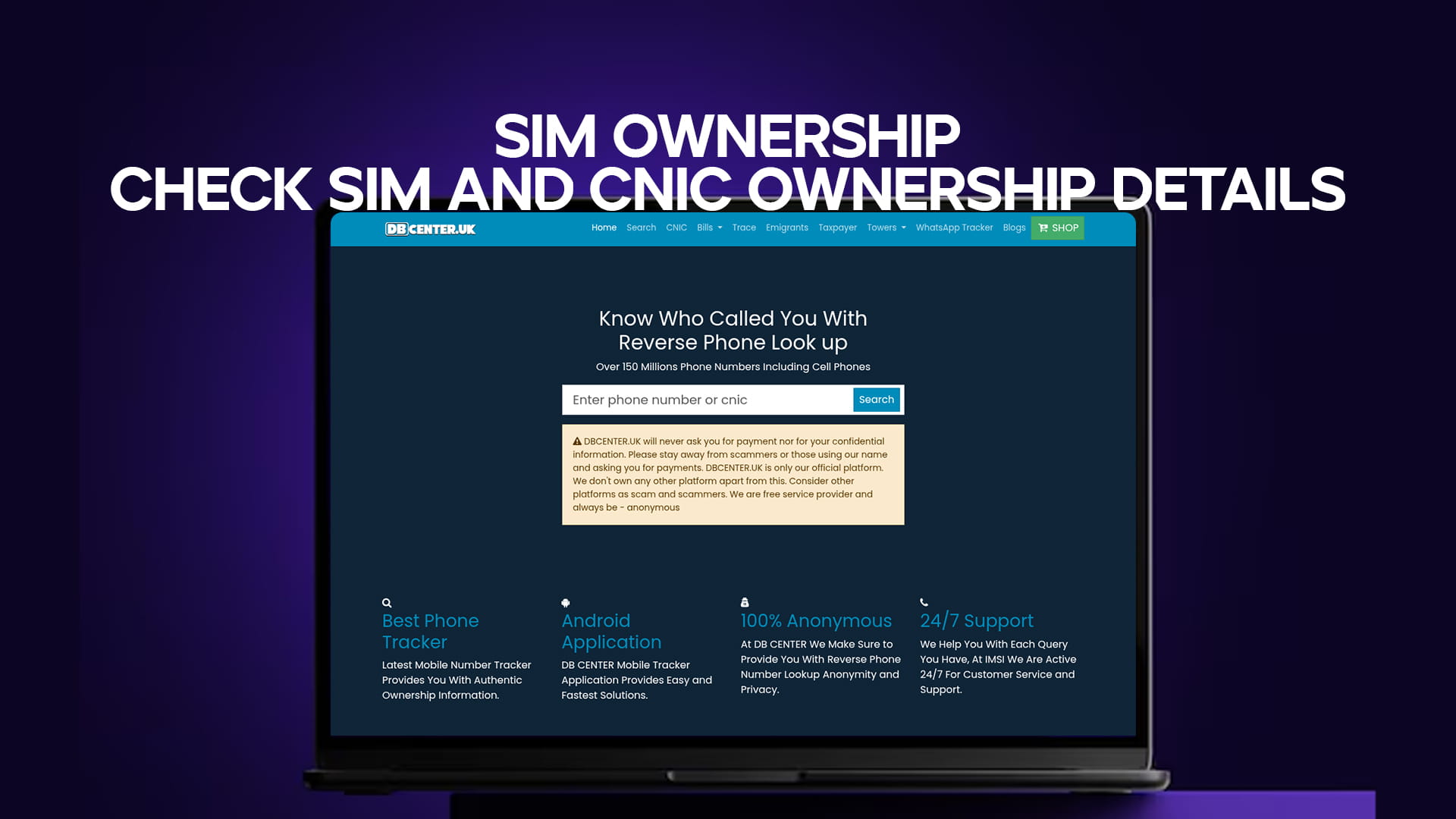
DB Center is a trusted online platform that offers reverse phone lookup and SIM ownership verification services for Pakistan. With a database of over 150 million phone numbers, DB Center allows users to search and verify phone numbers and SIM registration details quickly and easily.
The SIM ownership lookup tool on DB Center is designed specifically for people in Pakistan who want to:
- Check how many SIM cards are registered against a particular CNIC
- Verify whether a specific phone number is correctly registered
- Identify unauthorized SIMs that may be registered in their name
- Confirm the identity and network details of a phone number
This tool is free to use, straightforward in design, and accessible to anyone with an internet connection and a smartphone or computer.
How to Check SIM Ownership Details Using DB Center
Checking your SIM and CNIC ownership details using DB Center is a quick and simple process. Here is a step-by-step guide to help you through it:
Step 1 – Open DB Center Go to DB Center on your preferred web browser. The homepage is clean and easy to navigate, with a clear search function visible right away.
Step 2 – Choose the SIM Ownership Option On the platform, look for the SIM ownership or CNIC verification section. DB Center organizes its tools clearly so you can quickly find what you need.
Step 3 – Enter the CNIC or Phone Number Type in the CNIC number you want to check, or the specific phone number you are looking up. Make sure you enter the details correctly, as accuracy is important for getting the right results.
Step 4 – Submit the Search Click the search or check button to run the lookup. The system will query its database and retrieve any available ownership information linked to the number or CNIC you entered.
Step 5 – Review Your Results Within seconds, DB Center will show you the results. This may include the number of SIMs registered against the CNIC, the mobile networks they belong to, and other relevant details.
The entire process takes less than a minute. No registration is required, and no personal data is stored.
Why You Should Check Your SIM Ownership Regularly
Many people in Pakistan only check their SIM ownership when they suspect something is wrong. But the smarter approach is to make it a regular habit. Here is why:
Protect Yourself From Identity Theft
Identity theft is one of the fastest-growing crimes in Pakistan. Fraudsters can use your CNIC to register SIMs and use them for illegal activities. Regularly checking your SIM ownership helps you catch unauthorized registrations early before they cause serious harm.
Avoid Legal Trouble
If a SIM registered in your name is used to make threats, commit fraud, or carry out any illegal act, you could face legal consequences even if you had nothing to do with it. Staying aware of which SIMs are registered in your name protects you legally.
Monitor Your Digital Footprint
Every SIM registered against your CNIC is part of your digital identity in Pakistan. Monitoring this footprint helps you stay in control of your personal information and how it is being used.
Detect Telecom Fraud Early
Telecom fraud often starts with unauthorized SIM registration. The earlier you detect it, the easier it is to stop. Regularly checking your SIM ownership means you can report and block unauthorized SIMs before they are used to cause damage.
Peace of Mind
Sometimes the greatest benefit is simply knowing that everything is in order. A quick check on DB Center can confirm that all SIMs registered in your name are ones you actually own and use.
What to Do If You Find Unauthorized SIMs on Your CNIC
If you check your SIM ownership and discover SIMs that you did not register yourself, do not panic. Here are the steps you should take:
Step 1 – Document the Information
Note down the details of the unauthorized SIMs, including the phone numbers and the networks they belong to. This will be important for the next steps.
Step 2 – Visit Your Nearest Telecom Franchise
Go to the nearest franchise or service center of the telecom operator whose network the unauthorized SIM belongs to. Bring your original CNIC and explain that a SIM has been registered in your name without your consent. Request that the SIM be blocked immediately.
Step 3 – File a Complaint With PTA
You can register a complaint with the Pakistan Telecommunication Authority through their official complaint portal or helpline. PTA has a specific process for handling unauthorized SIM registration complaints and takes them very seriously.
Step 4 – Report to NADRA if Needed
If you believe your CNIC was stolen or misused, you should also contact NADRA to report the matter and ensure your identity documents are secure.
Step 5 – File a Police Report if Required
In serious cases where fraud or criminal activity has already been carried out using the unauthorized SIM, you may need to file a First Information Report (FIR) at your local police station. Having documentation of the unauthorized registration will support your case.
Understanding the Role of PTA in SIM Registration
The Pakistan Telecommunication Authority is the government body responsible for regulating the telecom sector in Pakistan. When it comes to SIM registration, PTA plays a central role. It oversees the biometric verification process, sets the rules for SIM ownership limits, and handles complaints related to unauthorized SIM registration.
PTA has been working to improve SIM registration security over the years. Biometric verification was introduced to make it harder for fraudsters to register SIMs using stolen CNIC copies. However, loopholes and dishonest agents still manage to bypass the system in some cases, which is why individual vigilance remains essential.
DB Center complements the official PTA system by giving ordinary citizens a free, fast, and easy way to check their SIM ownership details without needing to visit a government office or go through a lengthy process.
SIM Ownership and Mobile Banking Security
One area where SIM ownership has become critically important is mobile banking. Pakistan has seen a massive rise in mobile wallet and banking services in recent years. Platforms like JazzCash, Easypaisa, SadaPay, and Meezan Mobile Banking are used by millions of Pakistanis for daily financial transactions.
All of these services are linked to your mobile number. If someone has a SIM registered in your name and gains access to the corresponding mobile number, they can potentially access your mobile wallet, reset your banking passwords, intercept OTPs, and drain your accounts.
This is not a hypothetical risk — it has happened to thousands of people across Pakistan. By checking your SIM ownership regularly and ensuring that no unauthorized SIMs exist under your CNIC, you are directly protecting your mobile banking and financial accounts from this type of attack.
Common Myths About SIM Ownership Checks
There are several misconceptions that prevent people from checking their SIM ownership details. Let us clear them up:
Myth 1: Checking SIM ownership is complicated and requires visiting an office. Fact: With DB Center, you can check SIM ownership details from your phone or computer in under a minute, completely free of charge, without visiting any office.
Myth 2: Only criminals or fraudsters are targets of unauthorized SIM registration. Fact: Anyone can be a victim. Ordinary citizens, shopkeepers, students, and elderly people have all had their CNICs misused for unauthorized SIM registration.
Myth 3: The telecom company will notify you if a SIM is registered in your name. Fact: This does not always happen. Many people discover unauthorized SIMs only after problems arise. Do not wait to be notified — check proactively.
Myth 4: If a SIM is not in use, it cannot cause harm. Fact: Even an inactive SIM registered in your name is a risk. It can be activated at any time without your knowledge.
Myth 5: You can only check your own CNIC. Fact: DB Center allows you to look up phone numbers and check registration details as part of its broader reverse phone lookup service, helping you verify the identity behind any unfamiliar number.
How DB Center Supports Digital Safety in Pakistan
DB Center's role goes beyond simple phone number lookup. By providing SIM ownership and CNIC verification tools, DB Center contributes to digital safety across Pakistan in several important ways:
Empowering Citizens: DB Center gives everyday people access to information that was previously difficult to obtain. This empowerment is critical in a country where phone fraud and SIM misuse are growing problems.
Supporting Law Enforcement: When users report fraudulent numbers and unauthorized SIM details through DB Center, this information helps law enforcement agencies identify patterns of criminal activity and take action against offenders.
Building Public Awareness: By making it easy to check SIM ownership, DB Center helps raise awareness about the importance of protecting your CNIC and monitoring your telecom identity.
Filling a Service Gap: While government services like PTA offer official channels for SIM verification, these channels are not always accessible to everyone. DB Center provides a simple, fast alternative that anyone can use.
Tips to Protect Your CNIC From SIM Misuse
Prevention is always better than cure. Here are practical tips to protect your CNIC from being misused for unauthorized SIM registration:
- Never share CNIC photocopies unnecessarily. Only provide your CNIC copy to verified institutions when absolutely required.
- Write the purpose on any CNIC copy you give out. For example, write "For bank account opening only" on the copy. This makes it harder for someone to misuse the same copy for SIM registration.
- Regularly check your SIM ownership. Use DB Center to monitor which SIMs are registered against your CNIC every few months.
- Report lost or stolen CNICs immediately. If your CNIC is lost or stolen, report it to NADRA right away so it can be flagged in the system.
- Be cautious at SIM retail shops. Always ensure that biometric verification is done in your presence when registering a new SIM.
- Keep your CNIC details private on social media. Never post photos of your CNIC or share its number online.
Conclusion: Take Control of Your SIM Identity Today
In Pakistan's rapidly growing digital landscape, your CNIC and your SIM card are two of your most important pieces of identity. Together, they form the foundation of your digital life — from the calls you make to the banking transactions you carry out every day.
The risk of unauthorized SIM registration is real, it is growing, and it can affect anyone. But with DB Center, you now have the tools to stay one step ahead. Checking your SIM ownership details is free, fast, and takes less than a minute. There is no reason to leave your identity unprotected.
Make it a habit to check your SIM and CNIC ownership details regularly. If you find anything suspicious, take action immediately through the steps outlined in this article. And if you receive a call from an unknown number, remember that DB Center also offers reverse phone lookup for over 150 million numbers — so you can always know who is trying to reach you.
Your phone. Your CNIC. Your responsibility. Protect them with DB Center.