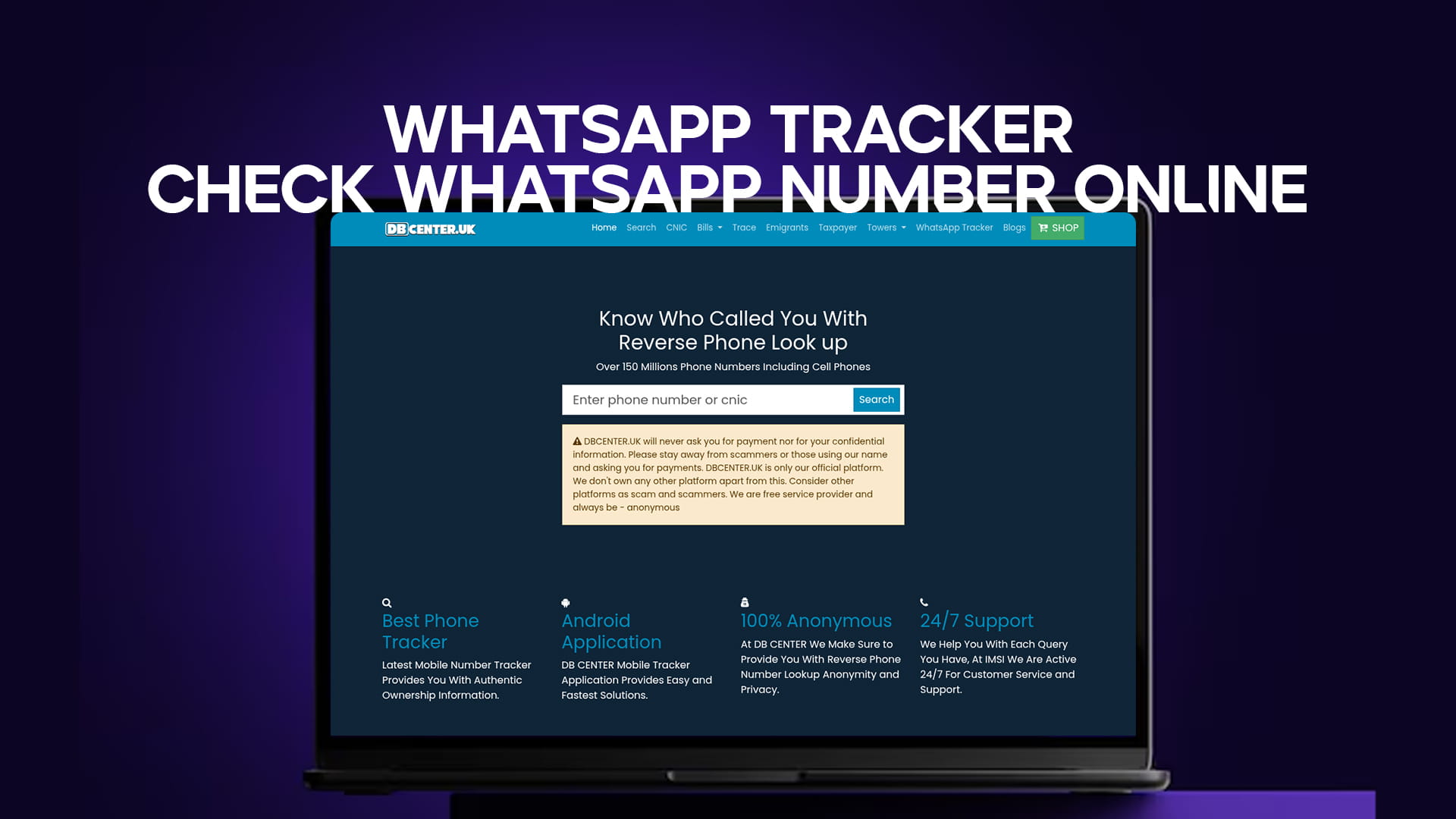
Have you ever received a message on WhatsApp from a number you do not recognize? Have you ever seen a missed call from an unknown international number and wondered if that person also uses WhatsApp? You are not alone. Millions of people face this problem every day. The good news is that you can check any WhatsApp number online without installing any software. You do not need to hack anyone’s phone. You do not need to send a friend request. All you need is a simple and trusted tool like DB Center.
In this complete guide, I will show you how to use a WhatsApp tracker the right way. I will explain what DB Center is, how reverse phone lookup works, and why this method is safe, legal, and effective. By the end of this article, you will be able to check any phone number on WhatsApp in less than one minute.
What Is a WhatsApp Tracker?
A WhatsApp tracker is a tool or service that helps you find out if a specific phone number has an active WhatsApp account. It does not spy on messages. It does not read private chats. It only tells you whether that number is registered on WhatsApp, and sometimes it can show you the profile name and photo if the privacy settings allow it.
Many people search for a “WhatsApp tracker” because they want to identify unknown numbers. For example, you see a “Hi” message from a number you have never saved. Is it a friend who changed their number? Is it a business promotion? Or is it a scammer? A WhatsApp tracker helps you answer that question.
However, most free tools you find on Google are fake. They ask you to complete surveys or download apps that contain viruses. That is why you need a reliable platform like DB Center. DB Center does not ask for your private data. It does not install anything on your phone. It simply uses public data and a massive database of phone numbers to give you accurate results.
Why You Might Need to Check a WhatsApp Number Online
There are many real-life situations where checking a WhatsApp number online becomes necessary. Let me share some common examples.
1. Unknown Messages from Strangers
You open WhatsApp and see a message that says, “Hello, how are you?” from a number you do not recognize. Before replying, it is smart to check who that number belongs to. It could be an old friend, a wrong number, or someone trying to scam you.
2. Missed Calls from Unknown Numbers
You get a missed call from a foreign country. You call back, and nobody answers. Later, you see a huge charge on your phone bill. This is a known scam called “Wangiri.” Checking the number on DB Center first can save you money and trouble.
3. Online Dating or Matrimony
You meet someone on a dating app. They give you their phone number and ask you to chat on WhatsApp. Before you get too comfortable, you should check if that number is real. Scammers often use fake or temporary numbers. A quick lookup on DB Center can reveal if the number is legitimate.
4. Business Verification
You run a small business. A new supplier or customer gives you their WhatsApp number. You want to make sure they are genuine. Checking the number online gives you peace of mind.
5. Checking Your Own Number
Sometimes you want to know what information is publicly linked to your own phone number. This is a good privacy check. You can search your number on DB Center and see what others might find about you.
The Problem with Most “Free” WhatsApp Trackers
If you search Google for “WhatsApp tracker free,” you will see dozens of websites. Most of them look professional. They promise to show you anyone’s WhatsApp chat history, location, and even deleted messages. This is a lie.
Here is what actually happens when you use a fake WhatsApp tracker:
-
You are asked to complete a survey. The website makes money from the survey. You never get any real results.
-
You are asked to download an app. That app might contain malware or spyware. It can steal your own WhatsApp data.
-
You are asked to enter your own WhatsApp number. The scammer then uses your number to send spam to your contacts.
-
You see fake results. The website generates random names and photos to make you believe it worked.
These fake trackers are dangerous. They do not help you. They only harm you. That is why DB Center is different. DB Center does not promise impossible things like reading private messages. It offers a real, legal, and useful service: reverse phone lookup.
DB Center – Your Trusted Reverse Phone Lookup Tool
Let me introduce you to DB Center. DB Center is a professional online platform that helps you find information about any phone number. It has over 150 million phone numbers in its database, including cell phones and landlines. When you enter a number, DB Center searches its database and gives you details such as:
-
The owner’s name (if publicly available)
-
The location (city, state, or country)
-
The carrier or service provider
-
Whether the number is active on WhatsApp
-
User reports (spam, scam, telemarketing)
DB Center is not a hacking tool. It does not break any laws. It simply collects public information and organizes it in one place. This is similar to a phone book, but much more powerful and up-to-date.
Key Features of DB Center
-
Large Database: Over 150 million phone numbers, including mobile and landline.
-
WhatsApp Integration: Shows if a number is registered on WhatsApp.
-
Spam Detection: Tells you if other users have reported the number for spam or fraud.
-
Anonymous Search: You do not need to create an account or log in.
-
Fast Results: Most searches complete in under 10 seconds.
-
Works Worldwide: Supports numbers from many countries.
How to Check a WhatsApp Number Online Using DB Center
Now let me show you the step-by-step process. It is very simple. You do not need any technical skills.
Step 1: Open Your Browser
Go to your favorite web browser on your phone or computer. It can be Chrome, Safari, Firefox, or Edge.
Step 2: Visit DB Center
Type the DB Center website address in the search bar. Press Enter. The homepage will load in a few seconds.
Step 3: Enter the Phone Number
You will see a large search box in the middle of the page. Type the phone number you want to check. Make sure you include the country code. For example, if the number is from the United States, you would type +1 followed by the 10-digit number. If you are not sure about the country code, DB Center will try to detect it automatically.
Step 4: Click the Search Button
After you enter the number, click the “Search” or “Lookup” button. DB Center will start searching its database.
Step 5: View the Results
Within seconds, DB Center will show you a report. Look for the section that says “WhatsApp Status.” If the number is registered on WhatsApp, you will see a green checkmark or the word “Active.” If not, you will see “Not Found” or “Inactive.”
The report may also include the person’s name, location, and any spam reports from other users.
Step 6: Take Action
Now you know whether the number is real and active on WhatsApp. You can decide to reply, block the number, or ignore it.
Is DB Center Legal? Is It Safe?
Yes, DB Center is completely legal. It does not hack into WhatsApp. It does not steal data. It uses publicly available information. In most countries, reverse phone lookup services are legal because they help people identify unknown callers and protect themselves from scams.
DB Center is also safe for your privacy. You do not have to provide your own phone number. You do not have to install any software. You do not have to create an account. Your search history is not stored or shared with third parties.
However, you must use DB Center responsibly. Do not use it to stalk people, harass anyone, or invade someone’s privacy. The purpose of this tool is protection and information, not harm.
WhatsApp Tracker vs. Reverse Phone Lookup – What Is the Difference?
Many people confuse a WhatsApp tracker with a reverse phone lookup. Let me clarify.
-
WhatsApp Tracker: A tool that specifically checks if a number is active on WhatsApp. It usually does not give you the owner’s name or other details.
-
Reverse Phone Lookup: A broader service that gives you multiple pieces of information about a phone number, including the owner’s name, address (if public), carrier, location, and spam reports. Some reverse lookup tools also include WhatsApp status.
DB Center combines both. It is a reverse phone lookup tool that includes WhatsApp tracking as one of its features. So when you use DB Center, you get more than just a yes/no answer about WhatsApp. You get a full report.
Why DB Center Is Better Than Adding the Number to Your Contacts
You might think, “Why not just save the unknown number in my WhatsApp contacts and see if a profile appears?” This is a common trick. When you save a number, WhatsApp sometimes shows you the person’s profile picture and status if their privacy settings allow it.
But this method has many problems:
-
You have to save the number. That number stays in your phone’s address book unless you remember to delete it.
-
The person will see your profile. If your privacy settings allow “My Contacts” to see your photo and status, the stranger will now see your information too.
-
It does not work for all numbers. Many people have privacy settings that hide their profile from non-contacts.
-
You get no spam information. Saving a number does not tell you if others have reported it for fraud.
DB Center solves all these problems. You do not save the number. The stranger never knows you searched for them. You get spam reports. And you get results even if the person has high privacy settings.
Real-Life Success Stories Using DB Center
Let me share some real examples of how people have used DB Center to protect themselves.
Case 1: Stopping a Romance Scam
A woman named Sarah matched with a man on a dating app. He seemed perfect. He said he was a doctor working overseas. After two weeks of chatting, he asked her to send money for a medical emergency. Before sending anything, Sarah searched his phone number on DB Center. The report showed that the number had been reported by 12 other users for romance scams. Sarah blocked him immediately.
Case 2: Identifying a Spam Caller
John received five calls in one day from an international number. He never answered because he did not know anyone from that country. He used DB Center to check the number. The report showed that it was a known telemarketing scam from a fake tech support company. John blocked the number and reported it to his phone carrier.
Case 3: Verifying a Business Contact
A small business owner named Ahmed received a WhatsApp message from someone claiming to be a supplier from China. The supplier offered very low prices but wanted payment in advance. Ahmed checked the number on DB Center. The number was not linked to any real business. There were no records of the company name. Ahmed decided not to proceed, and he saved thousands of dollars.
Common Myths About WhatsApp Trackers
There is a lot of false information online about WhatsApp trackers. Let me clear up some common myths.
Myth 1: You can see someone’s WhatsApp messages with a tracker
Truth: No legitimate tool can show you someone else’s private WhatsApp messages. WhatsApp uses end-to-end encryption. Only the sender and receiver can read messages. Any website that claims to show messages is a scam.
Myth 2: You need to install an app on your phone
Truth: DB Center works entirely in your web browser. You do not install anything. If a service asks you to download an APK file or a mobile app, be very careful. It could be malware.
Myth 3: You need the person’s permission
Truth: You do not need permission to check if a phone number is active on WhatsApp. This is public information in the same way that knowing someone has a phone is public. However, you should not misuse this information.
Myth 4: Free trackers are just as good as paid ones
Truth: Free trackers often give fake results or steal your data. DB Center offers a free basic lookup and affordable detailed reports. You get what you pay for.
How to Protect Your Own WhatsApp Number from Being Tracked
You have learned how to check other numbers using DB Center. But what if you do not want others to find information about your own number? Here are some simple steps to protect your privacy on WhatsApp.
1. Adjust Your Privacy Settings
Open WhatsApp. Go to Settings > Account > Privacy. Here you can control:
-
Last Seen & Online: Set this to “My Contacts” or “Nobody” instead of “Everyone.”
-
Profile Photo: Set to “My Contacts” or “Nobody.”
-
About: Set to “My Contacts” or “Nobody.”
-
Groups: Set to “My Contacts” to prevent strangers from adding you to groups.
2. Do Not Share Your Number Publicly
Avoid posting your phone number on social media, public forums, or websites. Scrapers collect these numbers and add them to spam databases.
3. Use a Secondary Number for Online Activities
If you run a business or frequently sign up for online services, consider getting a second phone number. You can use Google Voice or a cheap prepaid SIM card.
4. Check Your Own Number on DB Center
Search for your own number on DB Center. See what information appears. If you find something incorrect or private, you can request removal. DB Center respects user privacy and has a removal process.
Tips for Getting the Best Results from DB Center
To make sure your WhatsApp number check is accurate, follow these simple tips.
Use the Full International Format
Always include the country code. For example, +44 for the United Kingdom, +91 for India, +61 for Australia. Without the country code, DB Center might not find the number.
Double-Check the Number
One wrong digit can give you a completely wrong result. Copy and paste the number if possible. If you are typing it manually, check it twice.
Try a Reverse Image Search if You Have a Photo
If the unknown person sent you a profile photo, you can also use a reverse image search tool. But that is a different topic. For phone numbers, DB Center is your best choice.
Update Your Search After a Few Days
Sometimes a number is newly activated. If DB Center does not find it today, try again in one week. The database is updated regularly.
The Future of Phone Number Lookup and WhatsApp Tracking
As more people use WhatsApp for business and personal communication, the need for reliable number lookup tools will only grow. Scammers are becoming smarter. They use fake profiles and temporary numbers. But services like DB Center are also improving.
In the future, we may see even more features, such as real-time spam alerts and integration with messaging apps. However, one thing will remain true: No legal tool will ever show you private messages. Respect privacy, use tools responsibly, and stay safe.
Final Verdict: Should You Use DB Center to Check WhatsApp Numbers?
Absolutely. If you receive messages or calls from unknown numbers, DB Center is one of the safest and most effective tools available. It is not a magic hack. It will not show you deleted messages or private chats. But it will tell you:
-
If the number is real and active on WhatsApp
-
Who the number belongs to (when public data exists)
-
Where the number is located
-
Whether other users have reported it for spam or scams
This information is powerful. It can save you from fraud, embarrassment, and wasted time. And because DB Center works online without any downloads, it is convenient for everyone.
How to Get Started Right Now
You do not need to wait. Open your browser. Go to DB Center. Type the unknown number in the search box. Click search. In less than 30 seconds, you will have your answer.
Remember: Knowledge is protection. The more you know about who is contacting you, the safer you will be. Do not let curiosity or fear stop you. Take control of your phone and your privacy today.
Summary of Key Points
Let me quickly summarize everything we covered in this article:
-
A WhatsApp tracker helps you check if a phone number is active on WhatsApp.
-
Most free trackers online are fake or dangerous.
-
DB Center is a trusted reverse phone lookup tool with over 150 million numbers.
-
DB Center can tell you the owner’s name, location, carrier, spam reports, and WhatsApp status.
-
Using DB Center is legal, safe, and anonymous.
-
You do not need to install any software or create an account.
-
Always use the full international format when searching for a number.
-
Protect your own privacy by adjusting your WhatsApp settings.
-
Do not believe myths about tracking private messages or chats.
Call to Action
Stop guessing about unknown numbers. Stop worrying about scams. Start using DB Center today. Whether you are checking a missed call, a strange WhatsApp message, or a new business contact, DB Center gives you the answers you need. Visit DB Center now and experience the most reliable reverse phone lookup on the web. Your safety is worth a few seconds of your time.