Pakistan has more than 190 million active SIM connections. That is a lot of numbers — and not all of them are where they are supposed to be. SIMs get registered on someone's CNIC without their knowledge. Numbers get used for fraud calls, scam SMS messages, and harassment. And unless you actively check, you might not even know your identity has been used to register five or six SIMs you never bought.
A SIM ownership tracker solves exactly that problem. It lets you find out which SIM cards are registered under a specific CNIC, verify who owns an unknown number, and catch any suspicious registrations before they cause real damage.
In 2026, this kind of check is no longer optional for people who care about their identity and finances. With mobile number portability, SIM swapping fraud, and CNIC misuse becoming more common across Pakistan, knowing how to do a live SIM ownership check online is basic digital safety.
How SIM Registration Works in Pakistan
Every SIM card sold in Pakistan must be registered under a valid CNIC. This rule comes from the Pakistan Telecommunication Authority (PTA) and applies to all networks — Jazz, Telenor, Zong, Ufone, and SCOM.
When you buy a SIM, the retailer scans your CNIC biometrically and registers the number to your identity. Each CNIC can have a maximum of five SIMs registered at one time, across all networks combined.
The problem is that this system depends on retailers following the rules. Not all of them do. Some have sold SIMs using stolen or copied CNIC data. Others have registered numbers without getting proper biometric consent. The result? Millions of Pakistanis carry more SIMs on their CNIC than they are aware of.
The PTA provides an official way to check this — by sending your CNIC number as an SMS to 668. But that service only tells you how many SIMs are on your CNIC across Pakistani networks. It does not help you identify unknown callers, look up numbers that are bothering you, or cross-check a phone number you received from an unfamiliar contact.
That is where DB Center fills the gap.
What Is DB Center?
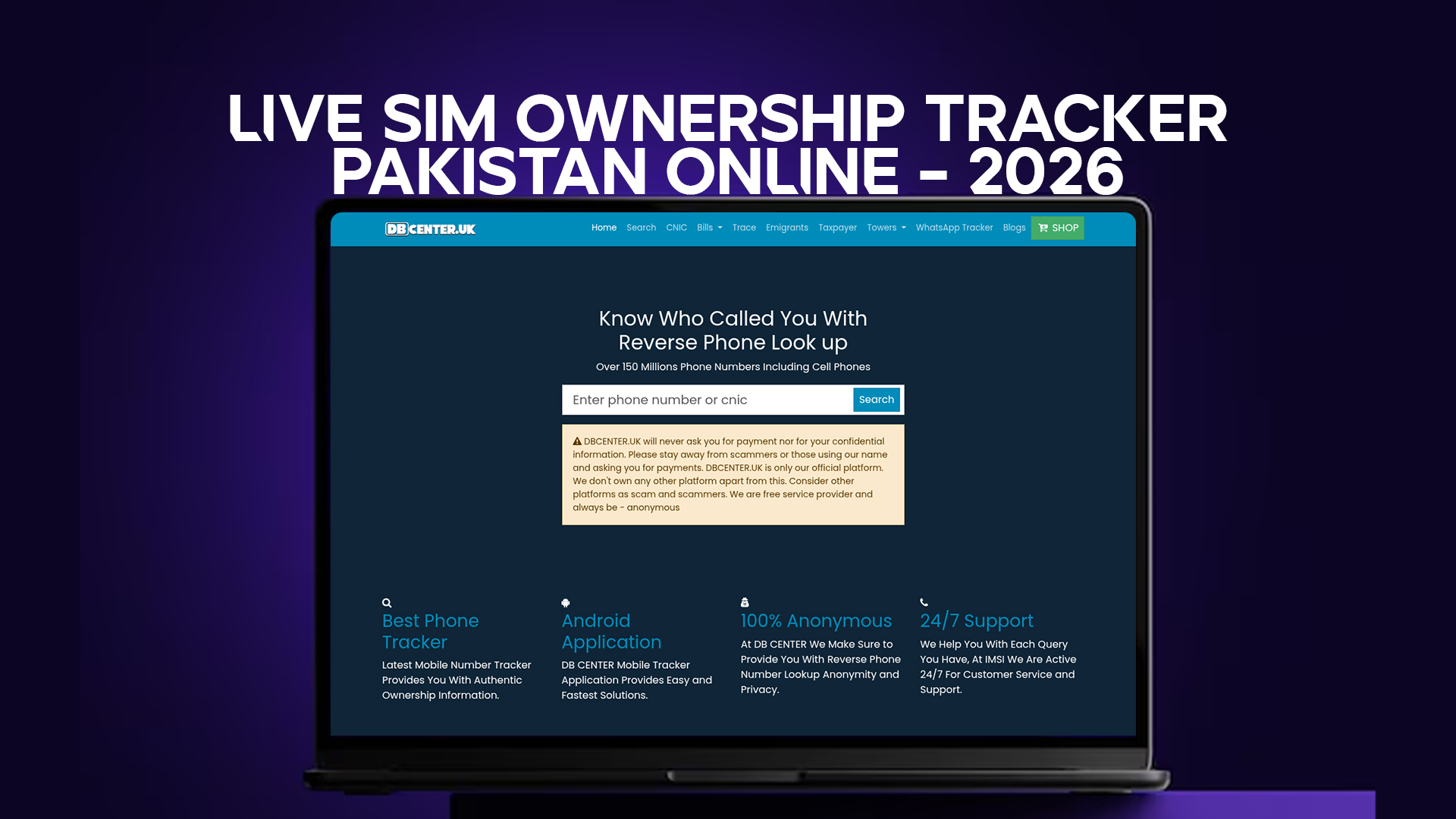
DB Center is an online reverse phone lookup platform. It holds data on over 150 million phone numbers, including mobile numbers from Pakistan and other countries.
The core idea is simple. You enter a number you do not recognize. DB Center checks it against a large database and returns available information — like the owner's name, the network it is registered on, and the region it was issued in. It works on cell phones, not just landlines.
DB Center is built for everyday use. You do not need to be a tech expert or have access to any government system. The website is accessible from any browser, and searches take seconds.
People use it for different reasons. Some want to know who called them from an unfamiliar number. Others want to check if a contact gave them a real number. Some are verifying whether a number posted in an online ad belongs to a real person. And some use it to catch whether a suspicious number is linked to known scam patterns.
In 2026, with phone fraud at an all-time high in Pakistan, having access to a reliable reverse lookup tool is genuinely useful.
Live SIM Ownership Tracker Pakistan – What You Can Check in 2026
When Pakistanis search for a "live SIM ownership tracker," they usually want one of three things:
1. SIMs registered on their own CNIC This is the identity check. You want to make sure no one is using your CNIC to run unregistered SIMs. If you find numbers you do not recognize, you can report them to the PTA and get them blocked.
2. Who owns an unknown number that called or messaged them This is the reverse lookup. Someone calls you, you do not pick up, and you want to know if it is worth calling back — or if you should block it.
3. Whether a Pakistani phone number is real and in use Before sending money, meeting a stranger, or trusting a business contact, people want to verify that the number they have is legitimate and not a burner SIM connected to fraud.
DB Center handles all three types of searches. Its database covers Pakistani mobile numbers from all major networks, and it is updated regularly so that the data stays as current as possible.
How to Check SIM Ownership Online in Pakistan Using DB Center
Here is how to do a basic reverse phone lookup or SIM ownership check using DB Center:
Step 1: Visit DB Center Open your browser and go to the DB Center website. No app download is needed. It works on mobile and desktop.
Step 2: Enter the phone number Type the Pakistani mobile number you want to look up. Include the correct country code if required (+92 for Pakistan), or enter the number in local format starting with 03.
Step 3: Run the search Click the search button. DB Center runs the number through its database of over 150 million entries.
Step 4: View the result If the number is in the database, you will see available details — the registered name, the telecom operator, and sometimes the region or city linked to the SIM.
Step 5: Use the result wisely Information from a reverse lookup is a guide, not a legal document. Use it to make informed decisions — whether to call back, block the number, or report it.
PTA SIM Check vs. DB Center – Which One Should You Use?
This question comes up often. Both tools exist to help you understand SIM registration in Pakistan, but they serve different purposes.
PTA SMS check (send CNIC to 668):
- Only checks SIMs registered on your own CNIC
- Returns a count of active SIMs, sometimes with network names
- Free, government-run
- Cannot identify unknown callers
- Cannot look up a specific phone number by owner
DB Center reverse lookup:
- Searches a number to find who it belongs to
- Works for numbers you received, not just your own CNIC
- Covers over 150 million numbers including Pakistani mobile numbers
- Accessible 24/7 online
- Does not require sending SMS or waiting for a reply
The right answer is to use both. Use the PTA check regularly to monitor your own CNIC. Use DB Center whenever you need to identify a specific number you do not recognize.
Why SIM Fraud Is a Growing Problem in Pakistan (2026 Update)
The numbers are not encouraging. Reports from banking regulators, FIA, and consumer protection organizations in Pakistan show that mobile-based fraud grew significantly between 2023 and 2025. Call scams, WhatsApp impersonation, OTP theft, and fake job offers via SMS are all linked to fraudulently registered SIMs.
Here is how the typical scam works. A fraudster gets hold of someone's CNIC data — sometimes from a leaked government database, sometimes from a photocopy left at a shop. They use that data to register one or more SIMs. Those SIMs are used to run scams, and when the victim complains, the trail leads back to the innocent CNIC holder.
The CNIC holder often finds out months later, if at all. By that point, the fraudster has moved on. The damage includes ruined credit history, false FIR records, and harassment from debt collectors or law enforcement.
Checking your SIM count regularly — and knowing how to look up suspicious numbers — is one of the few practical ways to catch this early.
Who Uses a SIM Ownership Tracker in Pakistan?
The range is wider than you might expect.
Regular mobile users who received a call from an unknown number and want to know if it is a relative, a scammer, or a business they forgot about.
Small business owners who deal with clients over the phone and want to verify a number before making a transaction.
Freelancers and remote workers who receive payment-related calls or WhatsApp messages from unrecognized numbers and need to check legitimacy.
Parents concerned about who is calling their children.
Landlords and tenants who want to verify that contact details given to them match real, registered numbers.
Job seekers who get calls from claimed recruiters and want to check whether the number belongs to a legitimate company or a known scam operation.
Journalists and researchers who need to verify contact information.
None of these people are doing anything intrusive. They are checking publicly available registration data to protect themselves.
How to Report a Fake SIM Registered on Your CNIC
If you run a PTA check and find a SIM on your CNIC that you never registered, act quickly.
Option 1: SMS to PTA Send your CNIC to 668 to get a list of SIMs. If you see unfamiliar numbers, note them.
Option 2: Visit the PTA consumer portal Go to the PTA complaint portal online and file a complaint about the unauthorized SIM. Provide your CNIC and the number you want investigated.
Option 3: Contact the telecom operator directly Call the helpline of the network the unauthorized SIM is on. Jazz is 111, Telenor is 345, Zong is 310, Ufone is 333. They can block or investigate the SIM.
Option 4: File an FIR If you believe your CNIC was used for fraud, file a First Information Report (FIR) at your local police station. This creates a legal record that protects you if the SIM was used in a crime.
The faster you act, the better. Unauthorized SIMs get deactivated much more quickly when the complaint comes from the CNIC holder directly.
Tips for Protecting Your CNIC from SIM Misuse
Prevention is better than clean-up. Here are practical steps you can take in 2026 to reduce the chance of SIM fraud under your CNIC.
Do not leave photocopies of your CNIC at shops unnecessarily. If a photocopy is required, write the purpose on it (for example: "For XYZ Shop, rent agreement, [date]"). This makes it harder to reuse for SIM registration.
Check your SIM count every three months. Send your CNIC to 668. It takes ten seconds and you will immediately know if a new SIM appeared.
If you lose your CNIC, report it immediately. Go to NADRA and file a report. This creates a record and puts your CNIC in a flagged status.
Never share your CNIC number in WhatsApp groups, social media bios, or public posts.
If you sell a phone, remove your SIM first and check that no app on the phone stores your CNIC data.
When buying a SIM, buy from an official franchise, not an informal reseller. Official franchise staff have less incentive to misuse your data.
What Makes DB Center Reliable for Pakistani Number Lookups?
A few things set DB Center apart from a basic Google search of a phone number.
The database is large — over 150 million numbers. That means more Pakistani numbers are covered compared to smaller, regional lookup tools.
The search covers mobile phones. Many lookup tools only cover landlines, which is not useful in Pakistan where almost all communication happens over mobile.
The interface is straightforward. You enter a number, you get results. There is no confusing form, no captcha loop, no forced account creation just to run a basic search.
It covers unknown callers specifically. The website is designed for people who want to know who called them — which is exactly the use case that matters most for personal safety and fraud prevention.
And it works across countries. If you receive an international call on your Pakistani number and want to trace its origin, DB Center covers numbers from multiple countries, not just Pakistan.
Common Questions People Have About SIM Tracking in Pakistan
Can I check how many SIMs are active on someone else's CNIC? No. The PTA check via 668 only works for your own CNIC. You cannot run a check on another person's CNIC — that would be an invasion of their privacy. DB Center, on the other hand, lets you look up a phone number to find its owner, which is a different kind of query.
Is reverse phone lookup legal in Pakistan? Yes. Looking up publicly available phone registration data is legal. DB Center works with available public data. It does not access private government systems or hack into telecom databases.
What if a number does not show up in DB Center? It may be a recently registered SIM, a number that is not yet indexed, or a number from a very limited network. In that case, the search will not return results, but it will also not give you false information.
Can I use DB Center on a mobile phone? Yes. The website works in any mobile browser.
Final Thoughts
SIM ownership tracking in Pakistan is not a technical curiosity. It is a real need in 2026, with mobile fraud rising and CNIC misuse more common than most people realize.
The government tools — primarily the PTA SMS check — help you monitor your own CNIC. DB Center fills the other side of the picture: helping you identify unknown callers, verify whether a number is legitimate, and protect yourself from scams before you fall for them.
Running a check on DB Center takes less than a minute. Recovering from SIM-based identity theft can take months. The math on which one is worth your time is obvious.
If you received a suspicious call, or if you have not checked how many SIMs are registered on your CNIC lately, today is a good day to do both.