You get a call from an unknown number. You don't pick up. But the number keeps calling. Who is it? A scammer? An old friend? A business contact? In Pakistan, this happens every single day to millions of people.
The good news is that checking the owner details of a Pakistani mobile number is not as difficult as it used to be. With the right tool, you can find out the name and CNIC details linked to any SIM in Pakistan — quickly, without paying anything.
This guide covers everything you need to know about checking Pak SIM owner details for free. You will learn how reverse phone lookup works, what kind of information is available, how to use DB Center to search any number, and what you should keep in mind when looking up someone's details.
Why People Want to Check SIM Owner Details in Pakistan
Pakistan has over 190 million mobile subscribers. With so many numbers active at any given time, unknown calls are a daily frustration. People want to check SIM owner details for all sorts of reasons.
Unknown missed calls are the most common reason. You see a number you don't recognize, and you want to know if it is worth calling back. Instead of wasting credit on a callback, checking the owner details first makes more sense.
Scam and fraud prevention is another big reason. Pakistan has seen a sharp rise in phone scams over the years. Fake bank representatives, lottery scams, property frauds — scammers use mobile numbers to reach victims. If you can verify who is calling before you engage, you protect yourself from falling into a trap.
Personal safety matters too. Women in particular often receive calls from unknown men who obtained their numbers without permission. Being able to identify the owner of a number is a real safety concern, not just a curiosity.
Business verification is also common. Before sending payment or signing a deal with someone you only know by phone, it helps to verify whether the number matches the name they gave you.
Family reasons come into play as well. Parents want to know who is calling their children. Spouses sometimes need to verify contact information. These are legitimate needs that a reverse phone lookup can address.
What Is Reverse Phone Lookup?
Reverse phone lookup is a simple concept. You enter a phone number and the system searches its database to return information about the owner of that number. Instead of searching for a person to find their number, you do the opposite — you start with the number to find the person.
Traditional phone directories worked this way for landlines. The same idea now applies to mobile numbers, though getting accurate mobile data is more complex because SIM cards change hands, get reissued, and are not always registered accurately.
A good reverse phone lookup service like DB Center maintains a large database of phone numbers collected from public records, user contributions, and verified sources. DB Center covers over 150 million phone numbers, including cell phones across Pakistan and other countries. When you search a number, the system checks that database and returns whatever verified information is available.
How DB Center Works for Pakistani Numbers
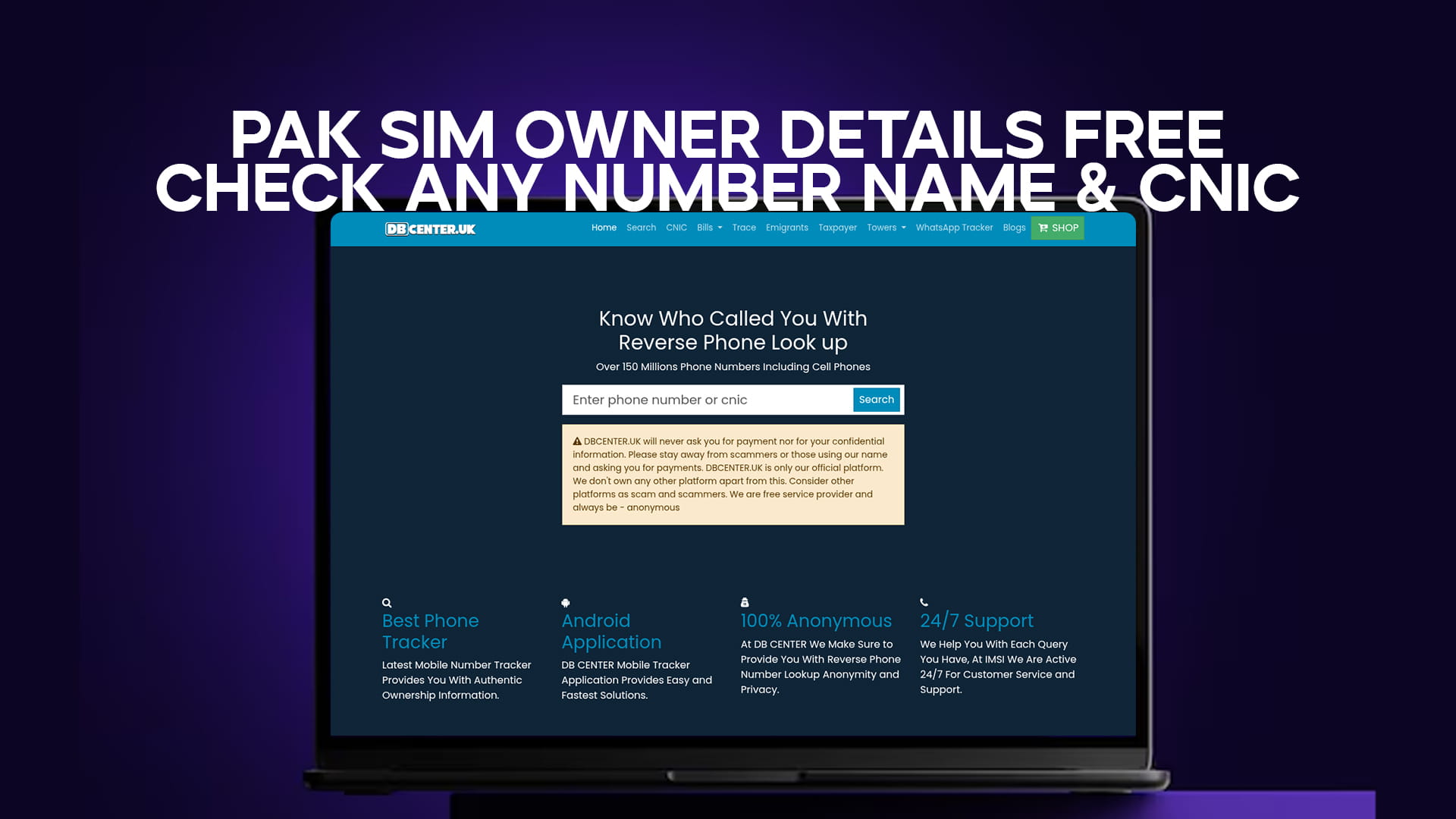
DB Center is a reverse phone lookup platform that lets you search unknown numbers and find out who owns them. For Pakistani mobile numbers, the database includes details tied to SIM registrations, including names and in many cases CNIC-linked information.
Here is how the process works when you search a Pakistani number on DB Center:
Step 1 – Enter the Number Go to DB Center and type the mobile number you want to search. For Pakistani numbers, include the country code (+92) or the standard 11-digit format starting with 03. The system accepts both formats.
Step 2 – Run the Search Once you submit the number, DB Center searches its database of over 150 million records. The search takes only a few seconds.
Step 3 – View the Results The results page shows you the available information linked to that number. This typically includes the registered owner's name, the telecom operator (Jazz, Telenor, Zong, Ufone, or SCO), the region or city, and in verified cases, partial or full CNIC details.
Step 4 – Use the Information Once you have the details, you can decide what to do — call back, block the number, report a scam, or simply move on knowing who tried to reach you.
The platform is designed to be simple. You do not need to create an account to run a basic search, and you do not need to pay for standard lookups.
Pakistani Telecom Networks and SIM Registration
To understand why this information is available at all, it helps to understand how SIM registration works in Pakistan.
Pakistan's telecom regulator, the PTA (Pakistan Telecommunication Authority), made biometric SIM verification mandatory back in 2015. Every SIM card sold in Pakistan must be registered against a valid CNIC. The person buying the SIM places their thumb on a biometric reader, which connects to the NADRA database to verify their identity. Only after successful biometric verification is the SIM activated.
This system means that every active SIM in Pakistan is — in theory — linked to a real identity. The five major networks operating in Pakistan are:
Jazz (formerly Mobilink) is the largest network in Pakistan by subscriber count. It operates on 2G, 3G, and 4G and covers most of the country including rural areas.
Telenor Pakistan is the second-largest operator, known for strong data services and wide urban coverage.
Zong (China Mobile Pakistan) is the leading 4G network in the country and has expanded rapidly over the past few years.
Ufone (PTCL) has been one of the original operators in Pakistan, with a loyal subscriber base especially in smaller cities and towns.
SCO (Special Communication Organization) operates primarily in Azad Kashmir and Gilgit-Baltistan and serves communities in those regions.
Because all five networks operate under the PTA's biometric registration requirement, every number on these networks is tied to a CNIC. That CNIC data, when made available through legitimate lookup services, is what DB Center draws on to return owner information.
What Details Can You Find Through a SIM Lookup?
When you run a search on DB Center for a Pakistani mobile number, the details you may find include:
Registered Owner Name — The full name of the person who registered the SIM, as it appears in the NADRA database.
CNIC Number — In many cases, partial or full CNIC information is available. This is the 13-digit national identity number issued to Pakistani citizens.
Network Operator — Whether the number belongs to Jazz, Telenor, Zong, Ufone, or SCO.
City or Region — The location where the SIM was registered or where the number is primarily active.
Caller Reports — DB Center also collects user-submitted reports. If other people have flagged a number as a scammer, telemarketer, or harasser, those reports will appear alongside the standard owner information. This community feedback is genuinely useful. If five different people have reported the same number as a fraud line, that tells you something the registration data alone cannot.
Call Frequency Data — For numbers that appear frequently in the system, DB Center may also show general usage patterns.
Not every number will return complete information. Some numbers may show only the network and region. Others may show full name and CNIC data. The depth of results depends on what is available in the database for that specific number.
How to Check SIM Owner Details on DB Center – Step by Step
If you want to check a specific Pakistani number right now, here is the exact process:
1. Open your browser and go to DB Center. The platform works on both desktop and mobile, so you can run a search from your phone while you are still looking at an incoming call notification.
2. Locate the search bar on the homepage. It is prominently placed and easy to find. No scrolling required.
3. Type in the number you want to check. Use the format 03XX-XXXXXXX or +92-3XX-XXXXXXX. Either format works.
4. Click the search button. The system will begin checking its database immediately.
5. Read the results carefully. Look at the registered name, the CNIC information if available, the network, and any community reports. Cross-reference these details if you need to verify further.
6. If you have information about the number yourself, DB Center allows users to contribute reports. If you know a number belongs to a scammer or a business, you can add that information to help other users.
The whole process takes under a minute for most searches.
Checking Multiple Numbers
If you need to check several numbers — say, after receiving multiple suspicious calls — DB Center handles multiple searches easily. Each search is independent. You simply run a new search for each number. There is no limit to how many numbers you can look up in a session.
This is useful for businesses that receive calls from many unknown numbers daily, or for individuals who are dealing with a coordinated harassment campaign from multiple SIM cards.
Understanding CNIC Verification in Pakistan
The CNIC (Computerized National Identity Card) is the backbone of identity verification in Pakistan. Issued by NADRA (National Database and Registration Authority), it is a 13-digit number that is unique to every Pakistani citizen.
When a SIM is registered, the CNIC is recorded alongside the biometric data. This creates a direct link between a phone number and a real person. In practice, this means that if someone uses a Pakistani mobile number to commit fraud, their identity is technically traceable — because the SIM is registered to a CNIC.
Of course, some people register SIMs in other people's names, or use SIMs purchased on the black market without proper registration. But for the vast majority of numbers, the CNIC link is real and accurate.
When DB Center returns CNIC data for a number, it is pulling from records where this link has been established. This makes the information significantly more reliable than lookup services that rely only on name directories or user submissions.
Using DB Center to Identify Scam Numbers in Pakistan
Pakistan consistently ranks among the countries with the highest volume of phone scams. Fraud calls range from fake prize announcements to people impersonating bank employees and asking for account details or OTPs. Some scammers impersonate PTA officers and threaten to block your SIM unless you pay a fine.
DB Center's community reporting feature is particularly helpful against these scams. When a fraud number has been reported multiple times, it shows up in search results with a warning. You do not need to be a victim to benefit from someone else's bad experience.
Some of the most common scam number types you might look up:
Bank fraud numbers — Callers claiming to be from your bank, asking for your debit card number, PIN, or OTP.
Prize scam numbers — "Congratulations, you have won a car/phone/cash prize. Please send registration fee."
Fake PTA numbers — Threats that your SIM will be blocked for suspicious activity unless you comply.
Extortion numbers — Calls threatening to release compromising material unless money is sent.
Loan scams — Offers of easy loans that require upfront fee payment.
Before engaging with any of these, a quick DB Center search can tell you whether that number has already been flagged. If it has, you can block it immediately and report it to your operator.
Privacy and Legal Considerations
Looking up public records is legal. DB Center operates within the framework of public data access and user-contributed information. The platform does not hack into telecom databases or obtain data illegally.
That said, it is important to use this information responsibly. Checking who called you, verifying a business contact, or protecting yourself from a scammer are all perfectly legitimate uses. Using the information to harass, stalk, or harm someone is not — and it would be illegal under Pakistan's PECA (Prevention of Electronic Crimes Act) as well as general criminal law.
The data available through DB Center reflects publicly available records and community contributions. It is provided as a reference tool, not as a surveillance system. Treat the information with the same care you would want others to show if they were looking you up.
What to Do After Finding SIM Owner Details
Once you have the owner details from DB Center, you have several options depending on what you found.
If the number belongs to someone you know, great. You can call back or save the number with the correct name.
If the number belongs to a business you recognize, add it to your contacts with the business name so you know who it is next time.
If the number has been reported as a scam, block it immediately on your phone. You can also report it to your telecom operator. Jazz, Telenor, Zong, and Ufone all have complaint channels for reporting fraud numbers. You can also report it to the PTA directly through their complaint portal.
If the number shows no information at all, it may be unregistered or recently issued. Treat it with caution. If the caller does not leave a message or identify themselves, it is usually safe to ignore.
If you discover someone is using your CNIC to register SIMs without your knowledge, report this to NADRA and the PTA immediately. You can check how many SIMs are registered against your CNIC by sending your CNIC number to 668 via SMS from any mobile number.
Tips for Protecting Your Own Number Privacy
While you are using DB Center to find out about others, it is worth thinking about your own privacy too.
Register your SIM correctly. Make sure the SIM registered in your name is actually yours. If someone has registered a SIM using your CNIC, you may be held responsible for how it is used.
Do not share your number publicly unless necessary. Avoid posting your mobile number on public social media profiles, open forums, or online marketplaces where it can be scraped.
Use call filtering apps. Apps like Truecaller or your phone's built-in spam detection can flag unknown numbers before you even pick up.
Report spam numbers. When you report a number on DB Center or any other platform, you help protect everyone else from the same callers.
Check how many SIMs are on your CNIC. The PTA allows you to check this via SMS (send your CNIC to 668). If you see SIMs you did not register, report them immediately.
Why DB Center Is a Reliable Choice for Pakistani Number Lookups
There are several reverse phone lookup services online, but DB Center stands out for a few practical reasons.
The database is large. With over 150 million phone numbers on record, including cell phones, the chances of finding information on any given Pakistani number are high. Most lookup services that work well for international numbers have thin data for South Asian markets. DB Center is built specifically to cover a broad range of phone numbers globally, including Pakistan.
The search is fast. Results come back in seconds, which matters when you are trying to decide whether to answer a ringing phone.
The community reporting layer adds real value. Numbers flagged as scam lines appear with warning information. This crowdsourced layer of data is often more current than official records because the community updates it in real time.
The platform is accessible. You do not need a subscription or an account to run a basic search. Anyone with internet access can use it.
Conclusion
Not knowing who is calling you is frustrating. In a country with 190 million mobile users and a real problem with phone-based fraud, having a tool that can tell you who owns a number is genuinely useful.
DB Center gives you access to a large, reliable database of phone numbers with name and CNIC details. Whether you are trying to identify a missed call, verify a business contact, or protect yourself from a scammer, a quick reverse phone lookup can give you the information you need in seconds.
The process is straightforward. Enter the number, check the results, and decide what to do. No complicated steps, no payment required for basic lookups, and no need to worry about whether the information is real — DB Center's combination of verified records and community reporting makes it one of the most reliable tools for this purpose.
If an unknown number is bothering you, do not guess. Look it up.