Pakistan runs on mobile phones. People use them for banking, business deals, job applications, sending money to family, and staying in touch with everyone they know. Most of that communication happens through mobile numbers — and most mobile numbers in Pakistan are tied to a CNIC.
That connection between SIM and CNIC is exactly what makes the registration system useful. In theory, every number is traceable back to a real person with a verified identity. In practice, the system has weak points. SIMs get registered on CNICs without the owner's knowledge. Numbers change hands informally. Fraudsters use other people's CNIC data to run scam operations.
So when someone in Pakistan wants to find SIM and CNIC details, they are usually trying to do one of three things. They want to check whether their own CNIC has unauthorized SIMs on it. They want to find out who owns a phone number that contacted them. Or they want to verify whether a contact they are dealing with is who they say they are.
All three are legitimate needs. And in 2026, the tools to address them are more accessible than ever.
The Link Between SIM Cards and CNICs in Pakistan
Every legally sold SIM in Pakistan must be registered under a valid 13-digit CNIC. This is a PTA requirement that applies to all five networks operating in the country — Jazz, Telenor, Zong, Ufone, and SCOM.
When you buy a SIM at any franchise or authorized retailer, the seller scans your CNIC and verifies it biometrically through a link to NADRA's database. Your fingerprint must match the CNIC. Once verified, the number is registered under your CNIC in the telecom operator's system and reported to the PTA's centralized registry.
This system gives every active SIM in Pakistan an owner — at least on paper. The PTA caps each CNIC at five active SIMs across all networks combined.
The biometric requirement was introduced specifically to prevent SIMs from being registered under fake or stolen identities. Before it was enforced strictly, it was common for retailers to register SIMs using photocopied CNICs with no fingerprint verification. That left millions of Pakistanis with numbers on their CNIC they never personally activated.
Even with biometric verification in place, problems still occur. Corrupt retailers bypass the process. Leaked CNIC data gets misused. People's identities end up attached to numbers they have never touched.
This is why knowing how to check your own SIM registrations — and how to verify a number you received from someone else — is genuinely useful information.
What You Can and Cannot Find Through a SIM and CNIC Search
Before going further, it is worth being clear about what these searches actually return, because there is a lot of confusion about this.
What you CAN find:
Through the PTA's official 668 SMS service, you can find out how many SIMs are active under your own CNIC and which networks they are registered on.
Through a reverse phone lookup platform like DB Center, you can enter any Pakistani mobile number and find the name it is most commonly associated with, the network it is registered on, and the region linked to its registration.
What you CANNOT find through public tools:
You cannot search someone else's CNIC and get a list of their SIMs. The 668 service only works for your own CNIC — it verifies you through the SIM you are sending from. You cannot use it to look up another person's identity.
You cannot get a full CNIC number from a phone number search. Reverse lookup platforms return registration names and network details, not the underlying CNIC linked to a number. That data is protected and only accessible through official legal channels.
You cannot get real-time location data for a SIM. SIM ownership details tell you the name and network associated with a number — not where the phone is physically located.
These limits are not flaws. They are appropriate. The tools that exist for public use give people what they need for verification and fraud prevention without exposing private identity data in ways that could be misused.
How to Check SIMs Registered on Your CNIC Instantly
If you want to know how many SIMs are running on your CNIC right now, the process takes about thirty seconds.
Open your messaging app and create a new SMS. In the message body, type your 13-digit CNIC number with no dashes and no spaces. Send it to 668.
Within a few minutes, the PTA will send you a reply. The reply tells you how many SIMs are registered under your CNIC and which networks they are on. In some cases, depending on the query and your network, the specific numbers may also be included.
Count the SIMs in the reply. Compare that number to the SIMs you actually own and use. If the numbers match, you are fine. If there are more SIMs listed than you own — or if the networks listed do not match your actual SIMs — you have an unauthorized registration problem that needs to be addressed quickly.
This check is free. You can run it from any active Pakistani mobile number. There is no app to download and no website to visit. Most people who do it regularly say it takes less time than checking a social media notification.
How to Look Up Who Owns a Mobile Number in Pakistan
The PTA check handles your own CNIC. For looking up an unknown number — one that called or messaged you — you need a reverse phone lookup tool.
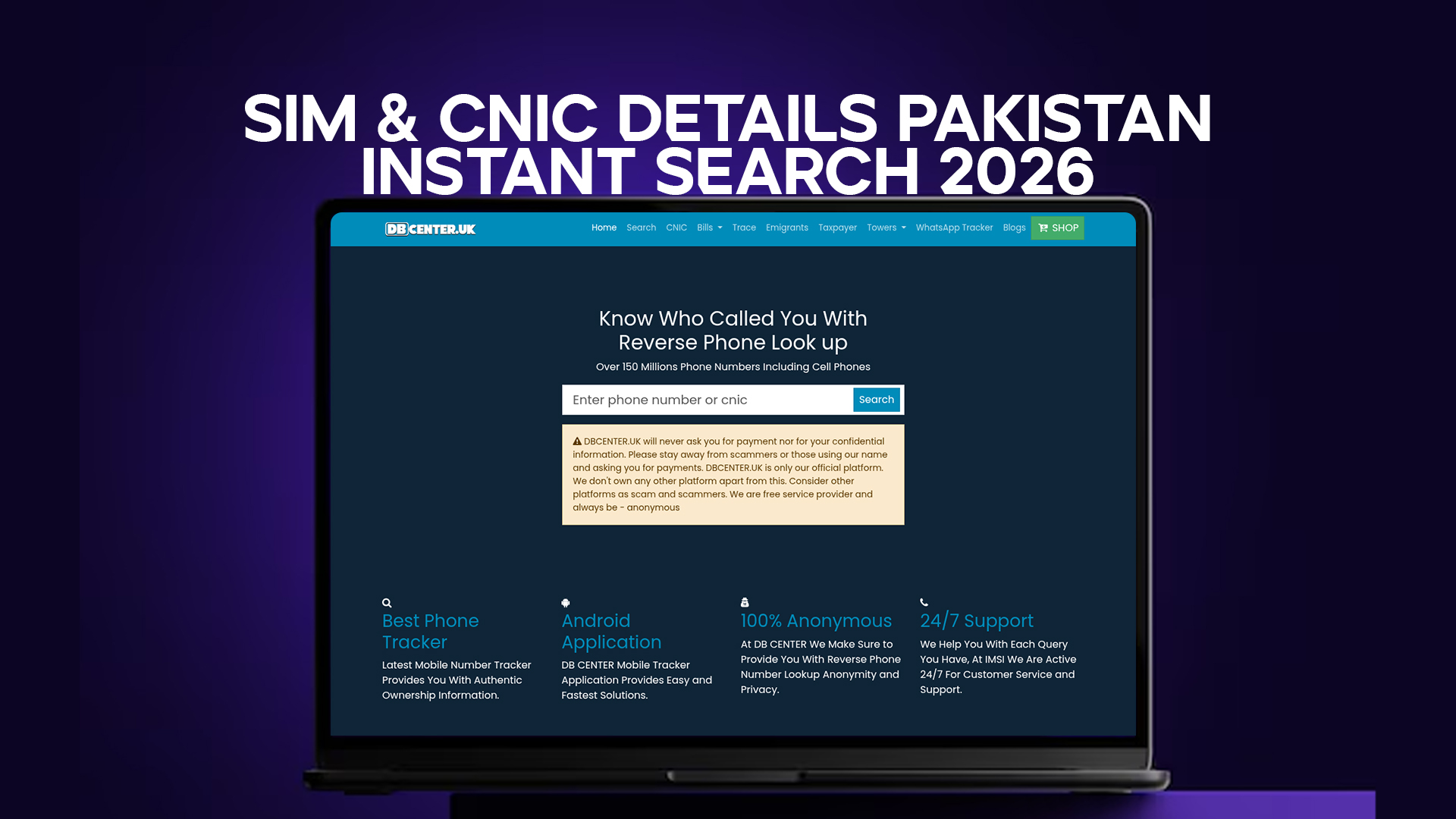
DB Center is built specifically for this. It holds data on over 150 million phone numbers including Pakistani mobile numbers, and it lets you search any number to find who it is registered to.
Here is how the search works in practice.
You receive a call from 0312-XXXXXXX and you do not recognize the number. You open DB Center on your phone's browser. You type the number into the search field — you can enter it in local format (0312...) or international format (+9230...). You tap search. Within seconds, DB Center checks the number against its database and returns whatever information is available.
For most established Pakistani numbers, the result will include a name, the network operator, and a general region. For recently issued numbers, or numbers that have never appeared in any public-facing record, the result may be partial or empty.
If the result shows a name and it matches the context of why someone might be calling you — a business contact, a relative, a service provider — you can proceed with reasonable confidence. If the name does not match, does not appear at all, or comes with user-generated scam reports, you have a reason to be cautious.
The Difference Between a CNIC Check and a Phone Number Lookup
These two searches are related but they work in opposite directions, and people sometimes confuse them.
A CNIC check starts with an identity. You know the CNIC — your own, in the case of the 668 service — and you find out what SIMs are connected to it. Identity first, SIMs second.
A phone number lookup starts with the SIM. You have a number and you want to know the identity behind it. Number first, name second.
Most people need both at different times.
You need the CNIC check when you want to make sure your own identity is clean — that no unauthorized SIMs are running under your name. You do this proactively, on a schedule, because you already know your own CNIC.
You need the phone number lookup when something unexpected reaches you — an unknown call, an unfamiliar WhatsApp number, a business contact you want to verify. You do not know who they are; you use the number as the starting point.
DB Center handles the second type of search. It is the reverse-direction lookup — starting from a number and finding the associated identity information.
Who Actually Uses These Search Tools in Pakistan?
The range is broader than most people assume.
People who got a call from an unknown number. This is probably the most common use case. Someone called, did not leave a clear message, or left a voicemail that did not explain who they were. Before calling back, you check the number.
People worried about identity theft. If your wallet was stolen, your CNIC was photocopied somewhere unreliable, or you lost your ID card, the risk of someone misusing your CNIC for SIM registration is real. Checking your SIM count after such an incident is basic damage control.
Business owners dealing with new contacts. A supplier, customer, or contractor gave you a phone number. Before you enter a financial relationship with them, you verify that the number checks out and matches the name they gave you.
People who received a suspicious WhatsApp message. The number is foreign or unfamiliar. The message is an offer, a warning, or a request. Before engaging, you check who the number belongs to.
Parents checking numbers their children receive. Not uncommon in Pakistani households, especially when younger family members receive calls or messages from numbers no one recognizes.
Journalists and researchers. Verifying contact information is a basic part of any fact-checking process. Phone number lookup tools are part of that toolkit.
HR and recruitment. A job applicant leaves a contact number. Before the first call, some HR teams do a basic verification check on the number.
None of these uses require any special access or technical knowledge. A basic search on DB Center is something anyone with a smartphone and internet access can do.
SIM Fraud in Pakistan – The Numbers Behind the Problem
Pakistan's FIA Cybercrime unit received over 90,000 complaints in 2024. A significant portion of those complaints involved mobile-based fraud — unauthorized SIM registrations, SIM swap attacks, and number spoofing used in scam calls.
The scale of the problem is large enough that the PTA, NADRA, and the State Bank of Pakistan have all issued separate public warnings about SIM-related fraud in recent years. Banks now require additional verification steps when SIM changes are detected on accounts linked to mobile banking.
The fraud patterns that CNIC and SIM checks help detect or prevent include:
SIM registration without consent. Someone gets hold of your CNIC data — from a photocopy, a data leak, or a corrupt source — and registers one or more SIMs under your identity. Those SIMs are used to run scam operations. The calls, messages, and financial trails link back to your CNIC.
SIM swap attacks on bank accounts. A fraudster contacts your telecom operator and convinces them — through fake documents or bribery — to transfer your number to a new SIM. Once they control your number, they use it to receive OTPs from your bank and access your account. The window between the swap and the drain is often just minutes.
Number spoofing. This one is harder to detect and cannot be caught with a SIM check, but it is worth knowing about. Spoofed numbers are calls where the displayed number is faked — it looks like it comes from a bank or government office, but the actual caller is somewhere else. If you look up the number on DB Center and it comes back as legitimately registered to a well-known institution, but the call's content was suspicious, the number was likely spoofed. Real bank calls do not ask for PINs or account numbers over the phone.
How to Deal with Unauthorized SIM Registrations Step by Step
Finding an unauthorized SIM on your CNIC is alarming, but the process for addressing it is clear.
First, collect the details. Note the network name from the PTA's reply and any number information included. Write it down.
Second, call the telecom helpline for that network. Jazz: 111. Telenor: 345. Zong: 310. Ufone: 333. Tell them you found an unauthorized SIM on your CNIC and give them the details. Ask them to investigate and block the number.
Third, file a complaint with the PTA. The PTA consumer portal at complaint.pta.gov.pk takes formal complaints. Filing one creates a record and adds pressure on the operator to act.
Fourth, visit a service center in person. Bring your original CNIC to the nearest franchise of the relevant network. They can run a biometric check and deactivate any SIM that is on your CNIC but does not match your fingerprint — meaning any SIM that was registered without your physical presence.
Fifth, if you suspect the SIM was used in fraud, file an FIR. Go to your nearest police station with your CNIC and the details of the unauthorized SIM. Also report to FIA Cybercrime at 1991. These reports create a legal record that protects you if the SIM was used in criminal activity.
The entire process from complaint to deactivation typically takes a few days to a couple of weeks, depending on the network and the complexity of the case. Starting quickly matters.
International Numbers – CNIC Searches Do Not Cover Them, But DB Center Does
One important limitation of the PTA's CNIC-based checks is that they only cover Pakistani SIMs. Numbers from the UK (+44), UAE (+971), Malaysia (+60), or elsewhere are completely outside the PTA's registry.
This matters because a meaningful portion of scam calls targeting Pakistanis use international numbers. The callers claim to be from Pakistani banks, government agencies, or businesses, but their SIMs are foreign because they are harder to trace and block through Pakistani channels.
DB Center's database covers over 150 million numbers internationally. A UK or UAE number that contacts you with a suspicious claim can be searched the same way a Pakistani number can. If the result shows no registration, a different name than claimed, or a flagged scam history, you have useful information even though the PTA check would not help you here.
This cross-border coverage is one of the practical reasons why having a reverse lookup tool is useful in addition to — not instead of — the official PTA services.
Keeping Your SIM and CNIC Details Secure in 2026
Checking other people's numbers is only half the picture. The other half is making sure your own SIM and CNIC details do not end up in the wrong hands.
A few habits that make a real difference:
Never share a blank CNIC photocopy. If a shop, office, or service requires a copy, write the purpose and date on it before handing it over. This makes it harder to reuse for SIM registration or other fraud.
Check your SIM count on 668 every three months. This is the most direct way to catch unauthorized registrations early. Set a reminder if needed.
Do not post your primary mobile number in public online spaces. Numbers posted on Facebook groups, OLX, or public WhatsApp groups get harvested for spam and scam call lists faster than most people realize.
Enable two-factor authentication on WhatsApp and all banking apps. If your SIM is somehow compromised, 2FA adds another barrier before someone can access your accounts.
Register your SIM personally at a franchise, not through a street reseller. The biometric verification at an official franchise is done properly. Street resellers have more opportunity — and more incentive — to cut corners.
If you lose your CNIC, report it to NADRA immediately. NADRA can flag the CNIC as lost or stolen, which does not prevent all misuse but does create a record and may trigger extra scrutiny at telecom retailers.
Final Thoughts
SIM and CNIC details in Pakistan are connected at the registration level — every legitimate SIM points back to a CNIC. That connection is what makes both the official PTA check and reverse phone lookup tools useful.
The 668 check monitors your own CNIC. DB Center handles the other direction — any number, any time, from a database of over 150 million entries. Between the two, you have a practical toolkit for catching unauthorized SIM registrations, verifying unknown callers, and protecting yourself from the kinds of mobile fraud that are increasingly common in Pakistan.
Neither tool requires technical knowledge. Neither requires visiting an office or waiting days for a response. Both are accessible from a basic smartphone.
In 2026, with mobile fraud more sophisticated and more common than it was even two years ago, taking sixty seconds to verify before trusting is not an overreaction. It is just how things need to work now.