Someone calls you from a number you do not recognize. Or you are checking whether your CNIC has unauthorized SIMs registered on it. Or a business contact gave you a number that does not match the name they introduced themselves with.
In every case, you want one thing: SIM ownership details. Whose name is this number registered under? Which network is it on? Is it a real, active number connected to a real person?
That question used to be very hard to answer unless you worked inside a telecom company. In 2026, it is not. Between the PTA's official SMS check service and platforms like DB Center, most Pakistanis can get ownership details for any mobile number within a minute or two, without visiting any office or making any phone call.
This article covers how to get those details, what they mean, and how to use them responsibly.
How SIM Registration Works in Pakistan
To understand SIM ownership details, it helps to first understand how those details get created in the first place.
Every SIM card sold legally in Pakistan must be registered under a valid Computerized National Identity Card (CNIC). This is a requirement from the Pakistan Telecommunication Authority, and it applies to every network operating in the country — Jazz, Telenor, Zong, Ufone, and SCOM.
When a SIM is sold, the retailer is supposed to verify the buyer's CNIC through a biometric scanner that connects to NADRA's database. The fingerprint scan confirms the CNIC belongs to the person buying the SIM. Once verified, the number is registered under that CNIC in the telecom operator's system.
The PTA keeps a centralized record of all active SIMs and the CNICs they are registered under. Each CNIC is allowed a maximum of five active SIMs across all networks combined.
In practice, this system has gaps. Some retailers have sold SIMs without proper biometric verification, using copied or stolen CNIC data. Some numbers were registered under false identities before stricter rules were put in place. This is why checking your own SIM registrations periodically — and being able to look up unfamiliar numbers — matters.
What "SIM Ownership Details" Includes
When you run a SIM ownership check, what can you actually expect to find out? The answer depends on which tool you use and what data is available.
For a check on your own CNIC using the PTA's SMS system, you get:
- The total number of SIMs active under your CNIC
- The names of the networks those SIMs are on
- Sometimes the specific numbers registered (this depends on the query method)
For a reverse phone lookup — where you enter a phone number to find the owner — you get:
- The registered name associated with the number
- The network operator (Jazz, Telenor, Zong, Ufone, or SCOM)
- The region or city linked to the SIM registration
- Occasionally, whether the number has been flagged or reported by other users
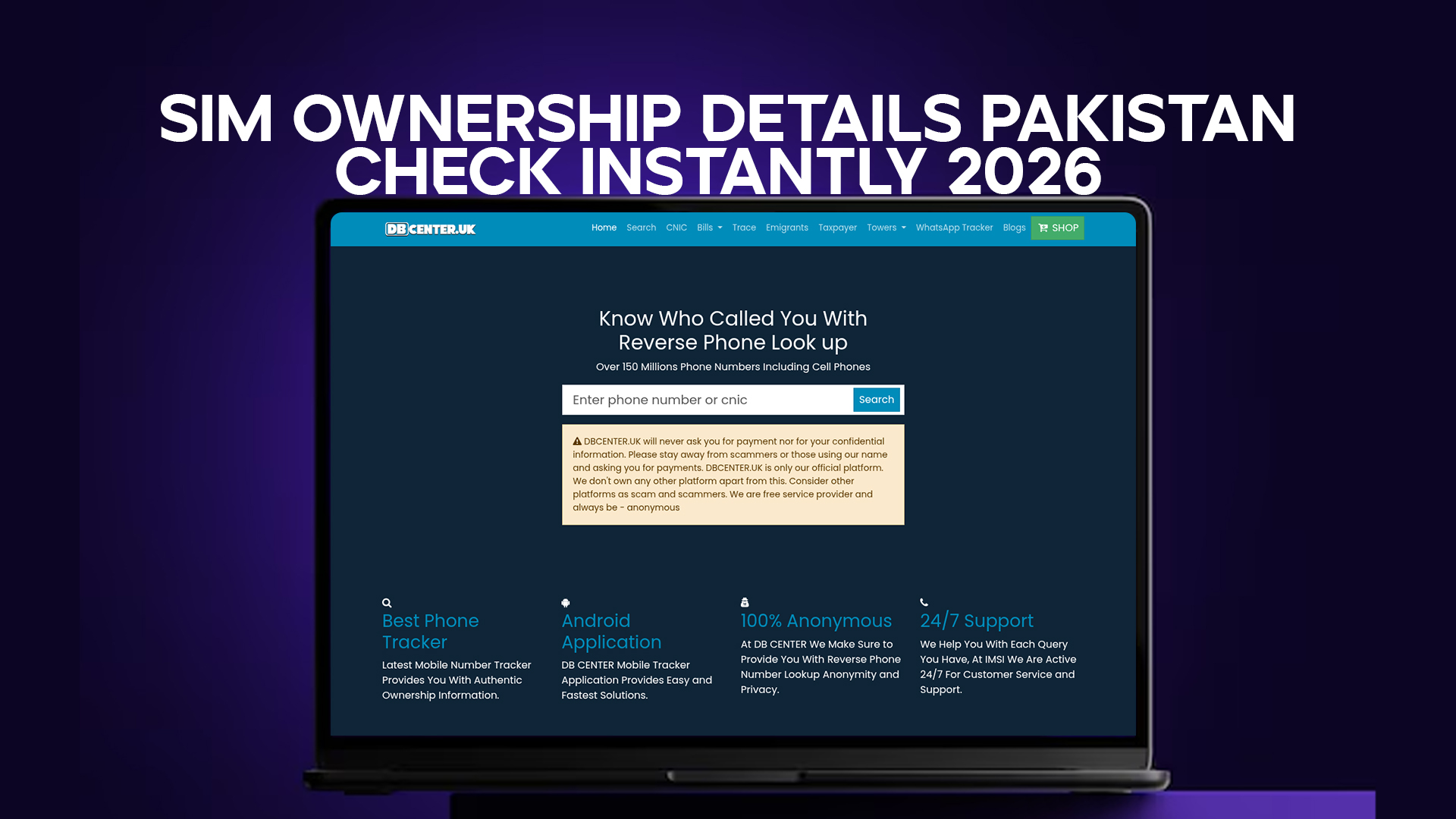
DB Center's reverse lookup works on the second model. You give it a number, and it tells you what is associated with that number in its database of over 150 million phone entries, including Pakistani mobile numbers.
Using DB Center to Check SIM Ownership Details Instantly
DB Center is a reverse phone lookup platform. It does not require you to know the CNIC of the person you are searching — you just need the phone number.
Here is how to use it:
Enter the phone number. Type the Pakistani mobile number you want to check. Pakistani numbers in international format start with +92, followed by the ten-digit number (so 0300 becomes +92300, for example). Try both formats if one does not return results.
Run the search. DB Center checks the number against its database. This is almost instant for most numbers.
Read what comes back. If the number is in the database, you will see the registered name, network, and region. If the number has been reported by other users as a spam or scam number, that may also appear.
Interpret the result in context. A name in the database is the most commonly associated registration for that number based on available public data. It is reliable enough to confirm whether a contact is who they say they are, but it is not a legal identity document.
The whole process takes under a minute. You do not need to create an account, install anything, or pay anything to run a basic search.
How to Check How Many SIMs Are on Your CNIC
For checking your own CNIC — to see how many SIMs are registered under your identity — the PTA provides an official SMS-based service.
Send your 13-digit CNIC number (without dashes) as an SMS to 668. The PTA will reply with a count of active SIMs registered under your identity across all networks.
This is free and works from any Pakistani mobile number.
If the number of SIMs in the response is higher than what you actually own, you have unauthorized SIMs on your CNIC. You should act on this immediately — the steps for that are covered later in this article.
The 668 check is good for monitoring your own identity. It does not help you identify an unknown caller or verify who owns a specific number. For that, you use DB Center's reverse lookup.
Both tools together give you a complete picture — your own CNIC is clean, and you can check any unfamiliar number that contacts you.
Why SIM Ownership Details Matter in Pakistan – 2026 Context
Pakistan had roughly 194 million active mobile subscriptions as of late 2025. The country also has one of the highest rates of mobile-related fraud in the region. Those two facts are connected.
The more people rely on mobile phones for banking, business, and daily communication, the more attractive mobile fraud becomes. And SIM-based fraud is particularly damaging because it reaches people in the channel they trust most — their personal phone.
The specific types of fraud that SIM ownership checks help prevent or catch include:
Unauthorized SIM registration on your CNIC. Someone uses your CNIC data to register SIMs in your name. They use those SIMs to run scams. If complaints are filed, the trail leads back to you. Checking your CNIC regularly catches this before it becomes a legal problem.
SIM swap fraud. A fraudster convinces a telecom retailer that they are you, and gets your number transferred to a new SIM. Once they have your SIM, they can receive your bank OTPs and drain your account. Knowing your current SIM registrations helps you catch a swap quickly.
Unknown callers running scams. Someone calls you from an unrecognized number posing as a bank official, an FBR employee, or a prize announcement. Looking up the number before engaging gives you basic information to assess whether the call is likely legitimate.
Business fraud. A supplier or customer contacts you from a new number claiming their old one stopped working. Before you send money to their "new" bank account details, you check the new number's ownership. If it does not match who they claim to be, you verify through another channel first.
None of these checks are complicated. They just require knowing that the option exists and taking one minute to use it.
Reading SIM Ownership Details – What to Look For
Once you have a result from a number lookup, the question is what to do with it. Here are the main things to pay attention to.
Does the name match the claimed identity? If someone says they are Ahmad Raza calling from XYZ company, and the number comes back registered to a different name with no apparent connection, that is a signal to be cautious. It does not prove fraud, but it warrants a follow-up question.
Does the network make sense? Pakistani mobile networks have regional patterns. Numbers in rural Punjab tend to be on Telenor or Jazz. Numbers in parts of Sindh lean toward Zong. A number that claims to be from a specific city but is registered on a network that has almost no presence there is an unusual detail worth noticing.
Is the number flagged? Some reverse lookup tools, including many internationally, allow users to leave reports on numbers. If a number you searched has multiple reports calling it a scam line or spam caller, that is a strong signal.
Is there no result at all? A number that returns no data in DB Center is not necessarily suspicious. It might be newly registered, or it might belong to someone who has never had their number appear in any public-facing context. But a number that returns no data and also arrives with an urgent request for money or personal information is worth being cautious about.
Is it a foreign number? If a Pakistani number has the country code for UK (+44), UAE (+971), or a country with no obvious connection to the context of the call, check it. DB Center covers international numbers as well, which is useful because many scams targeting Pakistanis originate from overseas SIMs.
SIM Ownership Details and the Law in Pakistan
Checking SIM ownership details is legal in Pakistan when done through legitimate channels. The PTA's 668 check is an official government service designed for exactly this purpose. Reverse phone lookups using publicly available data — like what DB Center provides — are also legal.
What is not legal is unauthorized access to telecom operator databases, impersonating officials to extract private registration records, or using obtained information to harass, stalk, or defraud someone.
The purpose of a SIM ownership check, as described in this article, is verification and fraud prevention. That is a legitimate and protected use. People have a reasonable right to know who is contacting them and to verify the identity of those they do business with.
If you ever need SIM registration details for a legal matter — for example, to support an FIR or a fraud complaint — the proper channel is to request that information through the FIA Cybercrime wing or through a court order to the telecom operator. Those channels have the ability to produce official, legally usable records.
What to Do If You Find Unauthorized SIMs on Your CNIC
This is one of the most important parts of any conversation about SIM ownership in Pakistan. Finding unauthorized SIMs on your CNIC is more common than most people expect, and it requires action.
Step 1: Confirm the finding. Send your CNIC to 668 and carefully count the SIMs in the response. Compare them to the actual SIMs you know you own. If the numbers do not match, write down the extra SIM details.
Step 2: Contact the relevant telecom operator. Each network has a helpline. Jazz: 111. Telenor: 345. Zong: 310. Ufone: 333. Call the helpline for the network the unauthorized SIM is on, explain the situation, and ask them to investigate or block the number. They will typically ask for your CNIC number and may require you to visit a service center with your CNIC.
Step 3: File a complaint with the PTA. The PTA has a consumer protection portal where you can report unauthorized SIM registrations. Filing this complaint creates a record and pressures the operator to act.
Step 4: Visit a service center with your CNIC. For any SIM-related issue, bringing your original CNIC to the telecom operator's nearest franchise is the fastest way to get it resolved in person. They can verify your biometrics and deactivate any SIM that is on your CNIC but does not match your fingerprint.
Step 5: Consider filing an FIR. If your CNIC was misused to register SIMs that were then used in criminal activity, an FIR creates a legal record that protects you. File it at your local police station and also report to the FIA Cybercrime unit at 1991.
The earlier you catch an unauthorized SIM, the less damage it can do. Making the 668 check a regular habit — every three months or so — is the single most effective preventive measure.
Checking SIM Details for Numbers from Other Countries
Many scam operations targeting Pakistanis do not use Pakistani SIMs. They use cheap prepaid numbers from the UK, UAE, Malaysia, or East Africa. These numbers are outside the PTA's jurisdiction, so the normal Pakistani complaint channels are less effective against them.
DB Center covers over 150 million numbers internationally, not just Pakistani ones. If you receive a call or message from a foreign number and want to check its details, the same search process applies.
Enter the number with its country code. DB Center will return whatever is available in its international database — which, for many UK and UAE numbers, includes registered names and operator details because those countries have their own directories and public records.
This matters especially for:
- WhatsApp calls from +44 or +971 numbers claiming to be Pakistani banks or government agencies
- Investment scheme calls from international numbers
- "Your relative abroad is in trouble" scams run from overseas SIMs
If a foreign number's details do not match the caller's claimed identity, that is enough reason to hang up, block, and report.
How DB Center Is Different from the PTA's Official Check
Both are useful. They serve different purposes.
The PTA's 668 check tells you how many SIMs are on your own CNIC. It is self-focused. You send your identity, you get data about your identity.
DB Center does the reverse. You give it a phone number — any phone number, not just yours — and it tells you what that number is associated with. It looks outward instead of inward.
The PTA check is authoritative for your own CNIC. It pulls from the official telecom registration system. DB Center is broader in scope — it covers over 150 million numbers from multiple countries and pulls from a wide range of public data sources.
For someone who wants to both protect their own identity and verify incoming calls, the right approach is to use both. Run the 668 check every few months for your own CNIC. Use DB Center whenever you receive a call or message from a number you do not recognize.
SIM Ownership Details for Business Verification in Pakistan
SIM ownership checks are not only a personal safety tool. Pakistani businesses use them too, though not always formally.
A recruiter receives a CV with a contact number. Before calling, they run the number to confirm it matches the applicant's name. A property agent gets an offer on a listing from a buyer who gave a contact number. They check the number before scheduling a site visit. An e-commerce seller receives a bulk order from a new buyer. They verify the contact number before dispatching goods worth tens of thousands of rupees.
These are practical, low-friction verification steps. They do not replace formal identity checks for high-value transactions, but they catch the obvious mismatches — the person who gave a fake name, the number that belongs to someone else entirely, the contact that does not match any legitimate record.
DB Center handles these business verification searches the same way it handles personal ones. The search is the same. The database is the same. The result gives you just enough information to decide whether to proceed or ask more questions.
Protecting Your SIM Registration Details from Misuse
Just as you can look up other people's numbers, others can potentially look up yours. That is not a reason to panic — reverse phone lookup databases contain publicly available information, not private data.
But there are reasonable steps to keep your information cleaner and reduce your exposure.
Do not post your personal mobile number in public Facebook groups, classified ad sites, or social media bios unless you need to for business. Numbers posted publicly get harvested for spam and scam call lists.
When a business or shop asks for a photocopy of your CNIC, write the purpose and date on the copy. A photocopy that says "For ABC Pharmacy, prescription, April 2026" is much harder to misuse for SIM registration than a blank photocopy.
Check your CNIC's SIM count every quarter using the 668 SMS check. If something unexpected appears, deal with it before it becomes a bigger problem.
Enable SIM lock on your bank-linked mobile number if your bank offers it. Some Pakistani banks allow you to lock the SIM associated with your account so that no OTP is sent unless you unlock it.
Final Thoughts
SIM ownership details in Pakistan are not a mystery in 2026. The tools exist. The PTA's 668 check handles your own CNIC monitoring. DB Center handles reverse lookups for any number — Pakistani or international — from its database of over 150 million entries.
Using these tools is not complicated. It takes about sixty seconds to check a number, and the information you get back is genuinely useful. It tells you whether an unknown caller is likely who they say they are. It tells you whether your CNIC is clean. It gives you a basis for a decision instead of having to guess.
Phone-based fraud in Pakistan is not going away. The number of active SIMs is growing, mobile banking is expanding, and online business is becoming more common. All of that creates more opportunities for fraud, and more reasons to verify before trusting.
Taking one minute to check before you reply, pay, or share anything personal is not paranoia. It is just good practice.