Do you have a long list of phone numbers that you want to check on WhatsApp? Are you a business owner who wants to send marketing messages only to active WhatsApp users? Do you need to clean your contact list and remove numbers that do not have WhatsApp? If you answered yes to any of these questions, you have come to the right place.
Manually checking each phone number on WhatsApp is slow and frustrating. You have to save each number to your phone, open WhatsApp, and see if a profile appears. Then you have to delete the number if it is not active. Doing this for 10 or 20 numbers is already annoying. Doing it for 100 or 1,000 numbers is nearly impossible.
That is why you need a WhatsApp number checker that can verify bulk contacts online. In this complete guide, I will show you how to use DB Center to check multiple phone numbers at once. You will learn how bulk verification works, why it is useful for businesses, and how to get accurate results in seconds. By the end of this article, you will save hours of manual work and improve your WhatsApp marketing strategy.
What Is a WhatsApp Number Checker?
A WhatsApp number checker is a tool that tells you whether a specific phone number has an active WhatsApp account. It does not show you messages or private information. It simply gives you a yes or no answer: Does this number use WhatsApp or not?
Some advanced checkers can also show you the profile name and profile photo if the user’s privacy settings allow it. However, the most important feature is simply knowing whether the number is registered on WhatsApp.
A bulk WhatsApp number checker takes this one step further. Instead of checking one number at a time, you can upload a list of hundreds or thousands of numbers. The tool checks all of them automatically and gives you a report. This report tells you which numbers are active on WhatsApp and which numbers are not.
Why Do You Need to Verify Bulk Contacts on WhatsApp?
There are many situations where verifying multiple WhatsApp numbers at once becomes essential. Let me explain the most common use cases.
1. WhatsApp Marketing for Businesses
If you run a business, you probably know that WhatsApp is a powerful marketing channel. You can send promotional messages, product updates, and customer support messages directly to your customers’ phones. However, you cannot just send messages to any random number. You need to make sure that the number is active on WhatsApp first.
Sending messages to inactive numbers wastes your time and money. Worse, if you send too many messages to inactive numbers, WhatsApp might flag your account as spam. By using a bulk WhatsApp number checker, you can clean your contact list before you start your campaign. This ensures that every message you send reaches a real, active WhatsApp user.
2. Cleaning Old Contact Lists
Many businesses and individuals have old contact lists. Maybe you collected phone numbers at an event two years ago. Maybe you bought a list of leads from a vendor. Over time, people change their phone numbers or stop using WhatsApp. If you try to message all these old numbers, many of your messages will never be delivered.
A bulk checker helps you identify which numbers are still active. You can remove the inactive ones and keep only the good contacts. This makes your contact list smaller but much more effective.
3. Verifying Customer Information
If you run an e-commerce store or a service business, you might ask customers to provide their phone numbers during checkout. Some customers make mistakes when typing their numbers. Others might intentionally enter fake numbers. By verifying these numbers in bulk, you can catch errors early. You can then contact those customers to correct their information before you ship products or provide services.
4. Event Planning and Invitations
Are you organizing a conference, wedding, or party? You probably have a long list of phone numbers for your guests. Sending event updates via WhatsApp is faster and more personal than email. But first, you need to know which of your guests actually use WhatsApp. A bulk checker gives you that information in minutes.
5. Recruiting and HR
Human resource professionals often collect phone numbers from job applicants. When it is time to schedule interviews, WhatsApp is a convenient way to communicate. However, not every applicant uses WhatsApp. By verifying numbers in bulk, you can focus your efforts on candidates who are reachable through WhatsApp.
6. Non-Profit and Community Outreach
Charities and community organizations often have large databases of supporters. Sending updates and appeals via WhatsApp can be very effective. But again, you need to know which numbers are active. A bulk WhatsApp number checker helps you maximize your outreach while minimizing wasted messages.
The Problem with Manual WhatsApp Number Checking
Before we talk about the solution, let me explain why manual checking is so painful. Many people think, “I can just save each number to my phone and see if a WhatsApp profile appears.” Here is why that method does not work for bulk lists.
It Takes Too Much Time
Saving one number takes about 10 seconds. Checking WhatsApp takes another 5 seconds. Deleting the number if it is inactive takes another 5 seconds. That is 20 seconds per number. For 100 numbers, that is over 30 minutes of boring, repetitive work. For 1,000 numbers, that is more than 5 hours. And that is assuming you do not make any mistakes.
It Clutters Your Phone Contacts
Every number you save stays in your phone’s address book unless you remember to delete it. After checking 100 numbers, your contact list will be full of strangers. You will have a hard time finding your real friends and family. Cleaning up that mess takes even more time.
It Alerts the Other Person
When you save a number to your phone, WhatsApp might show your profile to that person if your privacy settings allow it. This means the stranger might see your name, photo, and status. If you are checking numbers for a marketing campaign, this is not professional. The person might feel spied on.
It Does Not Work for All Numbers
Many people have privacy settings that hide their WhatsApp profile from people who are not in their contacts. If you save their number, they still might not appear in your WhatsApp. You will wrongly think the number is inactive when it is actually active but private.
You Cannot Export Results
After manually checking 100 numbers, you have to write down which ones were active. This is error-prone and messy. A proper bulk tool gives you a clean report that you can download and use immediately.
DB Center – The Best WhatsApp Number Checker for Bulk Verification
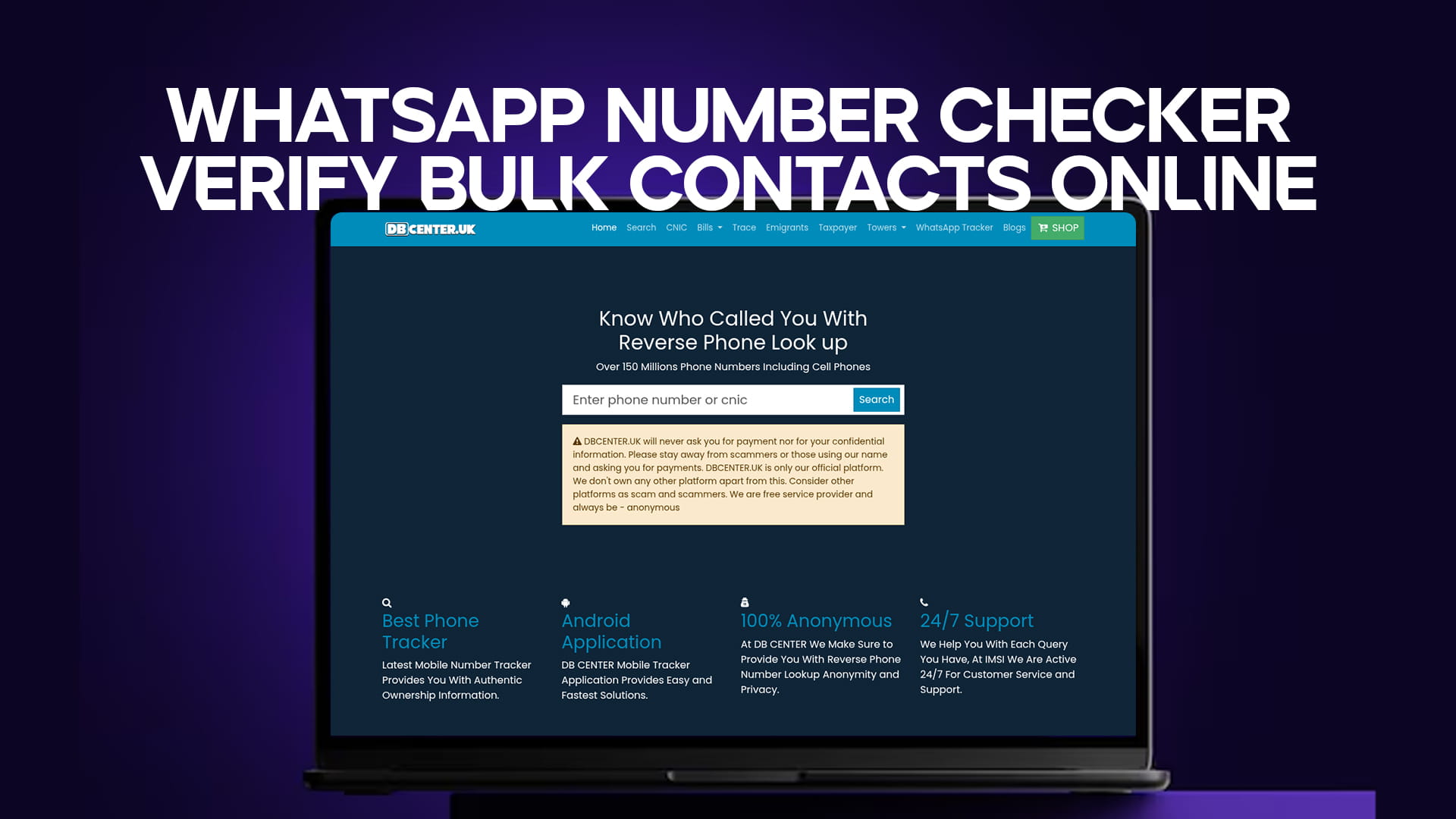
Now let me introduce you to the solution. DB Center is not just a simple reverse phone lookup tool. It is a powerful platform that can handle bulk phone number verification. With over 150 million phone numbers in its database, DB Center can tell you which numbers are active on WhatsApp quickly and accurately.
How DB Center Bulk Verification Works
The process is very simple. You do not need to install any software. You do not need to save numbers to your phone. You just need a list of phone numbers in a simple format. Here are the steps:
-
Prepare your list of phone numbers in a text file or spreadsheet.
-
Upload the list to DB Center (or copy and paste the numbers).
-
DB Center checks each number against its database.
-
Within minutes, you receive a report showing which numbers have active WhatsApp accounts.
-
You download the report and use it for your marketing or communication.
What Information Does DB Center Provide for Each Number?
When you verify bulk contacts using DB Center, you get more than just a yes/no answer. The report typically includes:
-
WhatsApp Status: Active or Inactive
-
Phone Number: The original number you checked
-
Location: City, state, and country of the number
-
Carrier: The mobile service provider
-
Name (if available): The registered name associated with the number
-
Spam Reports: Whether other users have reported this number for spam
This additional information is very valuable. For example, if a number is active on WhatsApp but has multiple spam reports, you might want to remove it from your list anyway. If a number is located in a different country than your target audience, you might also want to remove it.
Step-by-Step Guide: How to Verify Bulk WhatsApp Contacts Using DB Center
Let me walk you through the exact process. Follow these steps, and you will have your verified contact list in no time.
Step 1: Prepare Your Contact List
Open a simple text editor like Notepad or a spreadsheet program like Microsoft Excel or Google Sheets. Write each phone number on a new line. Make sure every number includes the country code. For example:
text
+14155551234
+447911123456
+61298765432
Do not use dashes, spaces, or parentheses. Just the plus sign followed by the country code and the number. If you have numbers without country codes, DB Center might not be able to verify them correctly.
Step 2: Go to DB Center
Open your web browser and go to the DB Center website. You can use any browser on your computer or phone. The bulk verification tool works best on a computer because it is easier to upload files, but you can also use a phone if necessary.
Step 3: Find the Bulk Verification Tool
On the DB Center homepage, look for the option that says “Bulk Lookup,” “Bulk Verification,” or “Check Multiple Numbers.” Click on that option. If you cannot find it, use the search box or look in the main menu.
Step 4: Upload Your File or Paste Your Numbers
You will see two options. You can either upload a text file containing your numbers, or you can copy and paste the numbers directly into a large text box on the page. Choose the method that is easier for you. Uploading a file is usually faster for large lists.
Step 5: Start the Verification Process
Click the button that says “Verify,” “Check,” or “Start Lookup.” DB Center will begin processing your numbers. The time it takes depends on how many numbers you have. For 100 numbers, it might take 30 seconds. For 1,000 numbers, it might take a few minutes.
Step 6: Download Your Report
When the verification is complete, DB Center will show you a summary. You will see how many numbers are active on WhatsApp and how many are inactive. You can then download the full report as a CSV file or Excel file. This file contains all the details for each number.
Step 7: Use Your Clean Contact List
Open the downloaded report in Excel or Google Sheets. Sort the list by WhatsApp status. Copy all the active numbers into a new list. Now you have a clean, verified contact list ready for your WhatsApp marketing or communication.
Benefits of Using DB Center for Bulk WhatsApp Verification
Why should you choose DB Center over other tools? Let me give you the top reasons.
1. Saves Hours of Manual Work
What would take you 5 hours manually takes less than 5 minutes with DB Center. That is a 99% time saving. You can use that extra time to focus on your business, your family, or your hobbies.
2. High Accuracy
DB Center uses a large, regularly updated database of over 150 million phone numbers. The accuracy is much higher than manual methods or free online tools. You can trust the results.
3. No Contact Clutter
Because you never save the numbers to your phone, your contact list stays clean. You do not have to delete hundreds of strangers after your verification is done.
4. Completely Anonymous
When you verify numbers through DB Center, the owners of those numbers never know. They do not receive any notification. Your privacy and their privacy are both protected.
5. Works with International Numbers
DB Center supports numbers from many countries around the world. Whether your contacts are in the US, UK, India, Australia, or anywhere else, DB Center can verify them.
6. Additional Data Points
You get more than just WhatsApp status. Location, carrier, spam reports, and sometimes names are also included. This extra data helps you make better decisions.
7. Easy to Use
The interface is simple and intuitive. You do not need any technical skills. If you can upload a file and click a button, you can use DB Center.
Real-Life Examples of Bulk WhatsApp Number Verification
Let me share some real stories of how businesses and individuals have used DB Center to verify bulk WhatsApp contacts.
Example 1: E-commerce Store Cleaning Its Customer List
Maria runs an online clothing store. She has 5,000 customer phone numbers collected over three years. She wanted to send a special discount offer via WhatsApp, but she knew many numbers were old or inactive. She used DB Center to verify all 5,000 numbers in bulk. The report showed that only 3,200 numbers were active on WhatsApp. She removed the 1,800 inactive numbers and sent her offer to the active ones. Her open rate was 85%, and she made $12,000 in sales from that single campaign.
Example 2: Event Organizer Sending Wedding Invitations
James was planning his wedding. He had 300 phone numbers for friends and family. He wanted to send WhatsApp invitations with a video and a link to the RSVP page. He used DB Center to verify which numbers had WhatsApp. Out of 300 numbers, 270 were active. He sent the invitations only to those 270 people. Everyone received the invitation, and the response rate was excellent. He did not waste time messaging inactive numbers.
Example 3: Real Estate Agent Building a Client List
David is a real estate agent. He bought a list of 2,000 phone numbers from a local business directory. He wanted to send property updates to potential buyers. Before sending anything, he used DB Center to verify the numbers. The report showed that 400 numbers were inactive, and another 200 had spam reports. He removed those 600 numbers. The remaining 1,400 numbers were all active and clean. His message open rate was high, and he got 15 new client appointments in the first week.
Example 4: School Communicating with Parents
A private school had 800 parent phone numbers. They wanted to use WhatsApp for emergency notifications and weekly newsletters. However, not all parents used WhatsApp. The school used DB Center to verify all numbers in bulk. The report showed that 720 numbers were active on WhatsApp. The school sent a test message, and 710 parents received it. The school then asked the remaining 90 parents to provide an alternative contact method. This simple verification saved the school from communication failures during an actual emergency.
Common Mistakes to Avoid When Verifying Bulk WhatsApp Numbers
Even with a good tool like DB Center, there are some mistakes that can ruin your results. Avoid these common errors.
Mistake 1: Not Including Country Codes
If you upload numbers without country codes, DB Center might not know which country the number belongs to. The results will be inaccurate or incomplete. Always include the full international format starting with a plus sign (+).
Mistake 2: Using Numbers with Extra Characters
Do not include dashes, spaces, parentheses, or letters. The tool expects clean numbers. A number like “+1 (555) 123-4567” should be written as “+15551234567”.
Mistake 3: Verifying Numbers Too Often
Once you verify a number and know it is active, you do not need to verify it again next week. Phone numbers do not change that quickly. Re-verifying the same numbers repeatedly wastes your time and may be against the tool’s terms of service.
Mistake 4: Ignoring Spam Reports
Just because a number is active on WhatsApp does not mean you should message it. If DB Center shows that a number has multiple spam reports, that person is likely to mark your message as spam too. Remove those numbers from your list.
Mistake 5: Sending Messages Immediately After Verification
Some messaging platforms and WhatsApp itself have rate limits. If you send hundreds of messages in one minute, you might get temporarily blocked. Spread your messages over several hours or days.
How to Protect Your Own WhatsApp Number from Bulk Checkers
You have learned how to verify other people’s WhatsApp numbers. But what if you do not want your own number to be verified by others? Here are some privacy tips.
Adjust Your WhatsApp Privacy Settings
Go to WhatsApp Settings > Account > Privacy. Set your “Last Seen,” “Profile Photo,” “About,” and “Status” to “My Contacts” or “Nobody.” This limits what strangers can see about you. However, it does not completely hide that you have a WhatsApp account. The fact that a number is registered on WhatsApp is difficult to hide completely.
Be Careful Where You Share Your Number
Do not post your phone number on public websites, forums, or social media. Scrapers collect these numbers and add them to verification databases.
Use a Secondary Number for Business
If you run a business that requires you to share your number publicly, get a second phone number. Use a service like Google Voice or a cheap prepaid SIM. Keep your personal number private.
Check Your Own Number on DB Center
Search for your own phone number on DB Center. See what information appears. If you want your number removed, DB Center has a removal request process. You can ask them to delete your information from their database.
Advanced Tips for Bulk WhatsApp Verification
If you want to get the most out of DB Center, follow these advanced tips.
Segment Your List Before Verification
If you have a large list, consider breaking it into smaller segments based on location or source. For example, verify all numbers from your website separately from numbers collected at an event. This helps you track which sources give you the highest quality contacts.
Use the Results to Improve Your Data Collection
After verification, look at which numbers were inactive. Were they all from a specific year? Were they all from a specific country? Use this information to improve how you collect phone numbers in the future. For example, if most numbers from 2020 are now inactive, you know you need to re-verify older contacts more often.
Combine with Other Marketing Tools
Export your verified WhatsApp numbers and import them into your customer relationship management (CRM) system or email marketing tool. This creates a single source of truth for all your customer communication.
Schedule Regular Verification
If you send WhatsApp messages every month, do not use the same contact list forever. People leave WhatsApp or change numbers over time. Run a bulk verification every 3 to 6 months to keep your list clean.
Final Thoughts – Start Verifying Your Bulk WhatsApp Contacts Today
You no longer have to waste hours manually checking phone numbers. You no longer have to clutter your contact list with strangers. You no longer have to guess which numbers are active on WhatsApp.
With DB Center, you can verify hundreds or thousands of phone numbers in minutes. The process is simple, anonymous, and accurate. Whether you are a business owner, marketer, event planner, or just someone with a large contact list, DB Center saves you time and improves your results.
The next time you need to send a WhatsApp message to many people, do not send blindly. First, use DB Center to verify which numbers are actually active. Then send your messages with confidence, knowing that every message will reach a real person.
Quick Summary
Let me quickly recap the most important points from this article:
-
A WhatsApp number checker tells you if a phone number has an active WhatsApp account.
-
Bulk verification lets you check hundreds or thousands of numbers at once.
-
Manual checking is slow, clutters your phone, and alerts strangers.
-
DB Center is the best tool for bulk WhatsApp verification.
-
You can upload a list of numbers and get a report in minutes.
-
The report includes WhatsApp status, location, carrier, and spam reports.
-
Bulk verification saves hours of manual work.
-
Always include country codes for accurate results.
-
Use the verified list for marketing, events, or customer communication.
-
Protect your own privacy by adjusting WhatsApp settings.
Call to Action
Stop wasting time on manual checks. Start using DB Center today. Go to the DB Center website, find the bulk verification tool, and upload your contact list. In just a few minutes, you will have a clean, verified list of active WhatsApp numbers. Whether you are sending marketing messages, event invitations, or customer updates, DB Center ensures that your messages reach the right people. Try it now and see the difference for yourself.